



|
1 Antwoord 0 Score |
How do I replace the keyboard? |
|
Geen antwoorden 0 Score |
How do I replace the type-c connector? |
Achtergrond
De Dell Latitude 7300 werd in 2019 uitgebracht als onderdeel van Dell's Latitude 7000-serie zakelijke laptops. Het apparaat beschikt over een 13,3-inch scherm en een behuizing van koolstofvezel en magnesiumlegering. De laptop is uitgerust met 8e generatie Intel Core i5- of i7-processors, ondersteunt tot 32 GB DDR4 RAM via twee SODIMM-sleuven en gebruikt M.2 PCIe NVMe solid state drives voor opslag. Connectiviteitsopties omvatten Thunderbolt 3 (USB Type-C), USB 3.1, HDMI en een microSD-kaartlezer. De laptop is verkrijgbaar met een 3-cel of 4-cel lithium-ionaccu met ExpressCharge-mogelijkheid.
Dell heeft een veiligheidsterugroepactie uitgevaardigd voor de voedingsadapter, omdat de behuizing van de adapter los kan raken of breken, waardoor interne metalen onderdelen bloot komen te liggen en er gevaar voor elektrische schokken ontstaat.
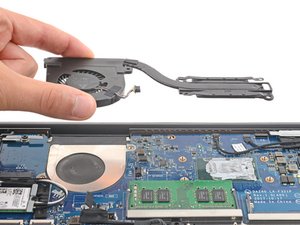
Veelvoorkomende problemen die door gebruikers worden gemeld zijn het opzwellen van de accu na verloop van tijd door ouderdom of hitte, defecten aan het toetsenbord en het verstopt raken of falen van de ventilator.
Identificatie
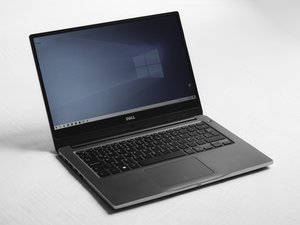
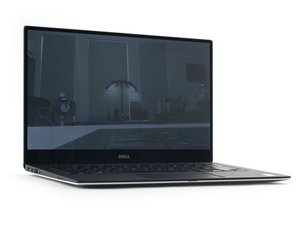
Om te controleren of dit jouw apparaat is, kijk je naar de onderste hoeken van de rand om het scherm (het raam), waar meestal "Latitude 7300" staat afgedrukt. Als het daar niet staat, draai de laptop dan om en zoek naar een zwarte sticker of tekst op de onderkant waarop de modelnaam en een "Service Tag" staan. Als je al bent ingelogd op Windows, kun je op de Windows-toets + R drukken, msinfo32 typen en op enter drukken om de regel 'Systeemmodel' (System Model) te bekijken, waar specifiek 'Latitude 7300' zal staan.
Technische Specificaties
- Processor: 8e generatie Intel Core i5 of i7.
- Geheugen (RAM): 2 sleuven met ondersteuning voor maximaal 32 GB DDR4 (2400 MHz).
- Opslag: M.2 PCIe NVMe Solid State Drive (SSD).
- Scherm: 13,3-inch anti-reflecterend scherm.
- Grafische kaart: Geïntegreerde Intel UHD Graphics.
- Accu: 3-cel of 4-cel met ExpressCharge-ondersteuning.
- Poorten: 1x Thunderbolt 3 (USB Type-C)
- 2x USB 3.1
- 1x HDMI
- 1x microSD-kaartlezer
- 1x Audio-aansluiting