Ga door naar hoofdinhoud
Word lid van de reparatiegemeenschap - Account aanmaken

iPhone 16 Pro Max Taptic Engine Replacement

Wat je nodig hebt

  1. iPhone 16 Pro Max Taptic Engine Replacement, Before you begin: stap 1, afbeelding 1 van 3 iPhone 16 Pro Max Taptic Engine Replacement, Before you begin: stap 1, afbeelding 2 van 3 iPhone 16 Pro Max Taptic Engine Replacement, Before you begin: stap 1, afbeelding 3 van 3
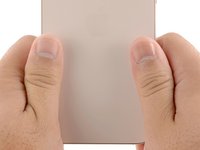
    • Allow your iPhone's battery to drain below 25%, as a charged lithium-ion battery is a potential safety hazard.

    • Unplug any cables from your iPhone.

    • Hold the power and either volume buttons, and slide to power off your iPhone.

    Vraag FixBot
  2. iPhone 16 Pro Max Taptic Engine Replacement, Tape over any cracks: stap 2, afbeelding 1 van 2 iPhone 16 Pro Max Taptic Engine Replacement, Tape over any cracks: stap 2, afbeelding 2 van 2
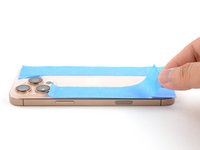
    • If your screen or back glass is badly cracked, lay overlapping strips of packing tape over the glass to protect yourself and make disassembly easier.

    • Make sure there's a smooth area near the bottom edge that's big enough for a suction cup to stick to.

    Vraag FixBot
  3. iPhone 16 Pro Max Taptic Engine Replacement, Remove the pentalobe screws: stap 3, afbeelding 1 van 2 iPhone 16 Pro Max Taptic Engine Replacement, Remove the pentalobe screws: stap 3, afbeelding 2 van 2
    • Use a P2 pentalobe driver to remove the two 7.4 mm-long screws on either side of the charge port.

    Vraag FixBot
  4. iPhone 16 Pro Max Taptic Engine Replacement, Mark your opening picks: stap 4, afbeelding 1 van 3 iPhone 16 Pro Max Taptic Engine Replacement, Mark your opening picks: stap 4, afbeelding 2 van 3 iPhone 16 Pro Max Taptic Engine Replacement, Mark your opening picks: stap 4, afbeelding 3 van 3
    • If inserted too far, an opening pick can damage your device. Follow this step to mark your pick and prevent damage.

    • Measure 3 mm from the tip and mark the opening pick with a permanent marker.

    • You can also mark the other corners of the pick with different measurements.

    • Alternatively, tape a coin to a pick 3 mm from the tip.

    Vraag FixBot
  5. iPhone 16 Pro Max Taptic Engine Replacement, Create a gap using a suction handle: stap 5, afbeelding 1 van 1
    Gereedschap gebruikt in deze stap:
    iOpener
    $14.95
    • The next two steps show how to create an initial gap using a suction handle.

    • Use a hair dryer or heat gun to heat the bottom edge of the back glass until it's hot to the touch.

    • You can also use an iOpener to heat the back glass. Follow these instructions to heat and apply the iOpener properly.

    Vraag FixBot
  6. iPhone 16 Pro Max Taptic Engine Replacement: stap 6, afbeelding 1 van 3 iPhone 16 Pro Max Taptic Engine Replacement: stap 6, afbeelding 2 van 3 iPhone 16 Pro Max Taptic Engine Replacement: stap 6, afbeelding 3 van 3
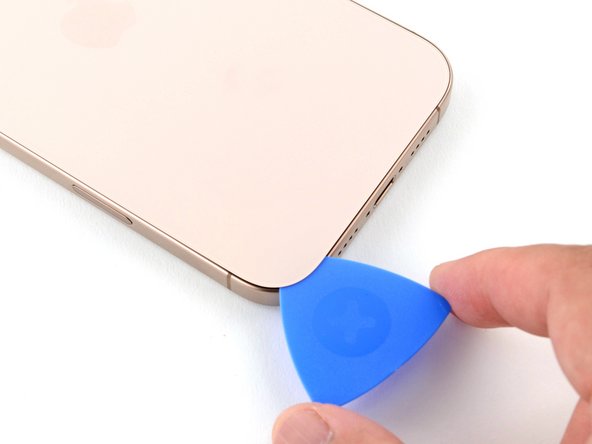
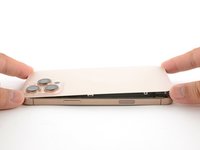
    • Apply a suction handle to the bottom edge of the back glass.

    • Pull up on the handle with strong, steady force to create a gap between the back glass and the frame.

    • If a gap doesn't appear, apply more heat to the edge and try again.

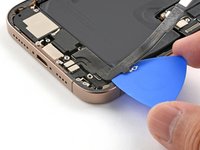
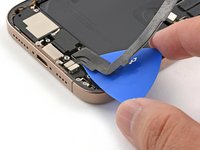
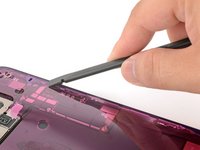
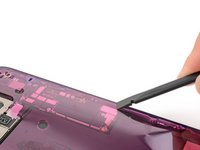
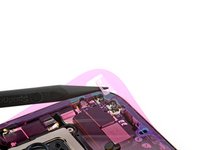
    • Insert the tip of an opening pick into the gap.

    Vraag FixBot
  7. iPhone 16 Pro Max Taptic Engine Replacement, Back glass information: stap 7, afbeelding 1 van 1
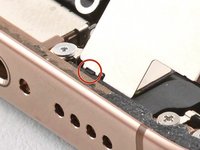
    • As you slice the adhesive securing the back glass in the following steps, don't insert your pick deeper than 3 mm to avoid damaging the following areas:

    • A delicate cable connecting the back glass to the iPhone, right next to the volume up button. Don't insert your pick here to avoid slicing the cable.

    • Multiple spring contacts around the perimeter of the iPhone.

    Vraag FixBot
  8. iPhone 16 Pro Max Taptic Engine Replacement, Separate the bottom edge adhesive: stap 8, afbeelding 1 van 2 iPhone 16 Pro Max Taptic Engine Replacement, Separate the bottom edge adhesive: stap 8, afbeelding 2 van 2
    • Slide the opening pick along the bottom edge to slice the adhesive.

    • If the adhesive feels difficult to slice, reheat the edge for a minute and try again.

    • Leave the opening pick in the bottom-left corner to prevent the adhesive from resealing.

    Vraag FixBot
  9. iPhone 16 Pro Max Taptic Engine Replacement, Heat the left edge: stap 9, afbeelding 1 van 1
    • Use a hair dryer or heat gun to heat the left edge of the back glass until it's hot to the touch.

    Vraag FixBot
  10. iPhone 16 Pro Max Taptic Engine Replacement, Separate the left adhesive: stap 10, afbeelding 1 van 2 iPhone 16 Pro Max Taptic Engine Replacement, Separate the left adhesive: stap 10, afbeelding 2 van 2
    • Insert a second opening pick into the bottom-left corner, close to the existing pick.

    • Don't insert your pick deeper than 3 mm to avoid damaging the spring contacts.

    • Slide your pick along the left edge to separate the adhesive and release the metal clips.

    • You'll hear and feel the metal clips release as you pass them.

    • Leave this pick inserted in the top-left corner to prevent the adhesive from resealing.

    Vraag FixBot
  11. iPhone 16 Pro Max Taptic Engine Replacement, Heat the top edge and corner: stap 11, afbeelding 1 van 1
    • Use a hair dryer or heat gun to heat the top edge and top-right corner of the back glass until it's hot to the touch.

    Vraag FixBot
  12. iPhone 16 Pro Max Taptic Engine Replacement, Separate the top adhesive: stap 12, afbeelding 1 van 2 iPhone 16 Pro Max Taptic Engine Replacement, Separate the top adhesive: stap 12, afbeelding 2 van 2
    • Don't insert your pick deeper than 3 mm to avoid damaging the spring contacts.

    • Insert a third opening pick into the top-left corner.

    • Slide the opening pick along the top edge and around the top-right corner, stopping above the volume up button.

    • Leave this pick inserted to prevent the adhesive from resealing.

    Vraag FixBot
  13. iPhone 16 Pro Max Taptic Engine Replacement, Heat the right edge: stap 13, afbeelding 1 van 1
    • Use a hair dryer or heat gun to heat the right edge of the back glass until it's hot to the touch.

    Vraag FixBot
  14. iPhone 16 Pro Max Taptic Engine Replacement, Separate the right adhesive: stap 14, afbeelding 1 van 2 iPhone 16 Pro Max Taptic Engine Replacement, Separate the right adhesive: stap 14, afbeelding 2 van 2
    • Don't insert your pick deeper than 3 mm to avoid damaging the spring contacts.

    • Insert a fourth opening pick into the bottom-right corner.

    • Slide the opening pick around the corner and up the right edge, stopping below the volume down button.

    • Leave this pick inserted to prevent the adhesive from resealing.

    Vraag FixBot
  15. iPhone 16 Pro Max Taptic Engine Replacement, Reposition the back glass: stap 15, afbeelding 1 van 3 iPhone 16 Pro Max Taptic Engine Replacement, Reposition the back glass: stap 15, afbeelding 2 van 3 iPhone 16 Pro Max Taptic Engine Replacement, Reposition the back glass: stap 15, afbeelding 3 van 3
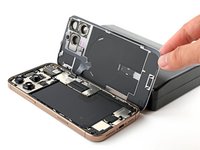
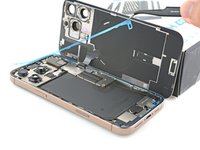
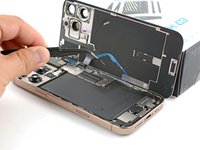
    • At this point, the back glass should be free from the frame. If the back glass feels stuck, go back around the perimeter with your pick to check for missed sections of adhesive or stuck clips.

    • Swing open the back glass to the right of the iPhone to separate the remaining adhesive.

    • Support the back glass with a clean, sturdy object.

    Vraag FixBot
  16. iPhone 16 Pro Max Taptic Engine Replacement, Remove the battery connector cover: stap 16, afbeelding 1 van 1
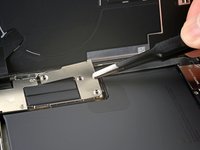
    • Use a tri-point Y000 driver to remove the three screws securing the battery connector cover:

    • Two 1.3 mm‑long screws

    • One 1.0 mm‑long screw

    Vraag FixBot
  17. iPhone 16 Pro Max Taptic Engine Replacement: stap 17, afbeelding 1 van 2 iPhone 16 Pro Max Taptic Engine Replacement: stap 17, afbeelding 2 van 2
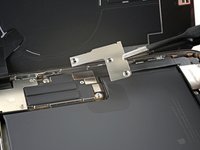
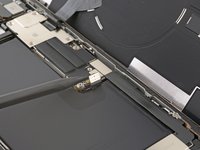
    • Lift and remove the battery connector cover.

    Vraag FixBot
  18. iPhone 16 Pro Max Taptic Engine Replacement, Disconnect the battery: stap 18, afbeelding 1 van 2 iPhone 16 Pro Max Taptic Engine Replacement, Disconnect the battery: stap 18, afbeelding 2 van 2
    • Use the point of a spudger to pry up and disconnect the battery press connector.

    Vraag FixBot
  19. iPhone 16 Pro Max Taptic Engine Replacement, Remove the back glass connector cover: stap 19, afbeelding 1 van 1
    • Use a tri-point Y000 driver to remove the four screws securing the back glass connector cover:

    • Two 1.3 mm‑long screws

    • Two 1.0 mm‑long screws

    Vraag FixBot
  20. iPhone 16 Pro Max Taptic Engine Replacement: stap 20, afbeelding 1 van 2 iPhone 16 Pro Max Taptic Engine Replacement: stap 20, afbeelding 2 van 2
    • Lift the back glass connector cover straight up and remove it.

    Vraag FixBot
  21. iPhone 16 Pro Max Taptic Engine Replacement, Remove the back glass: stap 21, afbeelding 1 van 2 iPhone 16 Pro Max Taptic Engine Replacement, Remove the back glass: stap 21, afbeelding 2 van 2
    • Use the point of a spudger to pry up and disconnect the back glass connector.

    Vraag FixBot
  22. iPhone 16 Pro Max Taptic Engine Replacement: stap 22, afbeelding 1 van 1
    • Remove the back glass.

    Vraag FixBot
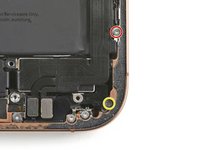
  23. iPhone 16 Pro Max Taptic Engine Replacement, Remove the Taptic Engine cover: stap 23, afbeelding 1 van 2 iPhone 16 Pro Max Taptic Engine Replacement, Remove the Taptic Engine cover: stap 23, afbeelding 2 van 2
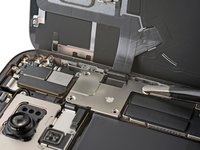
    • Use a Phillips screwdriver to remove the three screws securing the Taptic Engine cover:

    • One 2.9 mm‑long screw

    • One 1.3 mm‑long screw

    • One 2.4 mm‑long screw

    Vraag FixBot
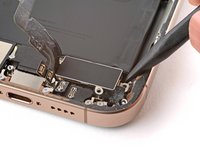
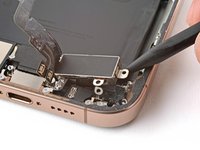
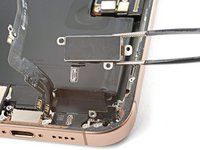
  24. iPhone 16 Pro Max Taptic Engine Replacement: stap 24, afbeelding 1 van 3 iPhone 16 Pro Max Taptic Engine Replacement: stap 24, afbeelding 2 van 3 iPhone 16 Pro Max Taptic Engine Replacement: stap 24, afbeelding 3 van 3
    • Use tweezers or your fingers to lift the top edge of the Taptic Engine cover.

    • Once the bottom edge unlatches from the frame, remove the Taptic Engine cover.

    Vraag FixBot
  25. iPhone 16 Pro Max Taptic Engine Replacement, Loosen the lower assembly cable: stap 25, afbeelding 1 van 2 iPhone 16 Pro Max Taptic Engine Replacement, Loosen the lower assembly cable: stap 25, afbeelding 2 van 2
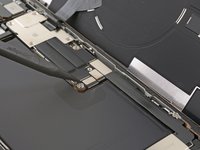
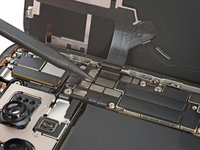
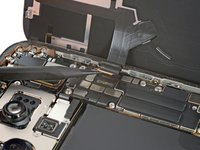
    • Use the point of a spudger to pry up and disconnect the lower assembly cable from the logic board.

    Vraag FixBot
  26. iPhone 16 Pro Max Taptic Engine Replacement: stap 26, afbeelding 1 van 3 iPhone 16 Pro Max Taptic Engine Replacement: stap 26, afbeelding 2 van 3 iPhone 16 Pro Max Taptic Engine Replacement: stap 26, afbeelding 3 van 3
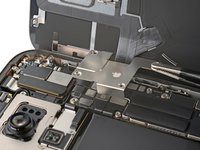
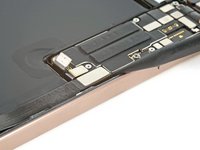
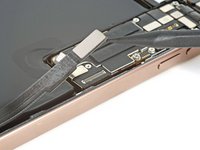
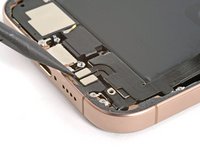
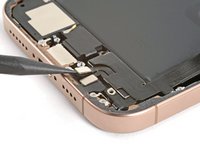
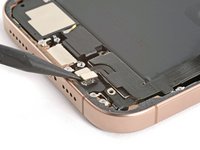
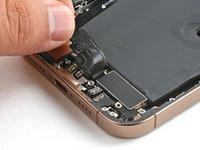
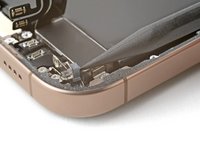
    • Use the point of a spudger to pry up and disconnect the two connectors near the bottom right edge of the frame.

    Vraag FixBot
  27. iPhone 16 Pro Max Taptic Engine Replacement: stap 27, afbeelding 1 van 2 iPhone 16 Pro Max Taptic Engine Replacement: stap 27, afbeelding 2 van 2
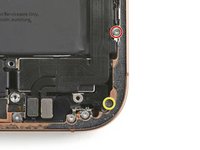
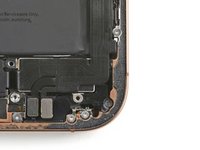
    • Remove the two screws securing the lower assembly cable:

    • One 1.0 mm‑long tri-point Y000 screw

    • One 1.3 mm‑long Phillips screw

    Vraag FixBot
  28. iPhone 16 Pro Max Taptic Engine Replacement: stap 28, afbeelding 1 van 1
    • Use a hair dryer to heat up the lower assembly cable section on top of the Taptic Engine until it's hot to the touch.

    Vraag FixBot
  29. iPhone 16 Pro Max Taptic Engine Replacement: stap 29, afbeelding 1 van 3 iPhone 16 Pro Max Taptic Engine Replacement: stap 29, afbeelding 2 van 3 iPhone 16 Pro Max Taptic Engine Replacement: stap 29, afbeelding 3 van 3
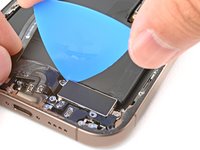
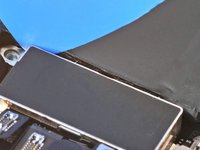
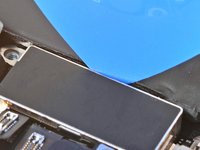
    • Slide an opening pick under the lower assembly cable to separate it from the Taptic Engine.

    • Carefully bend the cable out of the way so you can access the Taptic Engine.

    Vraag FixBot
  30. iPhone 16 Pro Max Taptic Engine Replacement, Remove the Taptic Engine: stap 30, afbeelding 1 van 1
    • Use a Phillips screwdriver to remove the 2.1 mm‑long screw securing the Taptic Engine.

    Vraag FixBot
  31. iPhone 16 Pro Max Taptic Engine Replacement: stap 31, afbeelding 1 van 2 iPhone 16 Pro Max Taptic Engine Replacement: stap 31, afbeelding 2 van 2
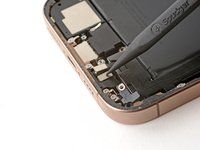
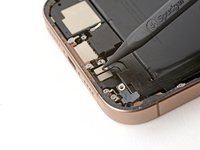
    • Use the point of a spudger to pivot the corner bracket up.

    Vraag FixBot
  32. iPhone 16 Pro Max Taptic Engine Replacement: stap 32, afbeelding 1 van 3 iPhone 16 Pro Max Taptic Engine Replacement: stap 32, afbeelding 2 van 3 iPhone 16 Pro Max Taptic Engine Replacement: stap 32, afbeelding 3 van 3
    • Slide the tip of an opening pick along the top edge of the Taptic Engine to separate the plastic buffer strip adhered to it.

    Vraag FixBot
  33. iPhone 16 Pro Max Taptic Engine Replacement: stap 33, afbeelding 1 van 3 iPhone 16 Pro Max Taptic Engine Replacement: stap 33, afbeelding 2 van 3 iPhone 16 Pro Max Taptic Engine Replacement: stap 33, afbeelding 3 van 3
    • Use the point of a spudger to pry up the Taptic Engine.

    • Be careful not to pry against the battery.

    • Remove the Taptic Engine.

    Vraag FixBot
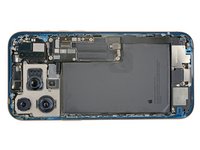
  34. iPhone 16 Pro Max Taptic Engine Replacement, Disassembly complete: stap 34, afbeelding 1 van 1
    • Congratulations on completing disassembly! The remaining steps will show how to reassemble your iPhone.

    • Depending on your iPhone model, some reassembly photos may have minor visual discrepancies. The procedure, however, will be correct for your iPhone.

    Vraag FixBot
  35. iPhone 16 Pro Max Taptic Engine Replacement, Install the Taptic Engine: stap 35, afbeelding 1 van 1
    • Lay the Taptic Engine in its recess.

    Vraag FixBot
  36. iPhone 16 Pro Max Taptic Engine Replacement: stap 36, afbeelding 1 van 1
    • Use your finger to pivot the corner bracket down into place.

    Vraag FixBot
  37. iPhone 16 Pro Max Taptic Engine Replacement: stap 37, afbeelding 1 van 1
    • Use a Phillips screwdriver to install the 2.1 mm‑long screw securing the Taptic Engine.

    Vraag FixBot
  38. iPhone 16 Pro Max Taptic Engine Replacement: stap 38, afbeelding 1 van 1
    • Use your finger to gently press the lower assembly cable onto the top of the Taptic Engine.

    Vraag FixBot
  39. iPhone 16 Pro Max Taptic Engine Replacement: stap 39, afbeelding 1 van 2 iPhone 16 Pro Max Taptic Engine Replacement: stap 39, afbeelding 2 van 2
    • Install the two screws securing the lower assembly cable:

    • One 1.0 mm‑long tri-point Y000 screw

    • One 1.3 mm‑long Phillips screw

    Vraag FixBot
  40. iPhone 16 Pro Max Taptic Engine Replacement: stap 40, afbeelding 1 van 2 iPhone 16 Pro Max Taptic Engine Replacement: stap 40, afbeelding 2 van 2
    • Use your finger or a spudger to press and connect the two lower assembly cable connectors.

    Vraag FixBot
  41. iPhone 16 Pro Max Taptic Engine Replacement: stap 41, afbeelding 1 van 2 iPhone 16 Pro Max Taptic Engine Replacement: stap 41, afbeelding 2 van 2
    • Lay the Taptic Engine cover in place and align it by its screw holes.

    • Make sure the bottom edge of the cover latches properly to the frame.

    Vraag FixBot
  42. iPhone 16 Pro Max Taptic Engine Replacement: stap 42, afbeelding 1 van 2 iPhone 16 Pro Max Taptic Engine Replacement: stap 42, afbeelding 2 van 2
    • Use a Phillips screwdriver to install the three screws securing the Taptic Engine cover:

    • One 2.9 mm‑long screw

    • One 1.3 mm‑long screw

    • One 2.4 mm‑long screw

    Vraag FixBot
  43. iPhone 16 Pro Max Taptic Engine Replacement: stap 43, afbeelding 1 van 1
    • Use your finger or a spudger to press the assembly cable connector onto the logic board.

    Vraag FixBot
  44. iPhone 16 Pro Max Taptic Engine Replacement, Remove the leftover adhesive: stap 44, afbeelding 1 van 3 iPhone 16 Pro Max Taptic Engine Replacement, Remove the leftover adhesive: stap 44, afbeelding 2 van 3 iPhone 16 Pro Max Taptic Engine Replacement, Remove the leftover adhesive: stap 44, afbeelding 3 van 3
    Gereedschap gebruikt in deze stap:
    Tweezers
    $4.99
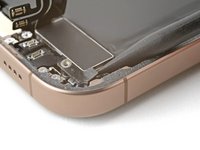
    • Work around the fragile grounding clips as you're cleaning the frame. If you bend one out of place, gently bend it back with your fingers or tweezers.

    • Use blunt nose tweezers or your fingers to remove large pieces of adhesive from the frame perimeter.

    • Use a spudger to scrape the adhesive residue off of the frame.

    • If the adhesive feels stubborn, apply some heat using a hair dryer or heat gun and try again.

    Vraag FixBot
  45. iPhone 16 Pro Max Taptic Engine Replacement, Clean the back glass: stap 45, afbeelding 1 van 2 iPhone 16 Pro Max Taptic Engine Replacement, Clean the back glass: stap 45, afbeelding 2 van 2
    Gereedschap gebruikt in deze stap:
    Microfiber Cleaning Cloths
    $3.99
    • If you're reusing your back glass, apply a few drops of highly-concentrated isopropyl alcohol (over 90%) to a microfiber or lint-free cloth and wipe around the perimeter to prepare the surface for new adhesive.

    Vraag FixBot
  46. iPhone 16 Pro Max Taptic Engine Replacement, Clean the frame: stap 46, afbeelding 1 van 1
    • Wrap a lint-free cloth or a coffee filter over the point of a spudger and apply a few drops of highly-concentrated isopropyl alcohol (over 90%) to it.

    • Wipe in one direction along the perimeter of the frame to clean the adhesive residue.

    • Take your time doing this. A clean frame allows replacement adhesive to lay evenly, ensuring a better bond.

    Vraag FixBot
  47. iPhone 16 Pro Max Taptic Engine Replacement, Apply the replacement adhesive: stap 47, afbeelding 1 van 1
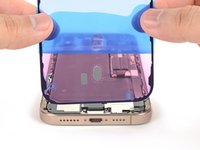
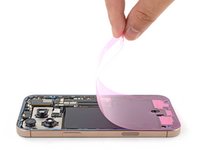
    • Lay the adhesive sheet over the frame to determine its proper orientation.

    • Use features such as the camera cutout and notches along the top and bottom edges to visualize how the adhesive will lay in the frame.

    Vraag FixBot
  48. iPhone 16 Pro Max Taptic Engine Replacement: stap 48, afbeelding 1 van 2 iPhone 16 Pro Max Taptic Engine Replacement: stap 48, afbeelding 2 van 2
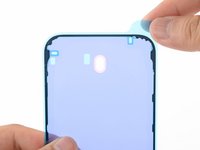
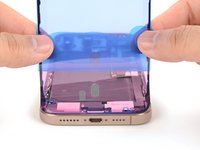
    • Grab the tab in the corner of the adhesive sheet and peel the liner to expose a third of the adhesive.

    • The exposed adhesive is very sticky. Don't let it touch anything until you're ready to apply it to the frame.

    • If your adhesive has multiple liners, peel the liner that exposes the side that sticks to the frame.

    Vraag FixBot
  49. iPhone 16 Pro Max Taptic Engine Replacement: stap 49, afbeelding 1 van 3 iPhone 16 Pro Max Taptic Engine Replacement: stap 49, afbeelding 2 van 3 iPhone 16 Pro Max Taptic Engine Replacement: stap 49, afbeelding 3 van 3
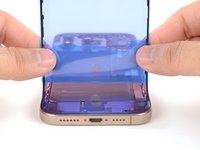
    • Carefully align the exposed edge of the adhesive strip with the corresponding edge of the iPhone's frame.

    • Once the adhesive is pressed into place, you can't reposition it—you'll have to remove it and start over with new adhesive.

    • When it's correctly aligned, gently press the exposed adhesive strip onto the frame.

    Vraag FixBot
  50. iPhone 16 Pro Max Taptic Engine Replacement: stap 50, afbeelding 1 van 3 iPhone 16 Pro Max Taptic Engine Replacement: stap 50, afbeelding 2 van 3 iPhone 16 Pro Max Taptic Engine Replacement: stap 50, afbeelding 3 van 3
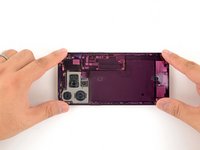
    • Continue peeling away the liner from the adhesive, gently pressing the adhesive into place.

    • If you've correctly aligned the adhesive, the edges will fall perfectly into place.

    • If your adhesive is slightly misaligned, gently pull the long edges into alignment with the frame.

    • If the adhesive begins to crease or wrinkle, remove it and start over with fresh adhesive.

    • If you don't have another set of adhesive strips handy, it's okay to temporarily put your iPhone back together and use it normally without any adhesive. Just keep in mind that your iPhone's water resistance will be compromised until you replace the adhesive.

    Vraag FixBot
  51. iPhone 16 Pro Max Taptic Engine Replacement: stap 51, afbeelding 1 van 2 iPhone 16 Pro Max Taptic Engine Replacement: stap 51, afbeelding 2 van 2
    • Use a spudger to press the adhesive around the entire perimeter of your iPhone.

    • Work around the fragile grounding clips. If you bend one out of place, gently bend it back with your fingers or tweezers.

    • Don't press too hard, or you'll stretch and deform the adhesive.

    Vraag FixBot
  52. iPhone 16 Pro Max Taptic Engine Replacement: stap 52, afbeelding 1 van 3 iPhone 16 Pro Max Taptic Engine Replacement: stap 52, afbeelding 2 van 3 iPhone 16 Pro Max Taptic Engine Replacement: stap 52, afbeelding 3 van 3
    • Use a spudger or your fingers to lift the pull tab connected to the large front liner. The pull tab is often in a corner of the liner.

    • Use the pull tab to peel off the large front liner from the adhesive.

    • At this point, you may still have a liner covering the perimeter, which prevents the adhesive from accidentally sticking to anything while you're reassembling your iPhone. Don't remove these small release liners just yet.

    Vraag FixBot
  53. iPhone 16 Pro Max Taptic Engine Replacement, Connect the back glass: stap 53, afbeelding 1 van 1
    • Prop up the back glass along the right edge of your iPhone.

    Vraag FixBot
  54. iPhone 16 Pro Max Taptic Engine Replacement: stap 54, afbeelding 1 van 1
    • Use your finger or the flat end of a spudger to press and connect the back glass connector onto the logic board.

    Vraag FixBot
  55. iPhone 16 Pro Max Taptic Engine Replacement, Connect the battery: stap 55, afbeelding 1 van 1
    • Use your finger or a spudger to press and connect the battery press connector onto the logic board.

    • This is a good point to test your repair before sealing up your iPhone. Power on your iPhone and make sure it works as expected. Power it back down and continue reassembly.

    • If your iPhone doesn't turn on, connect it to a power source and try again.

    • If you've replaced the logic board and the screen fails to turn on, you'll need to follow the screen guide to manually connect the display connector.

    Vraag FixBot
  56. iPhone 16 Pro Max Taptic Engine Replacement, Install the connector covers: stap 56, afbeelding 1 van 1
    • Align the back glass connector cover by its screw holes and lay it in place.

    Vraag FixBot
  57. iPhone 16 Pro Max Taptic Engine Replacement: stap 57, afbeelding 1 van 1
    • Use a tri-point Y000 driver to install the four screws securing the back glass connector cover:

    • Two 1.3 mm‑long screws

    • Two 1.0 mm‑long screws

    Vraag FixBot
  58. iPhone 16 Pro Max Taptic Engine Replacement: stap 58, afbeelding 1 van 1
    • Align the battery connector cover by its screw holes and lay it in place.

    Vraag FixBot
  59. iPhone 16 Pro Max Taptic Engine Replacement: stap 59, afbeelding 1 van 1
    • Use a tri-point Y000 driver to install the three screws securing the battery connector cover:

    • Two 1.3 mm‑long screws

    • One 1.0 mm‑long screw

    Vraag FixBot
  60. iPhone 16 Pro Max Taptic Engine Replacement, Remove the final adhesive liners: stap 60, afbeelding 1 van 2 iPhone 16 Pro Max Taptic Engine Replacement, Remove the final adhesive liners: stap 60, afbeelding 2 van 2
    • Use your fingers or a spudger to peel away all perimeter liners, exposing the adhesive.

    • As you remove the liners, make sure nothing touches the exposed adhesive.

    • Check the frame and back glass for any stray liners and remove them. There should be no liners remaining.

    Vraag FixBot
  61. iPhone 16 Pro Max Taptic Engine Replacement, Install the back glass: stap 61, afbeelding 1 van 3 iPhone 16 Pro Max Taptic Engine Replacement, Install the back glass: stap 61, afbeelding 2 van 3 iPhone 16 Pro Max Taptic Engine Replacement, Install the back glass: stap 61, afbeelding 3 van 3
    • Lower the back glass onto the frame, beginning with the top edge.

    • If you feel resistance, a perimeter clip may have bent out of place and is being crushed by the frame. Look at the point of resistance and gently straighten any bent clips.

    • Press along the edges of the iPhone until the back glass sits flush against the frame.

    Vraag FixBot
  62. iPhone 16 Pro Max Taptic Engine Replacement, Apply heat to the perimeter: stap 62, afbeelding 1 van 1
    • Use a hair dryer, heat gun, or an iOpener to heat the back glass perimeter until it's slightly too hot to touch.

    • The heat softens the adhesive and helps create a better bond.

    Vraag FixBot
  63. iPhone 16 Pro Max Taptic Engine Replacement, Apply pressure to the perimeter: stap 63, afbeelding 1 van 2 iPhone 16 Pro Max Taptic Engine Replacement, Apply pressure to the perimeter: stap 63, afbeelding 2 van 2
    • Use your fingers to firmly squeeze around the perimeter of the iPhone.

    Vraag FixBot
  64. iPhone 16 Pro Max Taptic Engine Replacement: stap 64, afbeelding 1 van 2 iPhone 16 Pro Max Taptic Engine Replacement: stap 64, afbeelding 2 van 2
    • Place your iPhone screen-side down on a clean, flat work surface.

    • Lay a strip of tape around the perimeter of the back glass to protect the finish.

    • Stack coins around the perimeter of the back glass until you create a wall that's as tall as the rear camera protrusions.

    • Alternatively, you can use vise clamps around the perimeter of your device to set the new adhesive.

    Vraag FixBot
  65. iPhone 16 Pro Max Taptic Engine Replacement: stap 65, afbeelding 1 van 2 iPhone 16 Pro Max Taptic Engine Replacement: stap 65, afbeelding 2 van 2
    • Place 3-4 heavy books squarely on top of your iPhone.

    • The coins may leave a slight impression on the bottom book cover, so don't use anything valuable.

    • Leave the books in place for about 30 minutes.

    • The pressure will help activate the adhesive.

    Vraag FixBot
  66. iPhone 16 Pro Max Taptic Engine Replacement, Install the pentalobe screws: stap 66, afbeelding 1 van 2 iPhone 16 Pro Max Taptic Engine Replacement, Install the pentalobe screws: stap 66, afbeelding 2 van 2
    • Use a P2 pentalobe driver to install the two 7.4 mm-long screws on either side of the charge port.

    Vraag FixBot
Conclusie

Take your e-waste to an R2 or e-Stewards certified recycler.

Repair didn’t go as planned? Try some basic troubleshooting, or ask our Answers community for help.


Arthur Shi

Lid sinds: 01/03/18

336.164 Reputatie

848 handleidingen geschreven

Team

iFixit Lid van iFixit

Staff

123 Leden

25.802 handleidingen geschreven

0Gids Commentaar

Voeg opmerking toe

Weergavestatistieken:

Afgelopen 24 uren: 2

Afgelopen 7 dagen: 22

Afgelopen 30 dagen: 125

Altijd: 3,115