Ga door naar hoofdinhoud
Word lid van de reparatiegemeenschap - Account aanmaken

iPhone 15 Pro Front Camera Assembly Replacement

Wat je nodig hebt

  1. iPhone 15 Pro Front Camera Assembly Replacement, Prepare your iPhone for disassembly: stap 1, afbeelding 1 van 2 iPhone 15 Pro Front Camera Assembly Replacement, Prepare your iPhone for disassembly: stap 1, afbeelding 2 van 2
    • Let your phone's battery drain below 25% before starting this repair—a charged lithium‑ion battery may catch fire if damaged.

    • Unplug all cables from your phone.

    • Hold the power and either volume button and slide to power off your phone.

    Vraag FixBot

    Voeg opmerking toe

  2. iPhone 15 Pro Front Camera Assembly Replacement, Tape over any cracks: stap 2, afbeelding 1 van 2 iPhone 15 Pro Front Camera Assembly Replacement, Tape over any cracks: stap 2, afbeelding 2 van 2
    • If your screen or back glass is cracked, lay overlapping strips of packing tape over the glass to protect yourself and make disassembly easier.

    • Make sure there's a smooth area near the bottom edge that's big enough for a suction cup to stick to.

    Vraag FixBot

    Voeg opmerking toe

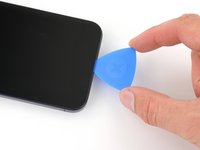
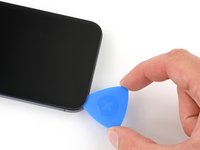
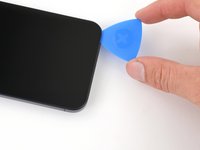
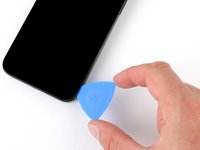
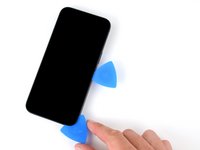
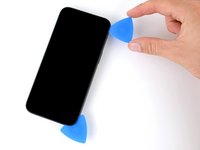
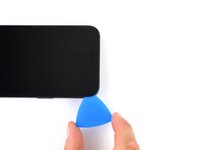
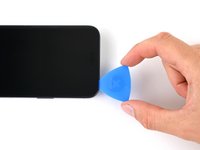
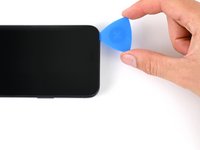
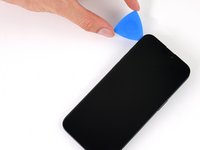
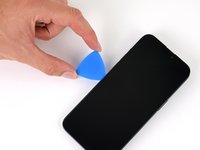
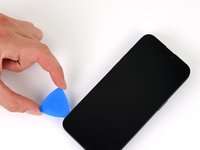
  3. iPhone 15 Pro Front Camera Assembly Replacement, Mark your opening picks: stap 3, afbeelding 1 van 3 iPhone 15 Pro Front Camera Assembly Replacement, Mark your opening picks: stap 3, afbeelding 2 van 3 iPhone 15 Pro Front Camera Assembly Replacement, Mark your opening picks: stap 3, afbeelding 3 van 3
    • If inserted too far, an opening pick can damage your device. Follow this step to mark your pick and prevent damage.

    • Measure 3 mm from the tip and mark the opening pick with a permanent marker.

    • You can also mark the other corners of the pick with different measurements.

    • Alternatively, tape a coin to a pick 3 mm from the tip.

    Vraag FixBot

    Voeg opmerking toe

  4. iPhone 15 Pro Front Camera Assembly Replacement, Remove the pentalobe screws: stap 4, afbeelding 1 van 2 iPhone 15 Pro Front Camera Assembly Replacement, Remove the pentalobe screws: stap 4, afbeelding 2 van 2
    • Use a P2 pentalobe screwdriver to remove the two 7 mm‑long screws on either side of the charging port.

    Vraag FixBot

    Voeg opmerking toe

  5. iPhone 15 Pro Front Camera Assembly Replacement, Heat the bottom edge: stap 5, afbeelding 1 van 1
    • Use a hair dryer or heat gun to heat the bottom edge of the screen until it's hot to the touch.

    • Be careful not to heat the phone hotter than this—the battery is susceptible to heat damage.

    Vraag FixBot

    Voeg opmerking toe

  6. iPhone 15 Pro Front Camera Assembly Replacement, Insert an opening pick: stap 6, afbeelding 1 van 3 iPhone 15 Pro Front Camera Assembly Replacement, Insert an opening pick: stap 6, afbeelding 2 van 3 iPhone 15 Pro Front Camera Assembly Replacement, Insert an opening pick: stap 6, afbeelding 3 van 3
    • Apply a suction handle to the bottom edge of the screen.

    • Pull up on the handle with a strong, steady force to create a gap between the screen and the frame.

    • Insert the tip of an opening pick into the gap.

    Vraag FixBot

    Voeg opmerking toe

  7. iPhone 15 Pro Front Camera Assembly Replacement, Screen information: stap 7, afbeelding 1 van 1
    • As you slice the adhesive securing the screen in the next steps, be careful of the following areas:

    • There are two delicate cables connecting the screen to the phone: one just above the action button, and the other near the middle of the left edge.

    • There are multiple spring contacts around the perimeter of the phone. Be extra careful not to insert your pick deeper than suggested in these locations to avoid bending the contacts.

    Vraag FixBot

    Voeg opmerking toe

  8. iPhone 15 Pro Front Camera Assembly Replacement, Separate the bottom edge adhesive: stap 8, afbeelding 1 van 3 iPhone 15 Pro Front Camera Assembly Replacement, Separate the bottom edge adhesive: stap 8, afbeelding 2 van 3 iPhone 15 Pro Front Camera Assembly Replacement, Separate the bottom edge adhesive: stap 8, afbeelding 3 van 3
    • Don't insert your opening pick deeper than 3 mm along the bottom edge.

    • Slide your pick back and forth along the bottom edge to separate the adhesive.

    • Leave your pick inserted in the bottom right corner to prevent the adhesive from re-sealing.

    Vraag FixBot

    Voeg opmerking toe

  9. iPhone 15 Pro Front Camera Assembly Replacement, Heat the right edge: stap 9, afbeelding 1 van 1
    • Heat the right edge of the screen until it's hot to the touch.

    Vraag FixBot

    Voeg opmerking toe

  10. iPhone 15 Pro Front Camera Assembly Replacement, Position the opening pick: stap 10, afbeelding 1 van 3 iPhone 15 Pro Front Camera Assembly Replacement, Position the opening pick: stap 10, afbeelding 2 van 3 iPhone 15 Pro Front Camera Assembly Replacement, Position the opening pick: stap 10, afbeelding 3 van 3
    • Don't insert your pick deeper than 5 mm along the right edge.

    • Slide your pick around the bottom right corner of the screen and toward the power button until you feel a hard stop at a clip securing the screen.

    • Rotate your pick so the flat edge is under the screen.

    Vraag FixBot

    Voeg opmerking toe

  11. iPhone 15 Pro Front Camera Assembly Replacement, Release the right clip: stap 11, afbeelding 1 van 3 iPhone 15 Pro Front Camera Assembly Replacement, Release the right clip: stap 11, afbeelding 2 van 3 iPhone 15 Pro Front Camera Assembly Replacement, Release the right clip: stap 11, afbeelding 3 van 3
    • Twist the pick to increase the gap between the screen and the frame until the right clip releases.

    • Insert a second opening pick to the right of the first pick.

    Vraag FixBot

    Voeg opmerking toe

  12. iPhone 15 Pro Front Camera Assembly Replacement, Separate the right edge adhesive: stap 12, afbeelding 1 van 3 iPhone 15 Pro Front Camera Assembly Replacement, Separate the right edge adhesive: stap 12, afbeelding 2 van 3 iPhone 15 Pro Front Camera Assembly Replacement, Separate the right edge adhesive: stap 12, afbeelding 3 van 3
    • Slide the first pick back to the bottom right corner of the screen.

    • Slide the second pick to the top right corner of the screen to separate the adhesive.

    • Leave these picks inserted to prevent the adhesive from resealing.

    Vraag FixBot

    Voeg opmerking toe

  13. iPhone 15 Pro Front Camera Assembly Replacement, Heat the top edge: stap 13, afbeelding 1 van 1
    • Heat the top edge of the screen until it's hot to the touch.

    Vraag FixBot

    Voeg opmerking toe

  14. iPhone 15 Pro Front Camera Assembly Replacement, Separate the top edge adhesive: stap 14, afbeelding 1 van 3 iPhone 15 Pro Front Camera Assembly Replacement, Separate the top edge adhesive: stap 14, afbeelding 2 van 3 iPhone 15 Pro Front Camera Assembly Replacement, Separate the top edge adhesive: stap 14, afbeelding 3 van 3
    • Don't insert your pick deeper than 3 mm along the top edge.

    • Slide your pick around the top right corner and along the top edge to release the two clips and adhesive securing it.

    Vraag FixBot

    Voeg opmerking toe

  15. iPhone 15 Pro Front Camera Assembly Replacement, Heat the left edge: stap 15, afbeelding 1 van 1
    • Heat the left edge of the screen until it's hot to the touch.

    Vraag FixBot

    Voeg opmerking toe

  16. iPhone 15 Pro Front Camera Assembly Replacement, Separate the left edge adhesive: stap 16, afbeelding 1 van 3 iPhone 15 Pro Front Camera Assembly Replacement, Separate the left edge adhesive: stap 16, afbeelding 2 van 3 iPhone 15 Pro Front Camera Assembly Replacement, Separate the left edge adhesive: stap 16, afbeelding 3 van 3
    • Don't insert your pick deeper than 2 mm along the left edge to avoid the two cables connecting the screen to the phone.

    • Rotate your pick around the top left corner of the screen.

    • Slide your pick to the bottom left corner of the screen to separate the adhesive.

    Vraag FixBot

    Voeg opmerking toe

  17. iPhone 15 Pro Front Camera Assembly Replacement, Prop up the screen: stap 17, afbeelding 1 van 3 iPhone 15 Pro Front Camera Assembly Replacement, Prop up the screen: stap 17, afbeelding 2 van 3 iPhone 15 Pro Front Camera Assembly Replacement, Prop up the screen: stap 17, afbeelding 3 van 3
    • Place a small box or stack of books to the left of your phone so you can prop up the screen while disconnecting its cables.

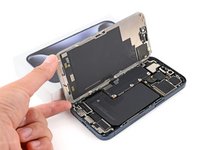
    • Swing up the right edge of the screen like the front cover of a book.

    • If the screen feels stuck, go back around the perimeter with an opening pick to separate any remaining adhesive.

    • Prop up the screen so you can access its cables without straining them.

    Vraag FixBot

    Voeg opmerking toe

  18. iPhone 15 Pro Front Camera Assembly Replacement, Unfasten the logic board cover: stap 18, afbeelding 1 van 2 iPhone 15 Pro Front Camera Assembly Replacement, Unfasten the logic board cover: stap 18, afbeelding 2 van 2
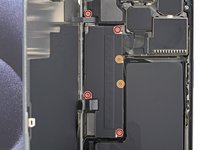
    • Use a Y000 screwdriver to remove the six screws securing the logic board cover:

    • Four 1.6 mm‑long screws

    • Two 1.3 mm‑long screws

    Vraag FixBot

    Voeg opmerking toe

  19. iPhone 15 Pro Front Camera Assembly Replacement, Remove the logic board cover: stap 19, afbeelding 1 van 3 iPhone 15 Pro Front Camera Assembly Replacement, Remove the logic board cover: stap 19, afbeelding 2 van 3 iPhone 15 Pro Front Camera Assembly Replacement, Remove the logic board cover: stap 19, afbeelding 3 van 3
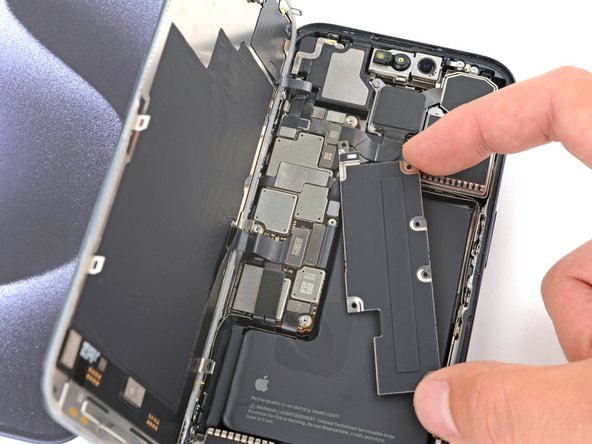
    • Rotate the bottom of the logic board cover counterclockwise and slide the top left corner out from under the ambient light sensor cable to remove it.

    • During reassembly, make sure the top left corner of the cover goes under the ambient light sensor cable.

    Vraag FixBot

    Voeg opmerking toe

  20. iPhone 15 Pro Front Camera Assembly Replacement, Disconnect the battery: stap 20, afbeelding 1 van 3 iPhone 15 Pro Front Camera Assembly Replacement, Disconnect the battery: stap 20, afbeelding 2 van 3 iPhone 15 Pro Front Camera Assembly Replacement, Disconnect the battery: stap 20, afbeelding 3 van 3
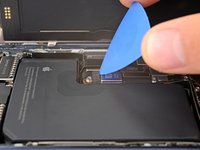
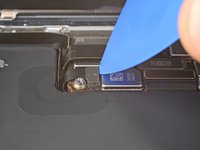
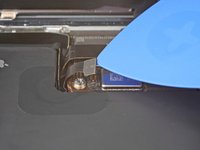
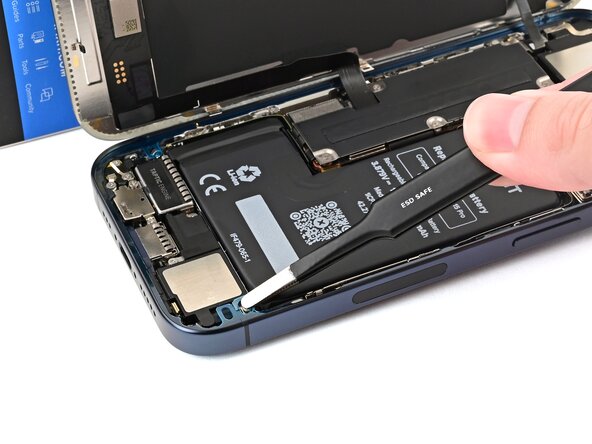
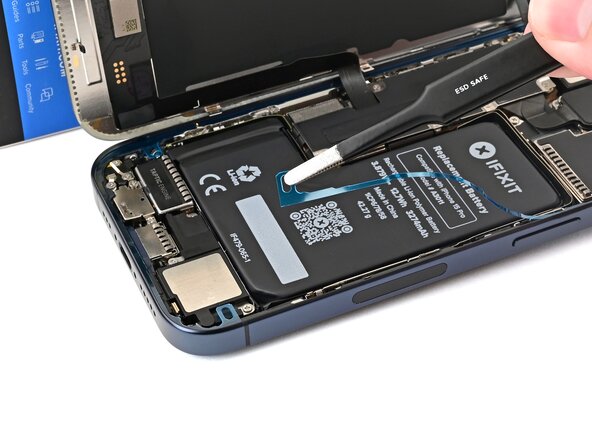
    • Use the tip of an opening pick to pry up and disconnect the battery press connector from the bottom right corner of the logic board.

    • To reconnect a press connector, align it over its socket and gently press down on one side until it clicks into place, then press down on the other side. Make sure it sits flat, as the insulating rubber around the sockets might prevent it from connecting fully.

    Vraag FixBot

    Voeg opmerking toe

  21. iPhone 15 Pro Front Camera Assembly Replacement, Disconnect the screen: stap 21, afbeelding 1 van 2 iPhone 15 Pro Front Camera Assembly Replacement, Disconnect the screen: stap 21, afbeelding 2 van 2
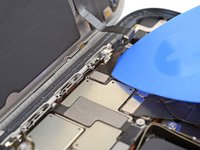
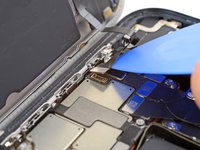
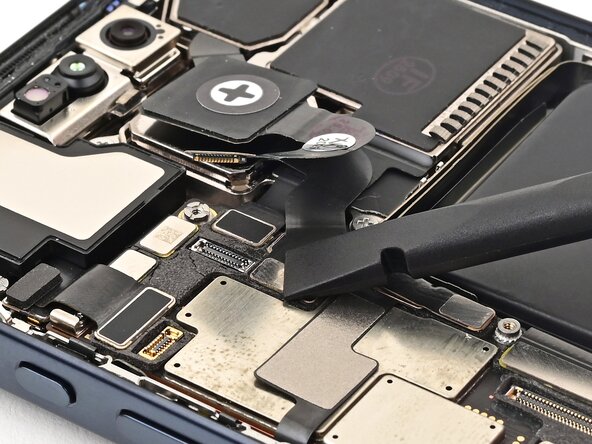
    • Use the tip of an opening pick to pry up and disconnect the screen cable from the center of the logic board.

    Vraag FixBot

    Voeg opmerking toe

  22. iPhone 15 Pro Front Camera Assembly Replacement, Disconnect the ambient light sensor: stap 22, afbeelding 1 van 2 iPhone 15 Pro Front Camera Assembly Replacement, Disconnect the ambient light sensor: stap 22, afbeelding 2 van 2
    • Gently slide the tip of an opening pick under the ambient light sensor cable near the top left corner of the logic board.

    • Lift the cable to disconnect it.

    Vraag FixBot

    Voeg opmerking toe

  23. iPhone 15 Pro Front Camera Assembly Replacement, Remove the screen: stap 23, afbeelding 1 van 2 iPhone 15 Pro Front Camera Assembly Replacement, Remove the screen: stap 23, afbeelding 2 van 2
    • Remove the screen.

    • During reassembly, follow this guide to apply new adhesive and install your screen.

    • Be careful not to damage any of the spring contacts as you clean the frame.

    Vraag FixBot

    Voeg opmerking toe

  24. iPhone 15 Pro Front Camera Assembly Replacement, Disconnect the rear cameras: stap 24, afbeelding 1 van 3 iPhone 15 Pro Front Camera Assembly Replacement, Disconnect the rear cameras: stap 24, afbeelding 2 van 3 iPhone 15 Pro Front Camera Assembly Replacement, Disconnect the rear cameras: stap 24, afbeelding 3 van 3
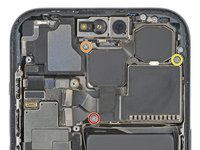
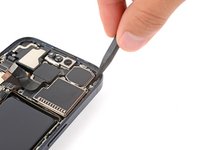
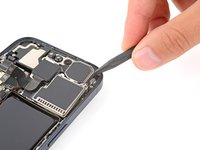
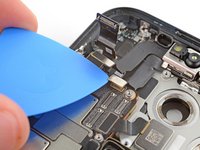
    • Use the tip of an opening pick to pry up and disconnect the three rear camera press connectors from the top right of the logic board.

    • The third connector is hidden beneath the top one—lift the top cable slightly to reveal the third connector.

    Vraag FixBot

    Voeg opmerking toe

  25. iPhone 15 Pro Front Camera Assembly Replacement, Unfasten the rear cameras: stap 25, afbeelding 1 van 2 iPhone 15 Pro Front Camera Assembly Replacement, Unfasten the rear cameras: stap 25, afbeelding 2 van 2
    • Use a Phillips #000 screwdriver to remove the three screws securing the rear cameras:

    • One 3.8 mm‑long screw

    • One 3.2 mm‑long screw

    • One 2.8 mm‑long screw

    Vraag FixBot

    Voeg opmerking toe

  26. iPhone 15 Pro Front Camera Assembly Replacement, Remove the rear cameras: stap 26, afbeelding 1 van 3 iPhone 15 Pro Front Camera Assembly Replacement, Remove the rear cameras: stap 26, afbeelding 2 van 3 iPhone 15 Pro Front Camera Assembly Replacement, Remove the rear cameras: stap 26, afbeelding 3 van 3
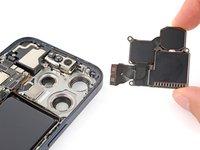
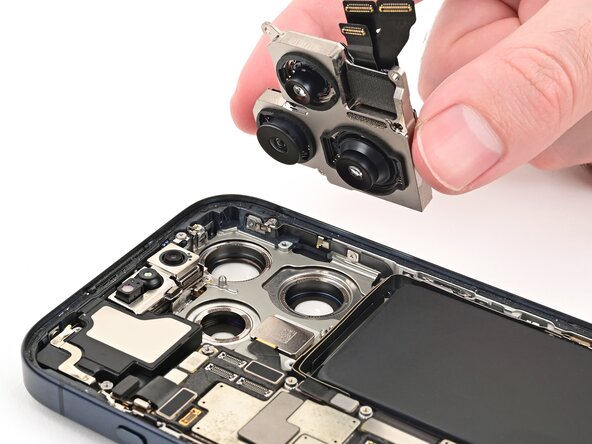
    • Be careful not to touch or smudge the camera lenses during this step.

    • Insert the point of a spudger between the top right corner of the rear cameras and frame.

    • Pry up until you can grab the rear cameras with your fingers.

    • Remove the rear cameras.

    Vraag FixBot

    Voeg opmerking toe

  27. iPhone 15 Pro Front Camera Assembly Replacement, Unfasten the earpiece speaker: stap 27, afbeelding 1 van 2 iPhone 15 Pro Front Camera Assembly Replacement, Unfasten the earpiece speaker: stap 27, afbeelding 2 van 2
    Gereedschap gebruikt in deze stap:
    Standoff Screwdriver for iPhones
    $5.49
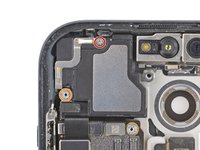
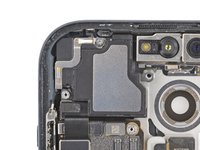
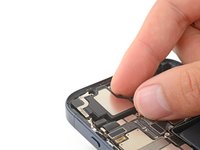
    • Use a Phillips #000 screwdriver to remove the 2 mm‑long screw securing the top of the earpiece speaker.

    • Use a standoff screwdriver to remove the remaining screw securing the bottom left corner of the earpiece speaker.

    • If you don't have a standoff screwdriver, you can use a thin flathead one instead. Apply constant, downward pressure to avoid damaging the shallow notches in the screw head.

    Vraag FixBot

    Voeg opmerking toe

  28. iPhone 15 Pro Front Camera Assembly Replacement, Remove the earpiece speaker: stap 28, afbeelding 1 van 2 iPhone 15 Pro Front Camera Assembly Replacement, Remove the earpiece speaker: stap 28, afbeelding 2 van 2
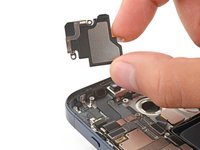
    • Remove the earpiece speaker.

    Vraag FixBot

    Voeg opmerking toe

  29. iPhone 15 Pro Front Camera Assembly Replacement, Move the microphone cable: stap 29, afbeelding 1 van 3 iPhone 15 Pro Front Camera Assembly Replacement, Move the microphone cable: stap 29, afbeelding 2 van 3 iPhone 15 Pro Front Camera Assembly Replacement, Move the microphone cable: stap 29, afbeelding 3 van 3
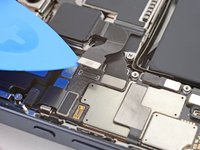
    • The microphone cable covers the front sensors press connector.

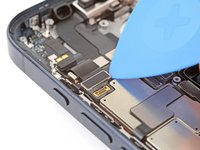
    • Use the tip of an opening pick to disconnect the microphone press connector from the top left corner of the logic board.

    • Lift the cable out of the way so you can access the two press connectors on the logic board's top edge.

    Vraag FixBot

    Voeg opmerking toe

  30. iPhone 15 Pro Front Camera Assembly Replacement, Disconnect the front camera assembly: stap 30, afbeelding 1 van 3 iPhone 15 Pro Front Camera Assembly Replacement, Disconnect the front camera assembly: stap 30, afbeelding 2 van 3 iPhone 15 Pro Front Camera Assembly Replacement, Disconnect the front camera assembly: stap 30, afbeelding 3 van 3
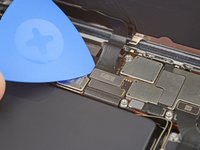
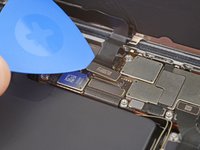
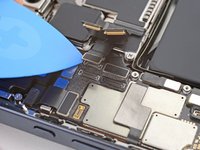
    • Use the tip of an opening pick to pry up and disconnect the front sensors and front camera press connectors from the top edge of the logic board.

    Vraag FixBot

    Voeg opmerking toe

  31. iPhone 15 Pro Front Camera Assembly Replacement, Remove the front camera assembly: stap 31, afbeelding 1 van 1
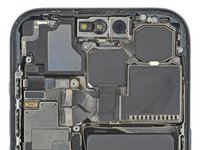
    • Remove the front camera assembly.

    • Be careful not to touch or smudge the camera or sensor lenses.

    Vraag FixBot

    Voeg opmerking toe

  32. iPhone 15 Pro Front Camera Assembly Replacement, Disassembly complete: stap 32, afbeelding 1 van 1
    • Congratulations on completing disassembly! The remaining steps show how to reassemble the iPhone.

    Vraag FixBot

    Voeg opmerking toe

  33. iPhone 15 Pro Front Camera Assembly Replacement, Install the front camera assembly: stap 33, afbeelding 1 van 2 iPhone 15 Pro Front Camera Assembly Replacement, Install the front camera assembly: stap 33, afbeelding 2 van 2
    • Be careful not to touch or smudge the front camera or sensor lenses.

    • If the replacement cameras include a plastic liner to protect the lenses, keep it in place until just before you reinstall the screen.

    • Use tweezers to align the front camera assembly with its recess in the frame and set it into place.

    Vraag FixBot

    Voeg opmerking toe

  34. iPhone 15 Pro Front Camera Assembly Replacement, Connect the front camera assembly: stap 34, afbeelding 1 van 3 iPhone 15 Pro Front Camera Assembly Replacement, Connect the front camera assembly: stap 34, afbeelding 2 van 3 iPhone 15 Pro Front Camera Assembly Replacement, Connect the front camera assembly: stap 34, afbeelding 3 van 3
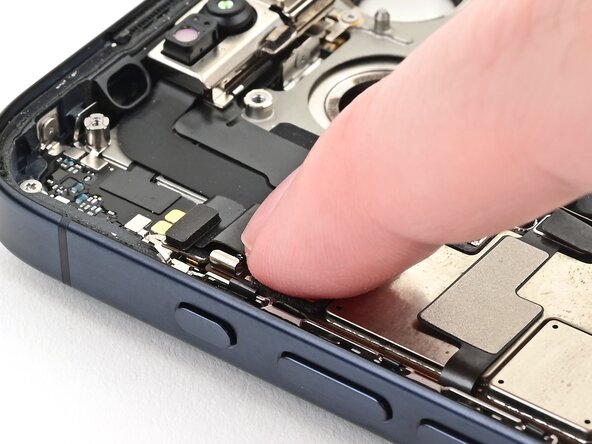
    • Use your finger or the flat end of a spudger to connect the front camera assembly's press connectors to their sockets on the top edge of the logic board.

    Vraag FixBot

    Voeg opmerking toe

  35. iPhone 15 Pro Front Camera Assembly Replacement, Connect the microphone: stap 35, afbeelding 1 van 2 iPhone 15 Pro Front Camera Assembly Replacement, Connect the microphone: stap 35, afbeelding 2 van 2
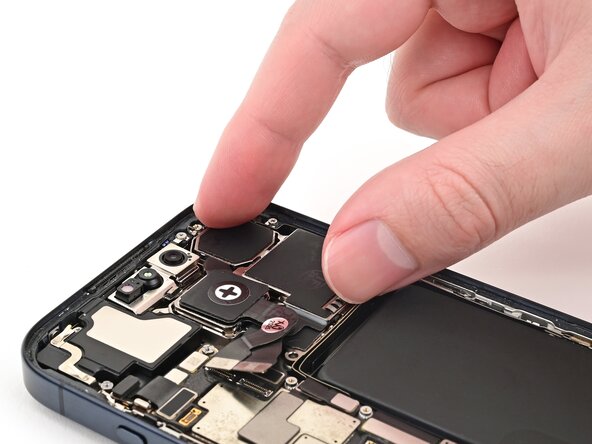
    • Use your finger to connect the microphone press connector to its socket on the top left corner of the logic board.

    Vraag FixBot

    Voeg opmerking toe

  36. iPhone 15 Pro Front Camera Assembly Replacement, Install the earpiece speaker: stap 36, afbeelding 1 van 3 iPhone 15 Pro Front Camera Assembly Replacement, Install the earpiece speaker: stap 36, afbeelding 2 van 3 iPhone 15 Pro Front Camera Assembly Replacement, Install the earpiece speaker: stap 36, afbeelding 3 van 3
    • Align the gasket on the top right corner of the earpiece speaker with its recess in the frame.

    • Press the gasket into its recess, then lower the earpiece speaker into place.

    Vraag FixBot

    Voeg opmerking toe

  37. iPhone 15 Pro Front Camera Assembly Replacement, Install the earpiece speaker screws: stap 37, afbeelding 1 van 2 iPhone 15 Pro Front Camera Assembly Replacement, Install the earpiece speaker screws: stap 37, afbeelding 2 van 2
    • Use a Phillips #000 screwdriver to install the 2 mm‑long screw securing the top of the earpiece speaker.

    • Use a standoff screwdriver to install the remaining screw securing the bottom left corner of the earpiece speaker.

    • If you don't have a standoff screwdriver, you can use a thin flathead one instead. Apply constant, downward pressure to avoid damaging the shallow notches in the screw head.

    Vraag FixBot

    Voeg opmerking toe

  38. iPhone 15 Pro Front Camera Assembly Replacement, Install the rear camera assembly: stap 38, afbeelding 1 van 3 iPhone 15 Pro Front Camera Assembly Replacement, Install the rear camera assembly: stap 38, afbeelding 2 van 3 iPhone 15 Pro Front Camera Assembly Replacement, Install the rear camera assembly: stap 38, afbeelding 3 van 3
    • Be careful not to touch or smudge the camera lenses.

    • Align the rear camera assembly with its recess in the frame and set it into place.

    Vraag FixBot

    Voeg opmerking toe

  39. iPhone 15 Pro Front Camera Assembly Replacement, Install the rear camera assembly screws: stap 39, afbeelding 1 van 2 iPhone 15 Pro Front Camera Assembly Replacement, Install the rear camera assembly screws: stap 39, afbeelding 2 van 2
    • Use a Phillips #000 screwdriver to install the three screws securing the rear cameras:

    • One 3.8 mm‑long screw

    • One 3.2 mm‑long screw

    • One 2.8 mm‑long screw

    Vraag FixBot

    Voeg opmerking toe

  40. iPhone 15 Pro Front Camera Assembly Replacement, Connect the rear cameras: stap 40, afbeelding 1 van 3 iPhone 15 Pro Front Camera Assembly Replacement, Connect the rear cameras: stap 40, afbeelding 2 van 3 iPhone 15 Pro Front Camera Assembly Replacement, Connect the rear cameras: stap 40, afbeelding 3 van 3
    • Use the flat end of a spudger to connect the three rear camera press connectors—starting with the black one—to their respective sockets on the logic board.

    Vraag FixBot

    Voeg opmerking toe

  41. iPhone 15 Pro Front Camera Assembly Replacement, Remove the screen adhesive: stap 41, afbeelding 1 van 3 iPhone 15 Pro Front Camera Assembly Replacement, Remove the screen adhesive: stap 41, afbeelding 2 van 3 iPhone 15 Pro Front Camera Assembly Replacement, Remove the screen adhesive: stap 41, afbeelding 3 van 3
    • The adhesive remaining on the phone is difficult to remove and leaves residue. If you have trouble removing the adhesive, apply some heat using a hair dryer or heat gun.

    • Use a spudger to push the screen adhesive up until you can grab it with a pair of tweezers.

    • Use a pair of tweezers, or your fingers, to remove the adhesive around the entire perimeter of the iPhone.

    Vraag FixBot

    Voeg opmerking toe

  42. iPhone 15 Pro Front Camera Assembly Replacement: stap 42, afbeelding 1 van 3 iPhone 15 Pro Front Camera Assembly Replacement: stap 42, afbeelding 2 van 3 iPhone 15 Pro Front Camera Assembly Replacement: stap 42, afbeelding 3 van 3
    • Any unevenness will compromise the iPhone's seal. Clean the frame thoroughly.

    • Apply a few drops of high-concentration (greater than 90%) isopropyl alcohol to a cotton swab or lint-free cloth.

    • Wipe along the perimeter of the frame to clean the adhesive residue.

    • Wait a few minutes before proceeding to make sure any excess alcohol has evaporated.

    Vraag FixBot

    Voeg opmerking toe

  43. iPhone 15 Pro Front Camera Assembly Replacement, Orient the adhesive: stap 43, afbeelding 1 van 1
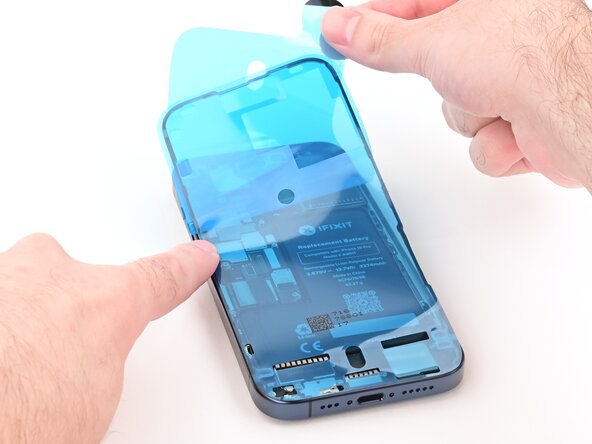
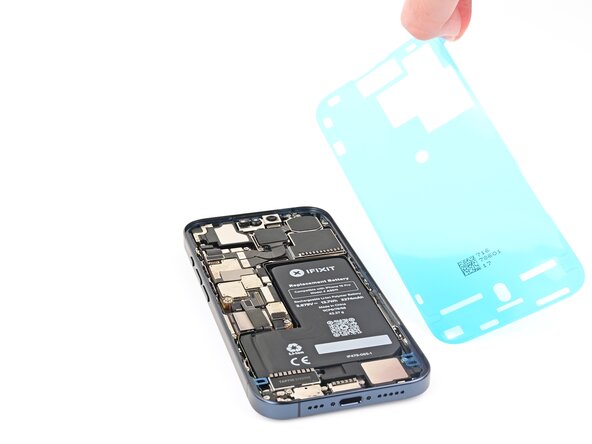
    • Lay the adhesive next to the phone and use features like cutouts for spring contacts and the front‑facing camera to orient it correctly.

    Vraag FixBot

    Voeg opmerking toe

  44. iPhone 15 Pro Front Camera Assembly Replacement, Apply the adhesive: stap 44, afbeelding 1 van 3 iPhone 15 Pro Front Camera Assembly Replacement, Apply the adhesive: stap 44, afbeelding 2 van 3 iPhone 15 Pro Front Camera Assembly Replacement, Apply the adhesive: stap 44, afbeelding 3 van 3
    • Once the adhesive is pressed into place, you can't reposition it—you'll have to remove it and start over with new adhesive.

    • Use the pull tab to begin peeling the back liner off of the adhesive starting from the bottom, but don't remove it all the way.

    • While holding the back liner out of the way, carefully align the exposed edge of the adhesive to the bottom edge of the iPhone's frame.

    • When the adhesive is aligned, set it down along the bottom edge.

    Vraag FixBot

    Voeg opmerking toe

  45. iPhone 15 Pro Front Camera Assembly Replacement: stap 45, afbeelding 1 van 3 iPhone 15 Pro Front Camera Assembly Replacement: stap 45, afbeelding 2 van 3 iPhone 15 Pro Front Camera Assembly Replacement: stap 45, afbeelding 3 van 3
    • Continue peeling the back liner off of the adhesive while setting the adhesive into place along the edges of the iPhone's frame.

    • If you correctly aligned the lower edge of the adhesive, the side and top edges will fall perfectly into place. If the adhesive is misaligned, remove it and start over with new adhesive.

    • If you don't have another one handy, it's okay to put your iPhone back together without adhesive, but keep in mind that it won't be water resistant until you install new adhesive.

    Vraag FixBot

    Voeg opmerking toe

  46. iPhone 15 Pro Front Camera Assembly Replacement, Press the adhesive into place: stap 46, afbeelding 1 van 3 iPhone 15 Pro Front Camera Assembly Replacement, Press the adhesive into place: stap 46, afbeelding 2 van 3 iPhone 15 Pro Front Camera Assembly Replacement, Press the adhesive into place: stap 46, afbeelding 3 van 3
    • Use the flat end of a spudger to press the adhesive into place all around the iPhone.

    • Be careful not to press on the camera, spring contacts, or other internal components.

    Vraag FixBot

    Voeg opmerking toe

  47. iPhone 15 Pro Front Camera Assembly Replacement, Remove the top liner: stap 47, afbeelding 1 van 2 iPhone 15 Pro Front Camera Assembly Replacement, Remove the top liner: stap 47, afbeelding 2 van 2
    • Lift the pull tab in the top‑right corner of the frame to peel off the top liner and remove it.

    • Your pull tab may be in a different location. Make sure you're pulling the full-size top liner, not the thin liners along the edges.

    Vraag FixBot

    Voeg opmerking toe

  48. iPhone 15 Pro Front Camera Assembly Replacement, Adhesive information: stap 48, afbeelding 1 van 1
    • Once the top liner is removed, there should be three narrow liners on top of the adhesive with pull tabs near the bottom edge.

    • Your pull tabs may be in different positions.

    • If you don't see these pull tabs, you may have accidentally removed the thin liners in the previous step. Be careful not to touch anything to the exposed adhesive.

    Vraag FixBot

    Voeg opmerking toe

  49. iPhone 15 Pro Front Camera Assembly Replacement, Prop up the screen: stap 49, afbeelding 1 van 1
    • Prop the screen up along the left edge of the iPhone frame, using a box or similar sturdy object to support the screen.

    Vraag FixBot

    Voeg opmerking toe

  50. iPhone 15 Pro Front Camera Assembly Replacement, Connect the screen and ambient light sensor: stap 50, afbeelding 1 van 3 iPhone 15 Pro Front Camera Assembly Replacement, Connect the screen and ambient light sensor: stap 50, afbeelding 2 van 3 iPhone 15 Pro Front Camera Assembly Replacement, Connect the screen and ambient light sensor: stap 50, afbeelding 3 van 3
    • Use your finger or the flat end of a spudger to connect the screen and ambient light sensor press connectors.

    Vraag FixBot

    Voeg opmerking toe

  51. iPhone 15 Pro Front Camera Assembly Replacement, Connect the battery: stap 51, afbeelding 1 van 2 iPhone 15 Pro Front Camera Assembly Replacement, Connect the battery: stap 51, afbeelding 2 van 2
    • Use your finger or the flat end of a spudger to connect the battery press connector.

    Vraag FixBot

    Voeg opmerking toe

  52. iPhone 15 Pro Front Camera Assembly Replacement, Install the logic board cover: stap 52, afbeelding 1 van 3 iPhone 15 Pro Front Camera Assembly Replacement, Install the logic board cover: stap 52, afbeelding 2 van 3 iPhone 15 Pro Front Camera Assembly Replacement, Install the logic board cover: stap 52, afbeelding 3 van 3
    Vraag FixBot

    Voeg opmerking toe

  53. iPhone 15 Pro Front Camera Assembly Replacement, Fasten the logic board cover: stap 53, afbeelding 1 van 1
    • Use a Y000 screwdriver to install the six screws securing the logic board cover:

    • Four 1.6 mm‑long screws

    • Two 1.3 mm‑long screws

    Vraag FixBot

    Voeg opmerking toe

  54. iPhone 15 Pro Front Camera Assembly Replacement, Remove the final adhesive liners: stap 54, afbeelding 1 van 3 iPhone 15 Pro Front Camera Assembly Replacement, Remove the final adhesive liners: stap 54, afbeelding 2 van 3 iPhone 15 Pro Front Camera Assembly Replacement, Remove the final adhesive liners: stap 54, afbeelding 3 van 3
    • Once you remove the liners in this step, the adhesive will be fully exposed. Make sure nothing accidentally sticks to it.

    • Use tweezers to remove the two narrow liners covering the adhesive along the right, top, and bottom edges of the frame.

    Vraag FixBot

    Voeg opmerking toe

  55. iPhone 15 Pro Front Camera Assembly Replacement: stap 55, afbeelding 1 van 2 iPhone 15 Pro Front Camera Assembly Replacement: stap 55, afbeelding 2 van 2
    • Without letting the screen touch the adhesive, hold the screen over the phone so you can access the final liner along the left edge of the frame.

    • Use a pair of tweezers or your fingers to remove the final liner along the left edge of the frame.

    Vraag FixBot

    Voeg opmerking toe

  56. iPhone 15 Pro Front Camera Assembly Replacement, Place the screen: stap 56, afbeelding 1 van 3 iPhone 15 Pro Front Camera Assembly Replacement, Place the screen: stap 56, afbeelding 2 van 3 iPhone 15 Pro Front Camera Assembly Replacement, Place the screen: stap 56, afbeelding 3 van 3
    • Align the screen over the frame, then lower it into place.

    Vraag FixBot

    Voeg opmerking toe

  57. iPhone 15 Pro Front Camera Assembly Replacement, Press the screen: stap 57, afbeelding 1 van 2 iPhone 15 Pro Front Camera Assembly Replacement, Press the screen: stap 57, afbeelding 2 van 2
    • Firmly press along the edges of the screen to engage the clips and compress the adhesive.

    Vraag FixBot

    Voeg opmerking toe

  58. iPhone 15 Pro Front Camera Assembly Replacement, Install the pentalobe screws: stap 58, afbeelding 1 van 1
    • Use a P2 pentalobe screwdriver to install the two 7 mm‑long screws on either side of the charging port.

    Vraag FixBot

    Voeg opmerking toe

  59. iPhone 15 Pro Front Camera Assembly Replacement, Heat the screen: stap 59, afbeelding 1 van 2 iPhone 15 Pro Front Camera Assembly Replacement, Heat the screen: stap 59, afbeelding 2 van 2
    • To help the adhesive bond, apply heat to the edges of the screen using a hair dryer or heat gun until it's hot to the touch.

    • If you have screen vise clamps, use them to strengthen the bond of the new adhesive. If not, keep reading for more ways to secure the screen.

    Vraag FixBot

    Voeg opmerking toe

  60. iPhone 15 Pro Front Camera Assembly Replacement, Press the back glass: stap 60, afbeelding 1 van 3 iPhone 15 Pro Front Camera Assembly Replacement, Press the back glass: stap 60, afbeelding 2 van 3 iPhone 15 Pro Front Camera Assembly Replacement, Press the back glass: stap 60, afbeelding 3 van 3
    • To evenly compress the iPhone and strengthen the bond of the screen to the frame, you need to account for the camera bump.

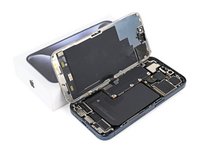
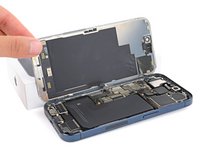
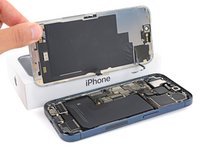
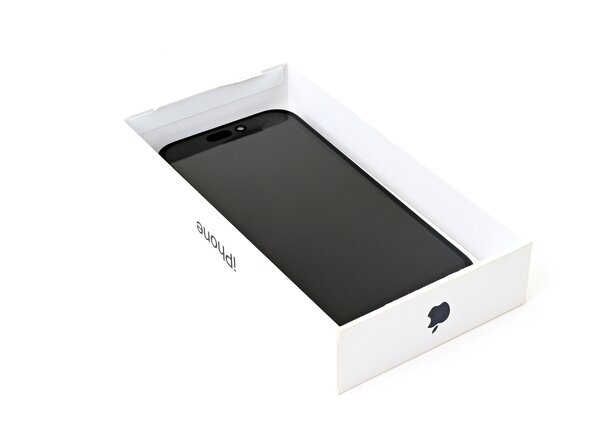
    • If you have the iPhone's original box, take the lid and place it on a flat surface.

    • If you don't have the original box, skip this step for an alternate method.

    • Place the iPhone screen-side-up in the lid of the box with the camera bump in its recess.

    • Find something close to the size of the iPhone, but taller than the sides of the box. Stack it on top of the iPhone, followed by a few heavy objects.

    • Leave the objects in place for at least thirty minutes, ideally overnight.

    Vraag FixBot

    Voeg opmerking toe

  61. iPhone 15 Pro Front Camera Assembly Replacement: stap 61, afbeelding 1 van 3 iPhone 15 Pro Front Camera Assembly Replacement: stap 61, afbeelding 2 van 3 iPhone 15 Pro Front Camera Assembly Replacement: stap 61, afbeelding 3 van 3
    • If you don't have the iPhone's original box, follow the these two steps for another method to evenly compress the screen.

    • Place the iPhone screen-side-down on a soft, flat surface.

    • Apply tape to the back glass to protect its finish.

    • Place three layers of coins or similarly thick objects on the tape along the edges of the back glass.

    • Evenly distribute the coins and make sure they are at least as thick as the camera bump.

    Vraag FixBot

    Voeg opmerking toe

  62. iPhone 15 Pro Front Camera Assembly Replacement: stap 62, afbeelding 1 van 1
    • Stack multiple books or other heavy objects on your iPhone.

    • The coins may leave an impression on the bottom object, so don't use anything valuable.

    • Leave the objects in place for at least thirty minutes, ideally overnight.

    Vraag FixBot

    Voeg opmerking toe

Conclusie

Congratulations on replacing the front camera assembly!

After your repair, depending on the replacement part, you may be able to pair it using Apple's Repair Assistant, available as of iOS 18. Update your device, navigate to Settings General About Parts & Service History, tap Restart & Finish Repair, and follow the onscreen prompts.

Take your e-waste to an R2 or e-Stewards certified recycler.

Repair didn’t go as planned? Try some basic troubleshooting, or ask our Answers community for help.

Annuleren: ik heb deze handleiding niet afgemaakt.

2 andere personen hebben deze handleiding voltooid.

Spencer Day

Lid sinds: 09/14/22

191.534 Reputatie

1.204 handleidingen geschreven

Team

iFixit Lid van iFixit

Staff

122 Leden

25.996 handleidingen geschreven

1Gids Commentaar

with ios 18, can you use the repair assistant tool to fix faceid? if not is there some sort of device i can use to pair the logic board with the faceid? if not, is my best bet for the front camera and faceid to work again just sending it in to apple for repairs?

Jesse Beckmann - Antwoord Deel
Voeg opmerking toe

Weergavestatistieken:

Afgelopen 24 uren: 12

Afgelopen 7 dagen: 94

Afgelopen 30 dagen: 461

Altijd: 10,535