
Ga door naar hoofdinhoud
Word lid van de reparatiegemeenschap - Account aanmaken

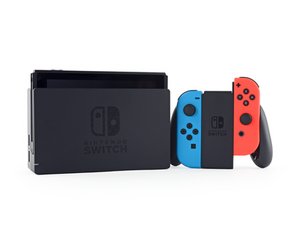
De Nintendo Switch is een handheld spelconsole die via een dockingstation op de tv kan worden gespeeld, of onderweg. Uitgebracht op 3 maart 2017.

Sd card reader plug thicker

Hi everyone,

I'm looking for some advice or assistance with a Nintendo Switch SD card reader repair.

I originally had to replace the SD card reader, so I purchased a new replacement unit. Before installation, I compared the original reader with the replacement and noticed that the solder on the pins of the new reader appeared noticeably thicker than the original.

I've taken photos of:

  • The original SD card reader pins.
  • The replacement SD card reader pins, showing the difference in solder thickness.
  • The motherboard connector where the SD card reader plugs in.
  • The damage that occurred during the replacement attempt.

Unfortunately, while attempting to install the new reader, one of the pins on the motherboard broke.

I'm trying to establish what may have caused this.

Could the thicker solder on the replacement reader have prevented the pins from seating correctly or caused excessive pressure during installation?

Alternatively, could this be a manufacturing defect with the replacement SD card reader, particularly given that its pins appear different from the original?

I'm also open to the possibility that the damage was caused by my installation technique.

Afbeelding
Afbeelding
Afbeelding
Afbeelding
Beantwoord deze vraag Dit probleem heb ik ook

Is dit een goede vraag?

Score 0
2 opmerkingen

Hi!

Is it possible to upload some pictures regarding this?

Without pictures it’s really hard to tell what’s going on.

Voeg afbeeldingen toe aan een bestaande vraag

Thanks!

door

Hi!

Sorry had not noticed the pics weren't attached.

They are now.

Thanks.

door

Voeg een opmerking toe

1 Antwoord

Filteren op:
Het nuttigste antwoord

Hi!

Thanks for the pictures!

So, when you try to push it on the pins directly, when it’s not fully aligned, it could damage the pins. I think this is what happened here unfortunately.

Which one is the replacement part? I cannot see clearly the “thicker” solder on the parts.

The pin is broken off from the motherboard. This can be repaired but requires micro soldering. You could ask a local repair shop to do it for you if you don’t have the equipment or experience.

Please let me know if you have any more questions!

Was dit antwoord nuttig?

Score 1

2 opmerkingen:

Hi,

Thanks for your response.

What i should of said was the pins on the new card reader look thicker not solder. Thats the 3rd pic. You compare both 1 and 3 pics there is a difference.

I can seat the first faulty card reader easily every time. But the new one had been a difficult process and it never seated on the motherboard. Hence the broken pin.

Either way the pin is broken and looking for a micro solder will be challenging.

I appreciate your time taken. Ill see if this person could fix and install the reader.

Many thanks in advance.

door

No problem! And you are right, sorry! The pins itself are longer on the 3rd picture. The gap in the middle looks almost the same, but even an milimeter of difference could cause it not to fit. So it is possible that the part could have broken the pin.

Since you were able to install the original one without issues, I would definitely get rid of the replacement part.

Maybe a option is to get one from a broken/donor Switch. In this case you will know for sure that it will fit and won’t break anything.

It could have multiple issues why the pin did break. So it’s really hard to tell what it could be. If it’s not aligned correctly, it could break. But it also seems that it does look different, so yeah, the part could also have broken off the pin…

door

Voeg een opmerking toe

Voeg je antwoord toe

Leo C zal eeuwig dankbaar zijn.
Weergavestatistieken:

Afgelopen 24 uren: 0

Afgelopen 7 dagen: 20

Afgelopen 30 dagen: 35

Altijd: 35