Inleiding
Als het regent (gadgets), dan stortregent het (gadgets). We hebben de afgelopen weken veel mooie apparaten zien verschijnen en zijn erin geslaagd het antwoord van B&N op de Kindle Fire in handen te krijgen: de Nook Tablet. Kijk met ons mee terwijl we hem uit elkaar halen om te zien wat de nieuwste tablet voor ons in petto heeft.
Heb je moeite om de stroom aan nieuwe gadgets bij te houden? Wij helpen je graag, volg ons gewoon op Twitter!
Wat je nodig hebt
-
-
-
Wij presenteren u de Nook Tablet, de enige tablet (buiten de Nook Color) die cool genoeg is om over een ingebouwde karabijnhaak te beschikken. Maar wat is dit? Hij heeft ook andere coole functies:
-
1 GHz dual-core processor
-
1 GB RAM
-
Tot 48 GB opslag (16 GB intern)
-
802.11b/g/n Wi-Fi-connectiviteit
-
Custom OS (gebaseerd op Android)
-
Karabijnhaak (dit is geen specificatie, maar kom op... het is een karabijnhaak!)
 Vraag FixBot
-
-
-
Wanneer we de zijkanten van de Nook scannen, kunnen we de aansluiting koptelefoon aan de bovenkant vinden, evenals de volumeknoppen aan de zijkant... waar zitten die van jou, Fire?
-
De Nook heeft het microSD-slot weggestopt onder een magnetische klep naast de karabijnhaak. Dit kan het verwisselen van je SD-kaart tijdens het rotsklimmen een beetje lastig maken als je de Nook als bevestigingspunt gebruikt.
-
De twee kleine cirkels bij het microSD-slot zien er misschien uit als onschuldige esthetische elementen, of zelfs knoppen, maar ze verbergen in werkelijkheid verraderlijke schroeven.
-
-
-
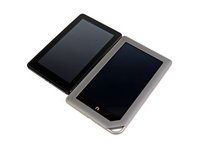
Wanneer we de Kindle Fire en de Nook Tablet naast elkaar leggen, zien we dat de Nook net iets minder dan 1,3 cm (1/2 inch) langer is dan de Fire. Is dit misschien het resultaat van een grotere behuizing om de indrukwekkende karabijnhaak te kunnen herbergen? Of misschien om die extra 512 MB aan RAM erin te proppen?
-
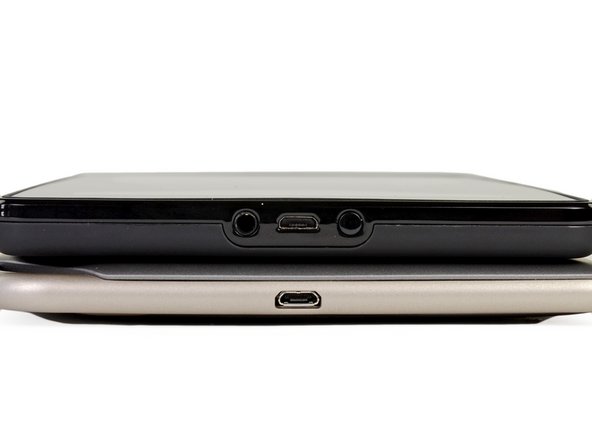
De Nook heeft ervoor gekozen om de micro-USB-poort alleen aan de onderkant te plaatsen, in tegenstelling tot de Fire, die ook de multifunctionele knop en de koptelefoonaansluiting naast de poort heeft zitten.
-
Blijf zo staan, heren. Yep, precies wat we al dachten: de afgeronde zijkanten van de Nook zijn misleidend. Hoewel hij er dunner uitziet dan de Fire, is hij in werkelijkheid een fractie dikker. De Fire meet 1,14 cm (0,45 inch), maar de Nook is 0,08 cm (0,03 inch) dikker, met een verbazingwekkende 1,22 cm (0,48 inch)!
-
-
-
De Nook Tablet en Kindle Fire zien er beide uit als tabula rasas naast de BlackBerry PlayBook met al zijn poorten en logo's.
-
Hoewel de PlayBook al sinds april uit is, beschikt deze over dezelfde processor en hetzelfde RAM-geheugen als de Nook Tablet in een vergelijkbaar pakket (7" multi-touchscherm, aangepast besturingssysteem, eigen app store). In tegenstelling tot de Kindle en de Nook beloofde BlackBerry echter een completere tabletervaring en heeft het de PlayBook voorzien van een camera vooraan en een camera achteraan. Vanzelfsprekend is het apparaat nooit echt aangeslagen bij de consument.
-
De vraag dringt zich op: was BlackBerry zeven maanden te vroeg op het feestje, of zijn de Kindle Fire en Nook Tablet uiteindelijk gedoemd tot hetzelfde lot als de PlayBook?
-
-
-
-
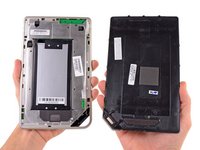
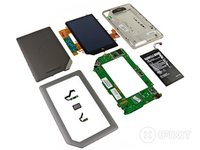
Het verwijderen van die geniepige schroeven en een beetje wrikken zorgen ervoor dat de behuizingshelften gescheiden kunnen worden, waardoor de batterij en een grote EMI afscherming zichtbaar worden.
-
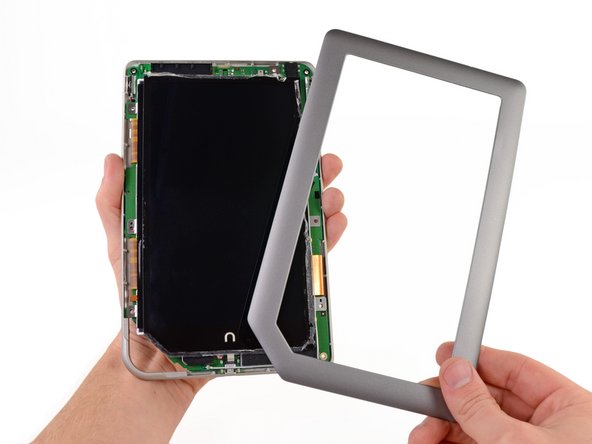
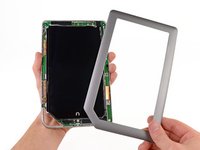
Een paar slagen met onze Torx T5 en nog wat meer wrikken bevrijden het voorste raam uit een plakkerige situatie.
-
-
-
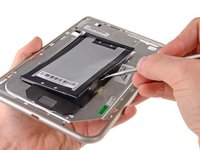
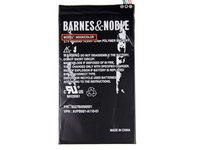
Een paar kleefstrips laten de batterij niet los. Gelukkig zijn wij bij iFixit meesters in het verwijderen.
-
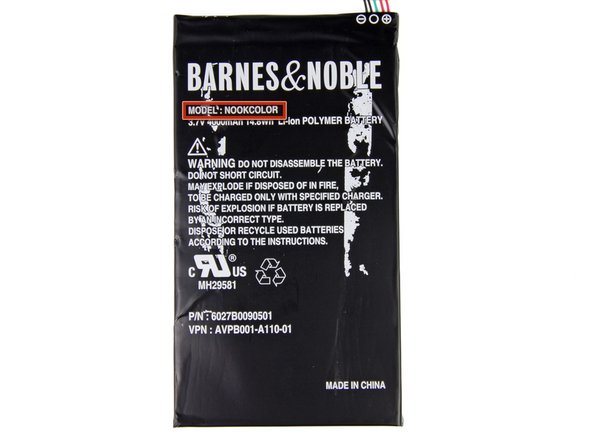
De 3,7 V, 4000 mAh batterij levert een geadverteerde 11,5 uur leestijd, wat de 8 uur van de Kindle Fire met gemak overtreft.
-
-
-
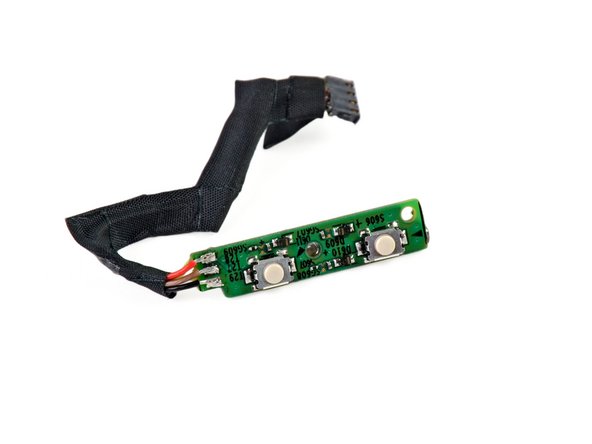
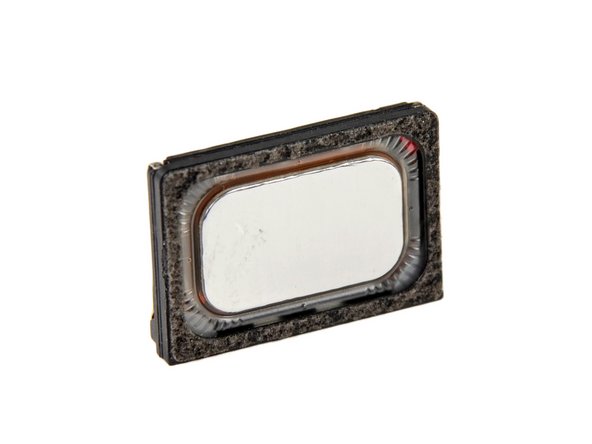
Na wat langer graven konden we de volgende onderdelen blootleggen:
-
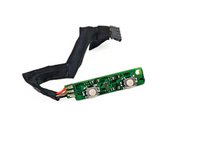
Aan-/uitknopmodule
-
Volumeknopmodule
-
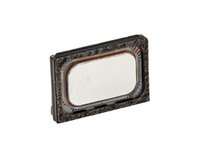
Een eenzame luidsprekermodule
-
-
-
Met een beetje wiebelen komt het
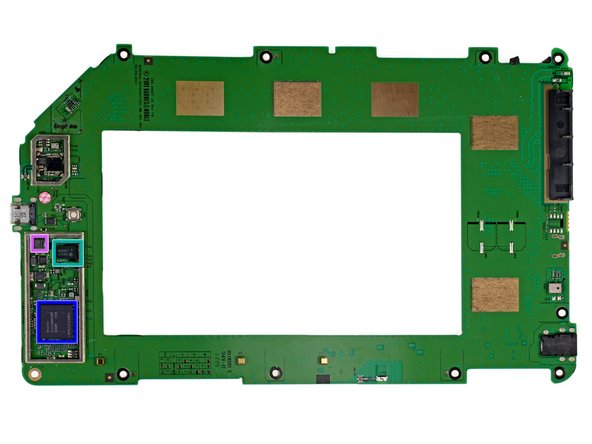
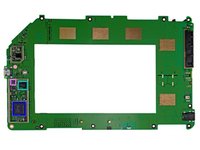
omlijstingmoederbord eruit. Laten we eens kijken waar we mee te maken hebben: -
SanDisk SDIN5C1-16G 16 GB Flash-geheugen
-
Texas Instruments 6030B107 volledig geïntegreerde energiebeheer-IC
-
Texas Instruments AIC3100 energiezuinige audiocodec met 1,3 W stereo klasse-D luidsprekerversterker
-
Texas Instruments LVDS83B FlatLink 10-135 MHz zender
-
Hynix H9TKNNN8P 1 GB DDR2 RAM
-
Deze chip beslaat waarschijnlijk de Texas Instruments OMAP4 1 GHz dual-core processor, net als bij de Kindle Fire.
-
Kionix KXTF9 drie-assige versnellingsmeter
-
-
-
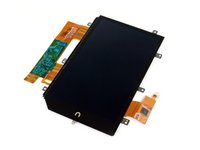
Het beeldscherm in al zijn inktvisachtige glorie. Slechts een van de aanhangsels springt echter in het oog.
-
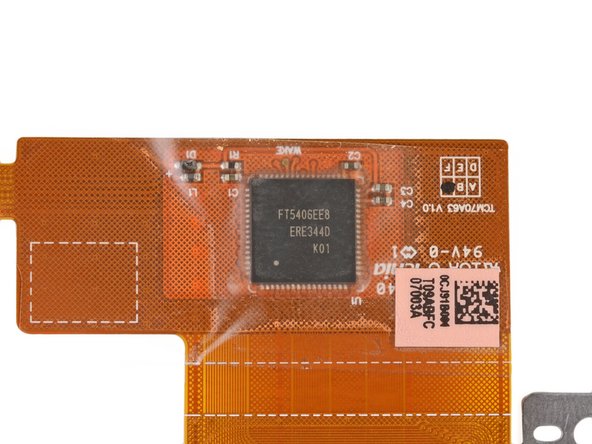
Een nadere blik op een van de lintkabels onthult een FocalTech FT5406EE8 Capacitive Touch Panel Controller.
-
-
-
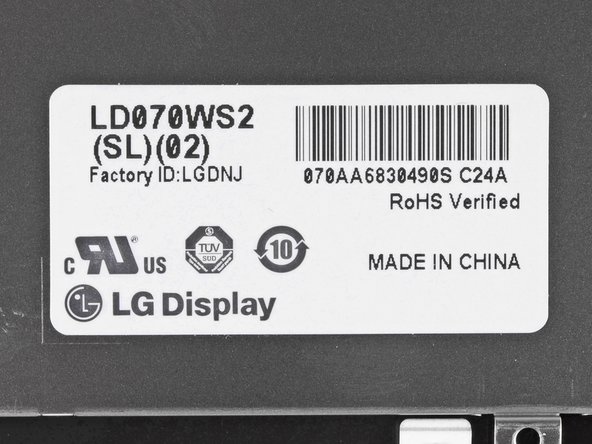
Het label op de lintkabels van het display en op de achterkant van het display geven aan dat het door LG is gefabriceerd.
-
Het 7" IPS-display van de Nook Tablet heeft een resolutie van 1024 x 600 pixels en produceert 16 miljoen kleuren, net als de Kindle Fire.
-
-
-
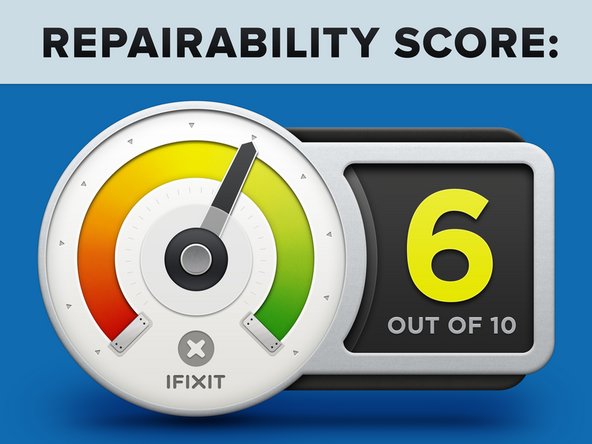
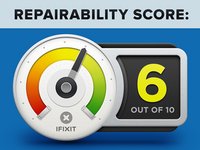
Nook Tablet repareerbaarheidsscore: 6 uit 10 (10 is het makkelijkst te repareren).
-
Het lcd-scherm is niet verbonden aan de voorpaneel assemblage, wat vervanging eenvoudig maakt indien nodig.
-
Verborgen schroeven voorkomen het verwijderen van het achterpaneel.
-
Een overmatige hoeveelheid lijm en kleefstrips maken demontage een pijnlijk moeizaam proces.
-
Voor het vervangen van de batterij moet het moederbord worden verwijderd en is er aanzienlijk wat wrikwerk nodig.
-
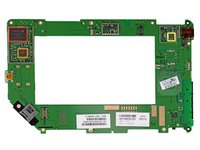
Componenten zoals de aansluiting koptelefoon, microSD-slot, enz. zijn op het moederbord gesoldeerd.
-
-











6Gids Commentaar
The Nook Color has Bluetooth hardware that isn't enabled. (A TI WL1271 combo WiFi/Bluetooth chip, according to: http://www.androidtablets.net/forum/nook...) What sort of wireless hardware does the Nook Tablet have? Is there a chance of Bluetooth being enabled by the modding community someday?
I love your site and especially the teardown of the new Nook Tablet. If I may, I would like to correct a statement in your opening of this teardown. You state the Nook Tablet is, “B&N’s response to the Kindle Fire.” Actually, the Kindle Fire is Amazon’s response to the Nook Color which BN release in December 2010.
BN has been driving the market in e-readers since December 2009 when it released its first Nook. At that time, the original Kindle cost $300. Two weeks before the first Nook was released, Amazon lowered the price of the Kindle to $259 to match the price of the first Nook. The first Nook used the standard format for eBooks, EPUB -- which has been around longer than Amazon even knew about e-readers -- and allowed for the side loading of public library books. Kindle didn’t allow for any of that.
In June 2009, BN released the Wi-Fi only Nook priced at $199. By then, BN was having a much larger impact on the sales of Kindle than the media wished to report. Amazon was feeling the heat so the day after the second Nook released, it lowered the price on its Kindles by $10 of the Nooks.
In November 2010, BN released the Nook Color for $249 – again; it used EPUB and allowed public library books to be side loaded. Amazon had nothing like the Nook Color and still required its Kindle owners to only shop and load from the Amazon store.
Sales for BN Nooks continued to soar even more because of its Nook Color, but the media still reported as if everyone was buying Kindle only. Amazon continued to try to make us believe such, yet it was feeling the competition. So, it announced in early 2011 that customers will be able to put public library books on its Kindles later in the year. I wondered how that would work; would Amazon start using EPUB?
In the fall of 2011, Amazon announced this new change for its Kindles but they still would not use the EPUB format. The announcement made it appear that any public library book could be side loaded to a Kindle. Not true. Kindle can only access books from public libraries that use Overdrive! And, the customer still has to get the library books on the Kindle via the Amazon store. Control is everything in Amazon’s world.
In August 2011, Consumer Reports did a new study for e-readers. It rated the then new Nook Simple Touch ($139) number one in e-readers. The ST is a touch screen e-ink reader. There was still no Kindle on the market that had a touch screen.
Continuing to feel the heat, Amazon finally announced the Kindle Fire in November 2011 (does not support EPUB). And, they announced the Kindle touch screen e-ink reader (they also get rid of their ugly external keyboard).
I hope now you understand why I claim that BN is driving the market in e-reader tablets. And, Amazon continues its frantic race to catch-up to BN. Amazon’s Kindle Fire is an attempt to answer BN’s Nook Color. But, still a year too late, Amazon has to play catch-up to BN’s Nook Tablet.
The Nook tablet replacement screens are available at bcdelectrostore and thanks ifixit for this repair guide
my Nook(original Nook Tablet) won't recharge I am almost certain it is the USB ports fault within the unit. Even if I get it apart successfully, would that be a surface mount part?(if I could find it) At this point I would not mind having a cord attached inside the Nook and hanging out. I have gone through three cord that brok and just bought a Gormadic cord that is suppose to work, but doesn't work.
Thanks, replaced my battery!
