Ga door naar hoofdinhoud
Word lid van de reparatiegemeenschap - Account aanmaken
Google Pixel 9 Pro Rear Cover Replacement

Wat je nodig hebt

  1. Google Pixel 9 Pro Rear Cover Replacement, Safety precautions: stap 1, afbeelding 1 van 2 Google Pixel 9 Pro Rear Cover Replacement, Safety precautions: stap 1, afbeelding 2 van 2
    • Let your Pixel's battery drain below 25% before starting this repair. A charged lithium‑ion battery may catch fire if damaged.

    • Unplug all cables and completely power down your phone.

  2. Google Pixel 9 Pro Rear Cover Replacement, Adhesive information: stap 2, afbeelding 1 van 3 Google Pixel 9 Pro Rear Cover Replacement, Adhesive information: stap 2, afbeelding 2 van 3 Google Pixel 9 Pro Rear Cover Replacement, Adhesive information: stap 2, afbeelding 3 van 3
    • Adhesive secures the perimeter of the rear cover to the frame.

    • When separating the adhesive, don't insert your tool more than 3 mm under the rear cover to avoid damaging the internal components.

    • Measure 3 mm from the tip and mark your opening pick with a permanent marker. Alternatively, you can tape a coin to a pick 3 mm from the tip.

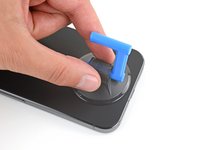
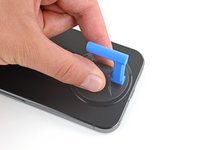
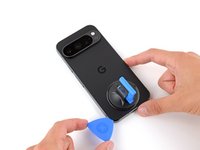
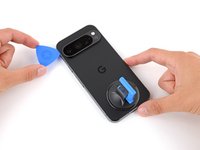
  3. Google Pixel 9 Pro Rear Cover Replacement, Apply a suction handle: stap 3, afbeelding 1 van 2 Google Pixel 9 Pro Rear Cover Replacement, Apply a suction handle: stap 3, afbeelding 2 van 2
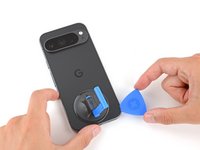
    • Attach a suction handle to the bottom edge of the rear cover, as close to the edge as possible.

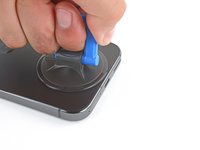
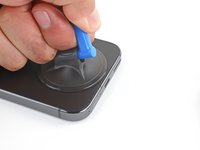
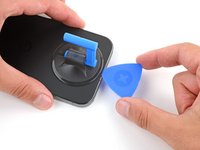
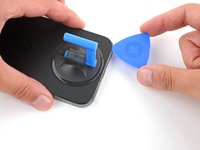
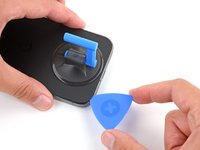
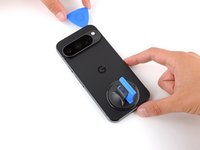
  4. Google Pixel 9 Pro Rear Cover Replacement, Insert an opening pick: stap 4, afbeelding 1 van 3 Google Pixel 9 Pro Rear Cover Replacement, Insert an opening pick: stap 4, afbeelding 2 van 3 Google Pixel 9 Pro Rear Cover Replacement, Insert an opening pick: stap 4, afbeelding 3 van 3
    • Pull up on the suction handle with strong, steady force to create a small gap under the rear cover.

    • Insert the tip of an opening pick in the gap.

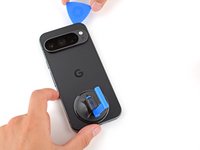
  5. Google Pixel 9 Pro Rear Cover Replacement, Separate the rear cover adhesive: stap 5, afbeelding 1 van 3 Google Pixel 9 Pro Rear Cover Replacement, Separate the rear cover adhesive: stap 5, afbeelding 2 van 3 Google Pixel 9 Pro Rear Cover Replacement, Separate the rear cover adhesive: stap 5, afbeelding 3 van 3
    • Slide your opening pick along the bottom edge to separate the adhesive securing it.

    • Remember: don't insert the opening pick deeper than 3 mm.

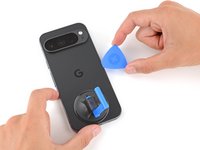
  6. Google Pixel 9 Pro Rear Cover Replacement: stap 6, afbeelding 1 van 3 Google Pixel 9 Pro Rear Cover Replacement: stap 6, afbeelding 2 van 3 Google Pixel 9 Pro Rear Cover Replacement: stap 6, afbeelding 3 van 3
    • Slide your opening pick up the left edge and along the top edge to separate the adhesive.

  7. Google Pixel 9 Pro Rear Cover Replacement: stap 7, afbeelding 1 van 3 Google Pixel 9 Pro Rear Cover Replacement: stap 7, afbeelding 2 van 3 Google Pixel 9 Pro Rear Cover Replacement: stap 7, afbeelding 3 van 3
    • Slide your pick down the right edge to separate the remaining adhesive.

  8. Google Pixel 9 Pro Rear Cover Replacement, Prop up the rear cover: stap 8, afbeelding 1 van 3 Google Pixel 9 Pro Rear Cover Replacement, Prop up the rear cover: stap 8, afbeelding 2 van 3 Google Pixel 9 Pro Rear Cover Replacement, Prop up the rear cover: stap 8, afbeelding 3 van 3
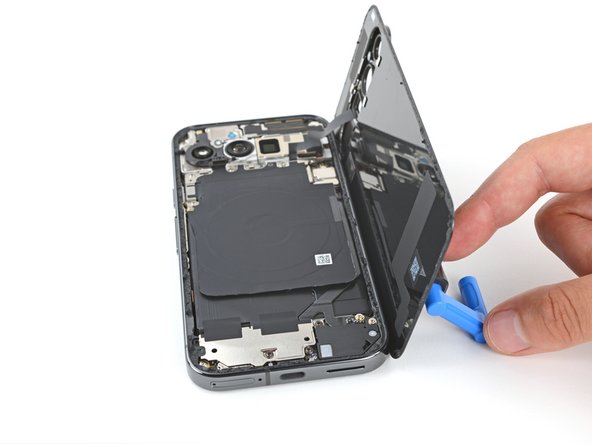
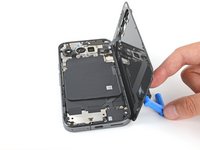
    • Don't try to fully remove the rear cover yet, as a ribbon cable on the right edge connects it to the phone.

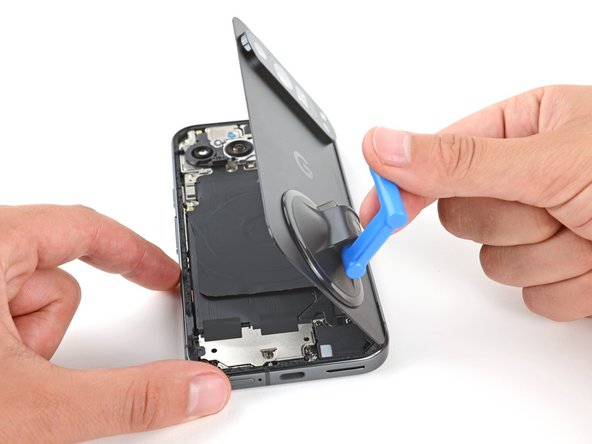
    • Use the suction handle to lift the left edge of the rear cover and swing it over the right edge, like opening the cover of a book.

    • If you're having trouble, check the perimeter for any remaining adhesive and use your opening pick to separate it.

    • Prop up the rear cover with the suction handle so you can access the ribbon cable near the top right corner.

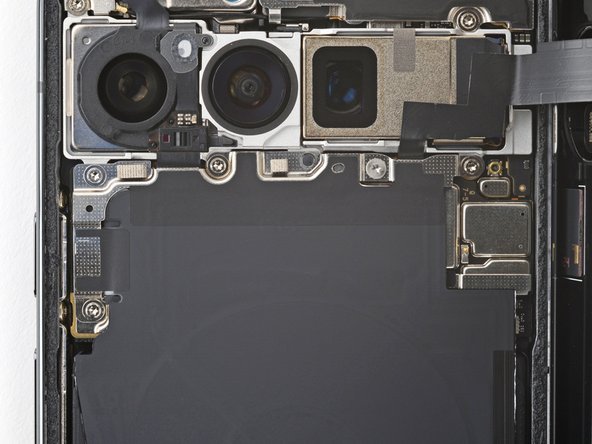
  9. Google Pixel 9 Pro Rear Cover Replacement, Remove the wireless charging assembly: stap 9, afbeelding 1 van 2 Google Pixel 9 Pro Rear Cover Replacement, Remove the wireless charging assembly: stap 9, afbeelding 2 van 2
    Gereedschap gebruikt in deze stap:
    FixMat
    $36.95
    • Throughout this repair, keep track of each screw and make sure it goes back exactly where it came from.

    • While the Pixel 9 Pro uses Torx Plus screws, standard Torx bits will also work. Make sure to apply constant, downward force to prevent stripping.

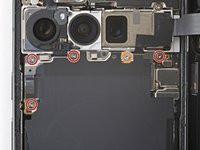
    • Use a Torx Plus 3IP screwdriver to remove the five screws securing the wireless charging assembly:

    • Four 5.4 mm‑long screws

    • One 1.5 mm‑long screw

    • This screw is non‑magnetic—you may need to use tweezers to remove it.

  10. Google Pixel 9 Pro Rear Cover Replacement: stap 10, afbeelding 1 van 3 Google Pixel 9 Pro Rear Cover Replacement: stap 10, afbeelding 2 van 3 Google Pixel 9 Pro Rear Cover Replacement: stap 10, afbeelding 3 van 3
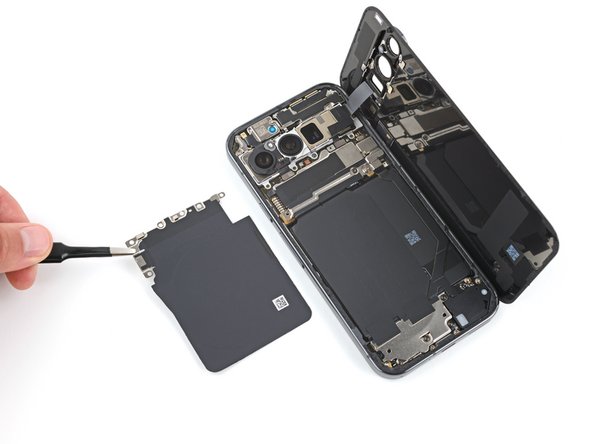
    • Be very careful not to damage the spring contacts under the top left edge of the wireless charging assembly.

    • Use tweezers or your fingers to remove the wireless charging assembly.

  11. Google Pixel 9 Pro Rear Cover Replacement, Disconnect the rear cover: stap 11, afbeelding 1 van 3 Google Pixel 9 Pro Rear Cover Replacement, Disconnect the rear cover: stap 11, afbeelding 2 van 3 Google Pixel 9 Pro Rear Cover Replacement, Disconnect the rear cover: stap 11, afbeelding 3 van 3
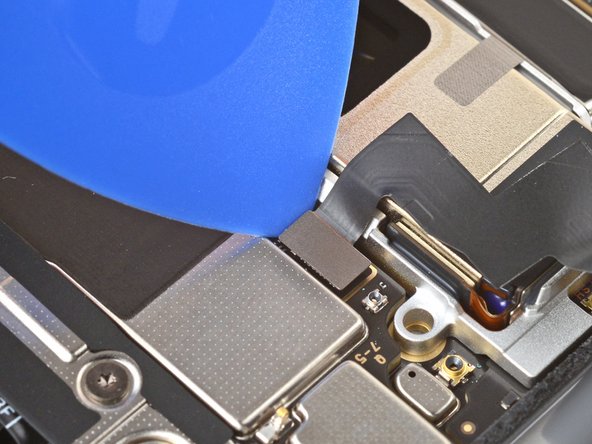
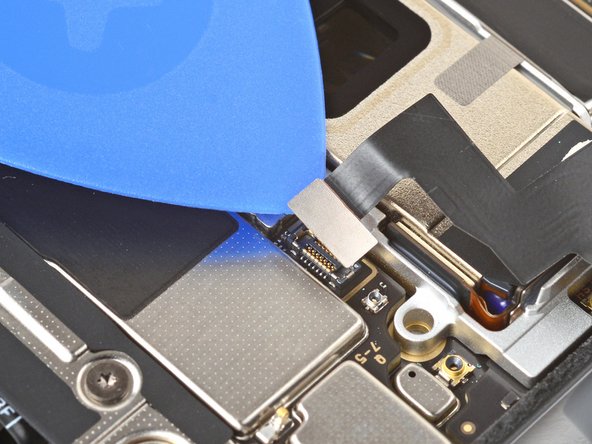
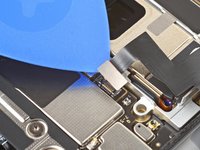
    • Insert the tip of an opening pick under the left edge of the rear cover press connector and pry straight up to disconnect it.

  12. Google Pixel 9 Pro Rear Cover Replacement, Remove the rear cover: stap 12, afbeelding 1 van 1
    • Remove the rear cover.

    • During reassembly, follow this guide to apply new adhesive and install your rear cover.

Conclusie

To reassemble your device, follow this guide.

To run a diagnostics test with the built-in Pixel Diagnostic tool, click here.

Take your e-waste to an R2 or e-Stewards certified recycler.

Repair didn’t go as planned? Try some basic troubleshooting, or ask our Answers community for help.

2 andere personen hebben deze handleiding voltooid.

Spencer Day

Lid sinds: 09/14/22

161.553 Reputatie

1.045 handleidingen geschreven

Team

iFixit Lid van iFixit

Staff

123 Leden

24.048 handleidingen geschreven

0Gids Commentaar

Voeg opmerking toe

Weergavestatistieken:

Afgelopen 24 uren: 11

Afgelopen 7 dagen: 62

Afgelopen 30 dagen: 295

Altijd: 5,908