Ga door naar hoofdinhoud
Word lid van de reparatiegemeenschap - Account aanmaken

ASUS ROG Spatha X Switch Replacement

Wat je nodig hebt

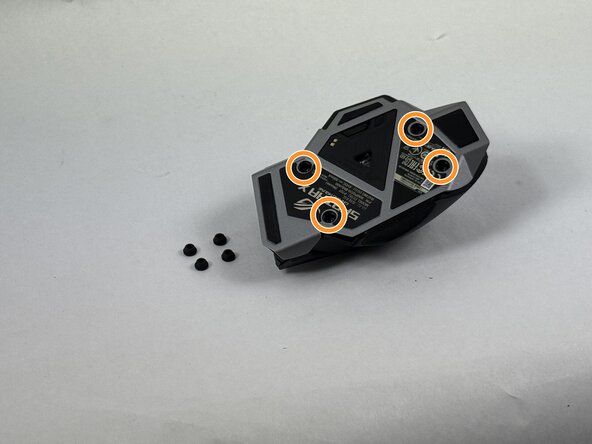
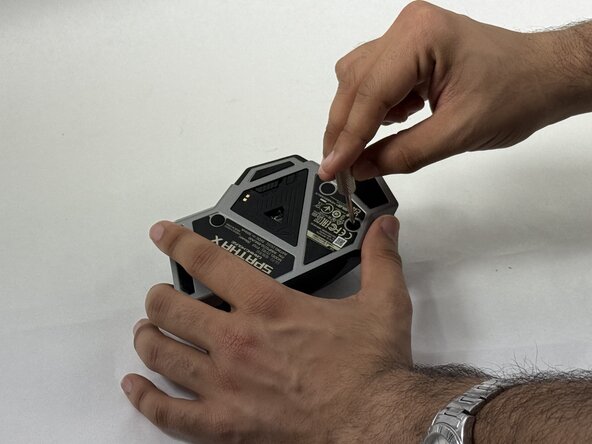
  1. ASUS ROG Spatha X Switch Replacement, Mouse Cover: stap 1, afbeelding 1 van 3 ASUS ROG Spatha X Switch Replacement, Mouse Cover: stap 1, afbeelding 2 van 3 ASUS ROG Spatha X Switch Replacement, Mouse Cover: stap 1, afbeelding 3 van 3
    • Make sure the mouse is unplugged and the power switch on the underside is set to the off position.

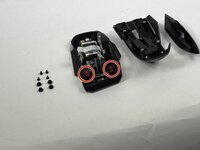
    • Use the pointed edge of a spudger to remove the four soft rubber covers on the underside of the mouse.

    • Use the included Torx screwdriver, or a T3 Torx screwdriver, to remove the four 4 mm screws.

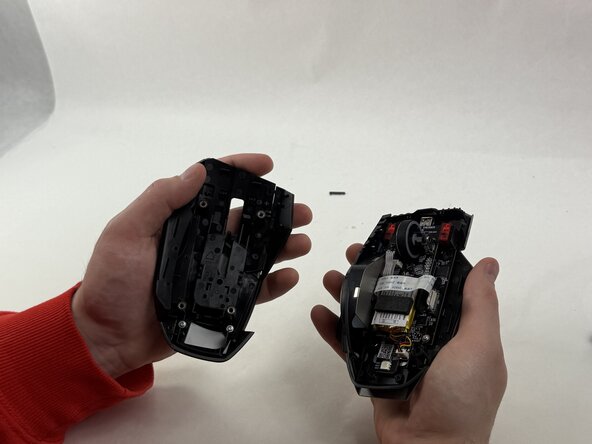
  2. ASUS ROG Spatha X Switch Replacement: stap 2, afbeelding 1 van 2 ASUS ROG Spatha X Switch Replacement: stap 2, afbeelding 2 van 2
    • Lift the upper mouse cover up and off.

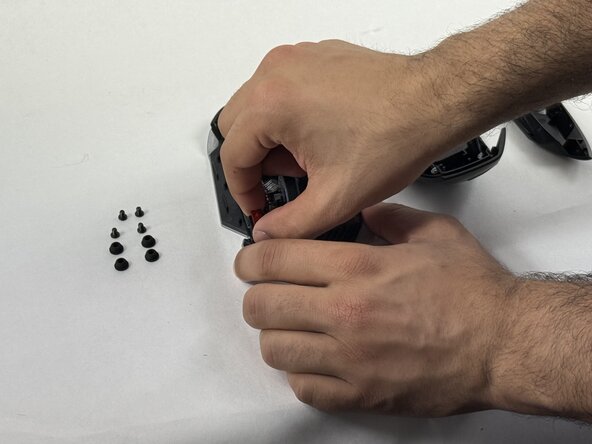
  3. ASUS ROG Spatha X Switch Replacement, Switch: stap 3, afbeelding 1 van 3 ASUS ROG Spatha X Switch Replacement, Switch: stap 3, afbeelding 2 van 3 ASUS ROG Spatha X Switch Replacement, Switch: stap 3, afbeelding 3 van 3
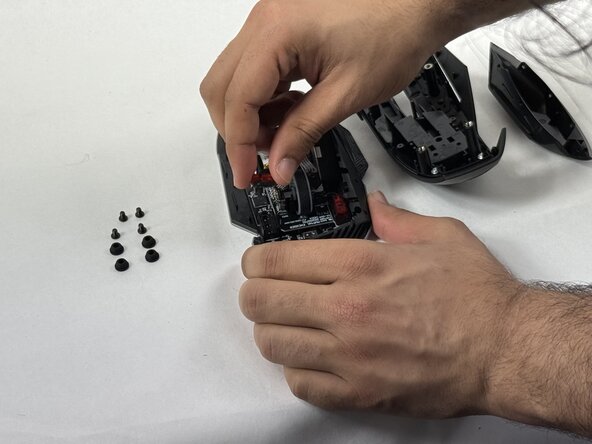
    • Remove the switch(es) you'd like to swap out by gently grabbing them on either side and pulling straight up.

Conclusie

To reassemble your device, follow the above steps in reverse order.
Take your e-waste to an R2 or e-Stewards certified recycler.
Repair didn’t go as planned? Try some basic troubleshooting or ask our Answers community for help.

cgrabowski1

Lid sinds: 03/21/25

671 Reputatie

5 handleidingen geschreven

Team

UMass Dartmouth, Team 3-4, Botvin Spring 2025 Lid van UMass Dartmouth, Team 3-4, Botvin Spring 2025

UMASSD-BOTVIN-S25S3G4

3 Leden

5 handleidingen geschreven

0Gids Commentaar

Voeg opmerking toe

Weergavestatistieken:

Afgelopen 24 uren: 0

Afgelopen 7 dagen: 16

Afgelopen 30 dagen: 61

Altijd: 352