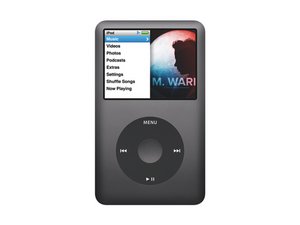
doesnt work
its me madina my iPod is not working and i tried to charge it but it doesn't work tell me how can i restart my iPod again
Is dit een goede vraag?
Score
-1

its me madina my iPod is not working and i tried to charge it but it doesn't work tell me how can i restart my iPod again
Is dit een goede vraag?

Rep: 100,7k
 425
425
 307
307
 162
162
As you did not supply much info, we can not help much, but I will try my best
First, I'd try resetting it by pressing the center and menu button together and see what that does, but it has to be off hold
Try plugging it into a computer and restore it to see what that does if resetting is no help
if that does not work, plug it in to a charger and let it sit for 10 minutes and pull it, if it shuts off right away, it's a battery issue, if it stays on, the battery is too weak to run it properly and needs to be replaced, 10 minutes is enough when I'm troubleshooting them for people plugged in, but it can take 30 minutes or more from a computer just to get it to charge, then you will start the 10 minute timer to pull it
iPod Classic Vervanging van de batterij
that is the guide
The 80GB uses a thin battery, but the 120 and 160GB uses a thick battery, I don't know the capacity, you'll have to figure out which battery you need unless I can get the capacity of it, it's on the back
If a battery does not solve it, it's a logicboard issue
Was dit antwoord nuttig?
Afgelopen 24 uren: 0
Afgelopen 7 dagen: 0
Afgelopen 30 dagen: 3
Altijd: 540

1 Opmerking
era, what model iPod is it? When you day it is not working, exactly what do you mean? Does it do anything? Did it get damaged? Have you tried a different USB cable? Have you tried a AC wall adapter? What have you tried so far? The more information you give the better.
door oldturkey03