Ga door naar hoofdinhoud
Word lid van de reparatiegemeenschap - Account aanmaken

Delayed Keyboard Response if anything at all.

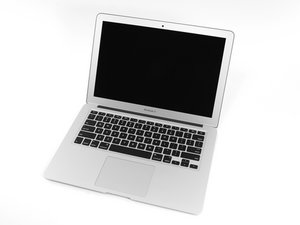
2015 A1466 MacBook Air 1.6 GHz 8 GB RAM

I swapped over the keyboard / TP cable 4x with new parts

Changed 3x complete keyboard assemblies (All with new keyboards)

Using new track pads / Clean install Monterey 12.7.6 and was able to complete setup and all seemed OK but I noticed the keyboard response was delayed...... now next to nothing going on when I reboot and try to login.

Keyboard isn't responding and when it does it is 5 seconds late in displaying 'some' keys. Cables are seated and latched correctly etc. Connector looks clean (I have cleaned it out, no dirt and dust under the microscope) I have even put the SSD into another unit to check the OS, ALL fine!. This is driving me nuts.

Must be a board issue..... but it is working fine other that the KB issue.

It is 100% NOT in the dreaded CPU safe mode state. Any ideas?

UPDATE: It magically fixed itself. (Stuck right side command key!).

Beantwoord deze vraag Dit probleem heb ik ook

Is dit een goede vraag?

Score 1

6 opmerkingen:

Try to see if you get the same response from an external keyboard. Also, did you replace the trackpad flex cable? The keyboard actions route through the trackpad and then into the motherboard. Comment back here so we can fix this.

door

@somerandomguy_1 Read again, 4x new cables, 3x new KB's, etc etc.

door

@livfe Ah, yes, my bad! I don't know what it could be other than a faulty motherboard connection to the keyboard cable.

door

@somerandomguy_1 That is my thoughts also.... I can only transfer the board into another shell from a fully functional unit to see if that is the issue... mind blowing this one.

door

@livfe logic board is a 820-00165? ;-)

door

1 commentaar meer tonen

Voeg een opmerking toe

1 Antwoord

See if the external USB as well as a Bluetooth keyboard is responsive. I'm suspecting the logic board it's self has an issue. You may want to see if diagnostics works without error.

Was dit antwoord nuttig?

Score 0

7 opmerkingen:

I plugged an external keyboard (new bought today) and it didn't get me into diagnosis mode, but the laptop booted as normal and it was working fine. I $@$* down, restarted with no external KB connected & it went directly to diagnosis! When diagnosis completed, it went to auto boot (no apple logo) to recovery mode!!. Shut down, restarted normally, keyboard working normally. It fixed itself seemingly, after 2 days of swapping this and that over to find the culprit. As Alex says, Amazing.

door

@livfe - So a bit of magic then😁

All's good?

door

@danj Yes it must have self healed or no longer wanted my magic touch!

(Stuck right side command key (I always used the left side one!).

door

@livfe - Now you know why I love testing with externals with cases like this.

Here the Keyboard driver was messed up, by forcing the OS to use the external, the driver issue could fix its self.

door

@danj Thinking back, I swapped over a few KB cases with new KB's and all were the same, so it wasn't a 'stuck' key.... Maybe the external kicked something back into action, but it never fixed itself immediately after the external KB was plugged, It still took a few restarts with no resolve. Still somewhat of a mystery, perhaps Siri read my mind as I was thinking 'Your going to be scrapped for parts & the rest of you to the Mac Graveyard' lol (Even though, to this day, I have NEVER turned Siri on).

door

2 commentaren meer tonen

Voeg een opmerking toe

Voeg je antwoord toe

livfe zal eeuwig dankbaar zijn.
Weergavestatistieken:

Afgelopen 24 uren: 0

Afgelopen 7 dagen: 3

Afgelopen 30 dagen: 97

Altijd: 97
