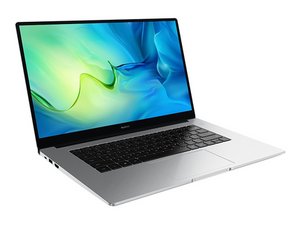

How to fix the USB ports
i cant use my USB ports
Is dit een goede vraag?
Score
0
Rep: 550,1k
 11
11
 424
424
 1,6k
1,6k
Hi @kelvin75373
Check if it is a software problem first.
Go to Device Manager → Universal Serial Bus Controllers → click on the > (or +) symbol to the left of the category to expand the list → right click on a USB Root Hub entry → Properties → Power Management and check if the option which states "Allow the computer to turn off this device to save power" has been enabled. If so disable the setting → OK.
Do the above for all the USB Root Hub entries listed.
Once this is done, close all open windows and then restart the laptop in the normal manner and whenthe laptop has restarted etc, check if the USB ports now work.
To get to Device manager in Win10/11 press the Win key and the x key (both together) and click on the Device Manager link in the options menu box that appears.
If the setting was already disabled and if there is no power on the USB ports (insert a phone into a port and check if it charges) then check in BIOS to see if it has been disabled there.
Was dit antwoord nuttig?
Afgelopen 24 uren: 0
Afgelopen 7 dagen: 2
Afgelopen 30 dagen: 19
Altijd: 108

