
Ga door naar hoofdinhoud
Word lid van de reparatiegemeenschap - Account aanmaken

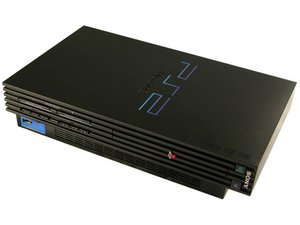
How would I restore a PS2?

Hello, I have a PS2 looks to be in need of a restoration. The fan has some visable dust, what looks to be the TV port has dirt (hopefully not bug legs) around the edge of the inside of it. I have not tested it yet and I am wondering where to go from here. Thank you in advance.

Beantwoord! Bekijk het antwoord Dit probleem heb ik ook

Is dit een goede vraag?

Score 0
Voeg een opmerking toe

2 Antwoorden

Gekozen oplossing

Hi!

First, before you disassemble it. Clean it from the outside, clean the fan with a small brush (also the AV port) carefully. And take the dust out.

At last you can also try the vacuum cleaner (low) and remove some dust.

After this test the PS2 and see how it goes.

If it's fine, I would just leave it be. If the fan is making a lot of noise after all of that, then you may want to open it up and remove all the dust further.

Please let us know how it goes!

Was dit antwoord nuttig?

Score 2

2 opmerkingen:

Thank you for the quick responce! I will try this and let you know of the outcome.

door

Alright! Thanks! Good luck and you know where to find us :)!

door

Voeg een opmerking toe

đź§ą Initial Cleaning

  • Exterior wipe‑down: Use a microfiber cloth with a bit of isopropyl alcohol (70%+) to clean the case.
  • Fan & vents: Compressed air or a soft brush will help remove dust. Hold the fan blades still while blowing air so they don’t spin uncontrollably.
  • Ports (AV/TV, USB, controller): A cotton swab dipped lightly in alcohol can clean dirt around the edges. If you suspect insect debris, carefully remove it with tweezers before swabbing.

Internal Inspection

  • Open the case: If you’re comfortable, remove the screws and lift the shell.
  • Check for corrosion or residue: Look at the motherboard and connectors for signs of rust, liquid damage, or insect nests.
  • Optical drive: Inspect the disc tray and laser lens. A lens cleaning solution or kit can help if it looks cloudy.

Power & Testing

  • Power supply check: Make sure you have the correct PSU and cables.
  • First boot: Test with no disc inserted. Listen for abnormal noises (grinding, clicking).
  • Video output: Connect to a TV and check if the AV port works. If dirty, cleaning may fix poor signal.

⚠️ Safety Notes

  • Always unplug before opening.
  • Ground yourself to avoid static discharge.
  • Take photos as you disassemble so you can reassemble correctly.

Was dit antwoord nuttig?

Score 1
Voeg een opmerking toe

Voeg je antwoord toe

Cperson zal eeuwig dankbaar zijn.
Weergavestatistieken:

Afgelopen 24 uren: 0

Afgelopen 7 dagen: 16

Afgelopen 30 dagen: 55

Altijd: 55
