
Ga door naar hoofdinhoud
Word lid van de reparatiegemeenschap - Account aanmaken

display failure during system booting

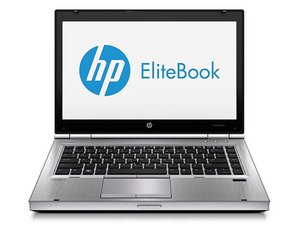
My laptop was dispaying blue screen and after a while it did not display anything. A few days before the incident there were some frequent messages which told me to upgrade to windows 11 or there will be end user support but when i tried i was told my system was not compatible with windows 11. Question 1: What can be the solution for the failure to reboot system plus the screen?

Question 2: can then failure to upgrade to windows 11 be the cause of the failure?

Beantwoord deze vraag Dit probleem heb ik ook

Is dit een goede vraag?

Score 1
Voeg een opmerking toe

1 Antwoord

Hi Cedric,

It's unlikely that failure to upgrade to Windows 11 meant that your screen went black. In this case, you computer would still work, but Windows 10 wount not recieve any security updates and many Windows features would stop working.

There are 2 things we can try:

# Press the power button for ~10 seconds and then press "Ctrl + Alt + Delete" at the same time. This will force a restart of your computer, which may solve the isssue.

  1. If option 1 doesn't work, try to restart the PC again, but this time try to enter the BIOS by pressing either ESC or F10 (I'm not 100% which key it is for this model of HP laptop). In the BIOS, you may be able to enter recovery mode. If you do not know how to operate BIOS, you can stop and this point and post a photo of what you see to this thread by editing your origional post.

If those options don't work, let us know whether the indicator light/keyboard lights up when you plug your laptop in to charge. If they do not, you may need to open up the laptop. This video explains how to do so.

Good luck, and let us know if you have any questions!

Was dit antwoord nuttig?

Score 0
Voeg een opmerking toe

Voeg je antwoord toe

Cedric Opole zal eeuwig dankbaar zijn.
Weergavestatistieken:

Afgelopen 24 uren: 0

Afgelopen 7 dagen: 7

Afgelopen 30 dagen: 37

Altijd: 52