Ga door naar hoofdinhoud
Word lid van de reparatiegemeenschap - Account aanmaken

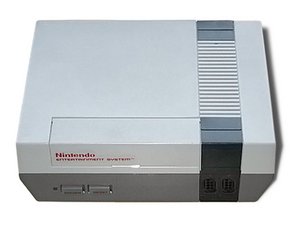
Een spelcomputer die in 1985 door Nintendo in Noord-Amerika werd uitgebracht, genaamd het Nintendo Entertainment System, model NES-001.

Scrambled Graphics on every Game

Hey all, not sure if this is the right place to post. I have a NES TV (model 19sv111) and it suddenly showed scrambled graphics from the NES console one day. Every game does this. The games do play and sound fine.

I tried a new cartridge connector and the games will now boot without pressing down but still scrambled graphics. A visual inspection shows the caps look alright but I don't have a way to test them. Thinking about getting a cap kit for it.

The motherboard for this TV looks almost identical to a NES-001 with differences in the video output area. Is there a chip that may have crapped out? How could I check?

Beantwoord! Bekijk het antwoord Dit probleem heb ik ook

Is dit een goede vraag?

Score 0
Voeg een opmerking toe

1 Antwoord

Gekozen oplossing

Hi!

There are a few things to try.

1: Replace the PIN connector and see how that goes, you already did you said, it's not normal that it boot without pressing it down, but won't be issue regarding you have now.

2: Do a complete re-cap and see how that goes. It could solve the glitchy screen.

3: Try a new video cable and see how that goes!

If the above failed, then it's something else on the motherboard and could be a lot of things. Most likely that the CPU went bad...

Was dit antwoord nuttig?

Score 1

6 opmerkingen:

So the cap kit arrived and installed, the graphics are still messed up. I did try the old cartridge connector and it behaves the same way.

Something I noticed: any character sprites on screen display correctly in their correct positions. The issue seems to be with the background, random letters and jumbled graphics everywhere in the background.

Do you think the CPU or PPU are bad?

door

Yes it does sound like the CPU or PPU. Unfortunately, this won't be easy. Is it possible for you to run some tests or replacing it??

door

I got a hold of a stand alone console. After confirming I can get a picture out of it and confirm all traces are good in the TV, I plan to swap first the PPU, then vram for the PPU, then try the CPU. Will update how it goes

door

Alright! Good luck with the repair, please keep us posted :)!

door

So I swapped over the PPU (downgrading the system from PPU revision G-0 to E-0) and the graphics now appear normal. I also discovered a slightly corroded trace in a different area of the motherboard and took care of that even though it did have continuity.

I am seeing a frame here and there where a scan line on the left half of the screen (somewhere down the middle) will fill up with some random sprite that appears on the right edge of the screen. This was while playing Super Mario Bros. Could be a symptom of a different issue or maybe this PPU also has a problem. It's something I'll address later on but for now the system is working and playable.

Thank you for your help!

door

1 commentaar meer tonen

Voeg een opmerking toe

Voeg je antwoord toe

Matt Lichenstein zal eeuwig dankbaar zijn.
Weergavestatistieken:

Afgelopen 24 uren: 0

Afgelopen 7 dagen: 23

Afgelopen 30 dagen: 86

Altijd: 295
