Ga door naar hoofdinhoud
Word lid van de reparatiegemeenschap - Account aanmaken

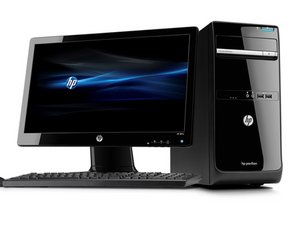
A mainstream series of desktop computer sold by Hewlett-Packard between 2011 and 2013.

Pc resolution too high.

The pc resolution is too high for my screen.My pc is black the resolution won't turn down the mouse isn't responding so as the keyboard,the keyboard has LEDs which indicates it has power.i can't go into bios to fix it how can I fix the issue.

Beantwoord deze vraag Dit probleem heb ik ook

Is dit een goede vraag?

Score 0

1 Opmerking:

How do you know its the screen resolution and not something like the GPU failing, also is the keyboard/mouse plugged into the computer?

door

Voeg een opmerking toe

2 Antwoorden

What do you mean the resolution is too high?? I believe you have failing hardware, like the previous comment said you may have a failing gpu or user error.

Was dit antwoord nuttig?

Score 0
Voeg een opmerking toe

@tshepophansi just like everybody else on here, we can't see where this would be a resolution to high issue. I wonder why you think that it is. Is there a possibility that you have set something on your video card settings (or yuor BIOS settings) that may correspond to the refresh rate etc. If so, it'll be helpful to know what that was.

If this would just be a screen issue I would have said connect another display via VGA or DVI etc. but since you are also experiencing issues with your mouse and keyboard, this is most likely a motherboard issue or a BIOS issue.

Try this. Disconnect your computers power cable. Then remove your RAM modules. Plug it back in and turn it on. Let us know exactly what happens. You also want to use a different keyboard and a different mouse.

There are a few different P6 models. We will need to know your exact model.

Was dit antwoord nuttig?

Score 0
Voeg een opmerking toe

Voeg je antwoord toe

Tshepo Phansi zal eeuwig dankbaar zijn.
Weergavestatistieken:

Afgelopen 24 uren: 0

Afgelopen 7 dagen: 2

Afgelopen 30 dagen: 5

Altijd: 94
