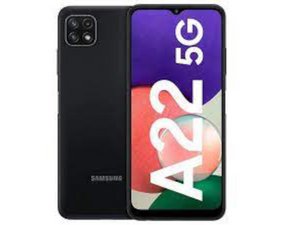

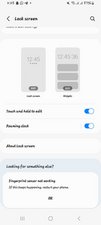
Fingerprint scanner not working
The button is working properly but the sensor is not working.
Is dit een goede vraag?
Score
5
Rep: 61
 2
2
 2
2
The button is working properly but the sensor is not working.
Is dit een goede vraag?
Rep: 860,9k
1,4k
978
 2,4k
2,4k
@siddhantsen @gulfamkhan @fathimaraihana the very first thing you want to do, is to tell us what you all have tried to fix this. You have to determine if this is software or hardware related. A couple of common things to do, is to do a soft reset first. Then check for any software updates. Make sure you have the latest software for your phone. So go to your phone's settings menu, then look for the "software update" or "system update" option. If there is an update, download and install it. Next clear the cache and data of the fingerprint scanner app. You should also remove and then add your fingerprints once more. For more of all of this, check Samsung's advice on here
If none of this worked, you should consider replacing the fingerprint scanner. In the case of your phone the fingerprint scanner and the power button are combined. Since there are no guides on iFixit for this (yet) use something like this video to replace it. Remember that you need to purchase a proper replacement for your version of the A22 (SM-A226B, SM-A226B/DS, SM-A226B/DSN) to ensure compatibility. You can purchase those at many places online. Pick a vendor that meets your expectations.
While you work on your phone, take lots of pictures. Once you are done with it, take those pictures and create a guide for iFixit. That will help the next person that has the same problem as you do. It's easy and fun to create these guides. https://ifixit.com/Guide/new The iFixit community will appreciate this.
Was dit antwoord nuttig?
Afgelopen 24 uren: 1
Afgelopen 7 dagen: 6
Afgelopen 30 dagen: 35
Altijd: 2,949






5 opmerkingen
It's f42 5g but it's not working but after restarting it's starts working for few minutes only.
door Tushar Kalghatgi
Sensor not work button is ok
door Gulfam khan
Fingerprint not working sencer
door Fathima Raihana
Please working my fingerprint option Please 🙏 😢 Please
door Fathima Raihana
Finger print not working
door Mohit Sagar