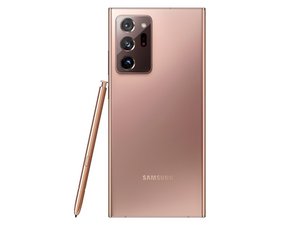

Keyboard is collapsing on its own
In the messenger app my keyboard collapses on its own after about eight seconds. Can anyone help me with this solution to this problem?
Is dit een goede vraag?
Score
0
In the messenger app my keyboard collapses on its own after about eight seconds. Can anyone help me with this solution to this problem?
Is dit een goede vraag?
Rep: 77
 3
3
Hey mate!!
This is my first ifixit answer so please help me improve….
I think you should reset the phone. To do that
Firstly you need to backup everything (like your photos, videos, contacts and any tying of importance )
Then go settings and search for reset and select something that say “factory data reset” or “ reset data and settings”
If the problem persits I think any note 20 ultra would be in it’s warranty period so just take it to samsung service center
Do suggest ways in which I can improve…
Cheers
Was dit antwoord nuttig?
Hi,
Not bad but a factory reset is usually an option of last resort.
Also perhaps remind the OP that if the phone has a Google account (Samsung acct?) then a factory reset will enable the FRP lock and if they don't happen to remember the user name and password for the account they won't be able to use the phone after the reset. Not without going to some trouble first e.g. remote unlock or contacting Samsung etc
Cheers.
yeah i first thought of suggesting clearing the cache of app having this problem, but that requires more of a trail and error method, so I suggested doing a factory reset...
Thanks for your comment...
Rep: 550,3k
11
 424
424
 1,6k
1,6k
Hi,
Things to try and see if they resolve the problem.
i). Wipe the cache partition and check if it now works OK.
ii). Start the phone in safe mode and check.
If it works OK in safe mode, then a downloaded app is the cause of the problem. The tricky part is finding out which one. You will need to uninstall each downloaded app, one by one and test the phone in normal mode between each uninstall to see if it works OK. When it does then the last downloaded app that was uninstalled is the culprit. A downloaded app is one that you downloaded and installed on the phone and didn’t come pre-installed with the phone.
Was dit antwoord nuttig?
Afgelopen 24 uren: 0
Afgelopen 7 dagen: 4
Afgelopen 30 dagen: 18
Altijd: 566



1 Opmerking
Hi all. I appreciate your input. I actually figured it out. I cleared the data on my messager app and reset it to original settings. That procedure solved the problem. Since I realized the keyboard problem was localized to the messager app, I focused on that.
door John Claeys