
Ga door naar hoofdinhoud
Word lid van de reparatiegemeenschap - Account aanmaken

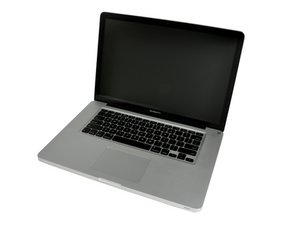
Uitgebracht in juni 2012 / Core i7-processor met Turbo Boost / Tot 1 GB GDDR5-videogeheugen

Mid 2012 MBP Hardware Upgrades

I want to upgrade my laptop’s current HD & RAM, possibly removing the Optical Drive as well since it doesn’t work anymore.

Any Suggestions ?

It’s not for super critical work such as Audio or Video Editing, I just need it to be faster, or as fast as it can get.

Thanks in advance.

Beantwoord! Bekijk het antwoord Dit probleem heb ik ook

Is dit een goede vraag?

Score 0
Voeg een opmerking toe

1 Antwoord

Gekozen oplossing

To start with I would bump the RAM to 16GB which is the systems limit MacBook Pro 15" Unibody mid 2012 Vervanging van de RAM

As for as drives I would go with a 1TB so you have plenty of space. I would go with a SSD Vs HD as its just more rugged and uses less power MacBook Pro 15" Unibody mid 2012 Vervanging van de harde schijf.

The one issue you do face is the HD SATA cable will likely need to be replaced if you still have the original HDD in the system as the original cable was not able to run at the higher SATA III (6.0 Gb/s) data rates the SSD will push without encountering issues MacBook Pro 15" Unibody (Mid 2012) Hard Drive Cable I would also apply a strip of electricians tape on the upper case where the cable crosses over and explained here Your Hard Drive Cable Is A Ticking Time Bomb

The last issue is making sure you don’t damage the cable installing it. A common failure I see is people crease the cable which damages the thin foil wires with in the cable. I use an old BIC pen ink straw as a bending brake to form the bends so I don’t exceed the radius of the straw.

I would leave the optical drive alone as it needed for structure and with one large drive you should not need a second.

Replace a damaged cable connecting the hard drive to the logic board in your laptop. Afbeelding

Product

MacBook Pro 15" Unibody (Mid 2012) Hard Drive Cable

$19.99

MacBook Pro 15" Unibody Mid 2012 Harde schijf Afbeelding

Handleiding

MacBook Pro 15" Unibody mid 2012 Vervanging van de harde schijf

Moeilijkheid:

Gemiddeld

20 - 30 minutes

MacBook Pro 15" Unibody Mid 2012 RAM Afbeelding

Handleiding

MacBook Pro 15" Unibody mid 2012 Vervanging van de RAM

Moeilijkheid:

Eenvoudig

10 - 45 minutes

Was dit antwoord nuttig?

Score 3

3 opmerkingen:

I think the original HD was already replaced because the HD in it now is a 1TB, but good looking out with regards to the HD Cable installation.

door

An SSD will give you a perceived 100% speed increase.

door

That trick with the old bic ink straw to limit the radius of a bend for the ribbon cable - I'll be keeping that in mind.

door

Voeg een opmerking toe

Voeg je antwoord toe

immanueltnt zal eeuwig dankbaar zijn.
Weergavestatistieken:

Afgelopen 24 uren: 0

Afgelopen 7 dagen: 4

Afgelopen 30 dagen: 20

Altijd: 211
