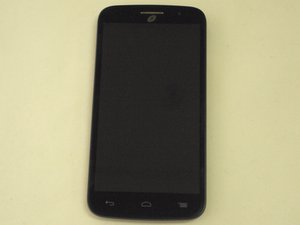

Widgets/Battery Not holding charge
how do I remove widgets from screen(s)?
do I need to have data connection on because my battery
won't stay charged?
Is dit een goede vraag?
Score
0
how do I remove widgets from screen(s)?
do I need to have data connection on because my battery
won't stay charged?
Is dit een goede vraag?
Rep: 550,2k
 11
11
 424
424
 1,6k
1,6k
Hi,
a. If the battery won't stay charged it is probably because it is failing and needs to be replaced. Here is a link to the ifixit Alcatel OneTouch Pop Icon batterij vervangen guide which shows how to replace the battery.
Batteries are available online. Just search for Alcatel One Touch Pop Icon battery to find suppliers that suit you best.
b. The data connection option is only used for mobile phone internet access and also to allow you to send and receive MMS messages (texts with pictures or videos). If you disable this option you will not be able to access the internet or send/receive MMS BUT you still will be able to send and receive SMS messages (texts).
Turning it on and off is a good way for you to control your data download as it prevents apps from updating, in the background and chewing into your data allowance without your knowledge.
c. From the home screen, tap the App Launcher
1. Tap Widgets
2. Swipe the screen to locate the widget you wish to use
3. Tap and hold on the widget you wish to use
4. Drag the app into position and then lift your finger
5. To move a widget to a new screen, tap and hold on it
6. Drag it to the edge of the screen
8. When you have found the screen you wish to add the widget to, lift your finger
8.To delete a widget, tap and hold on it
9. Drag it over remove and then lift your finger
Was dit antwoord nuttig?
Afgelopen 24 uren: 0
Afgelopen 7 dagen: 6
Afgelopen 30 dagen: 16
Altijd: 1,130


1 Opmerking
thank you so much. i figured out the widget in a fit of anger. it seems i can't shut google down and that is what it is, new battery has been in there about 6 weeks. u r awesome for being so helpful.
door Kelly Snyder