
Ga door naar hoofdinhoud
Word lid van de reparatiegemeenschap - Account aanmaken

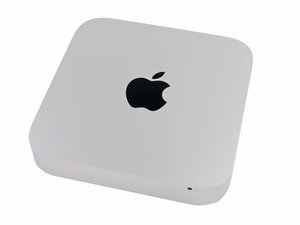
Announced on October 16, 2014, identifiable by the model number A1347 and EMC 2840.

Upgrading from HDD to SSD

I have a late 2014 Mac Mini with HDD. I would like to upgrade to a hybrid or SSD drive.

Do I need to buy extra hard drive mounting or a different cable or can I just swap the drives?

Does upgrade kit [gekoppeld product ontbreekt of is uitgeschakeld: IF107-122-3] seems to imply that there I just need the tools and new hard drive.

Beantwoord! Bekijk het antwoord Dit probleem heb ik ook

Is dit een goede vraag?

Score 0
Voeg een opmerking toe

1 Antwoord

Gekozen oplossing

The easiest upgrade is to swap out the HD for the Seagate SSHD drive or 2.5" SSD. Here's the IFIXIT guide: Mac Mini Late 2014 Hard Drive Replacement.

Your other option is to add the Apple blade SSD and keep the HD. This will require either replacing the drive frame with one that has the blade SSD ribbon cable or install the ribbon cable Blade SSD Flex Cable for Apple Mac Mini A1347 Late 2014 and then the correct SSD

Was dit antwoord nuttig?

Score 2

3 opmerkingen:

Hi Dan,

To be clear -- if swapping out for the Seagate Hybrid drive or a 2.5" SSD drive, I wouldn't need any other cables or frames, correct?

Would any 2.5" SATA SSD work, such as this one? https://www.amazon.com/Crucial-512GB-2-5...

door

Review the guide you'll see there is no other parts needed for switching the 2,5" SATA drive out. Its only if you Add the SSD blade drive will you need any other parts.

door

You may want to get this though to help you copy over your stuff to the new drive: Startech 2.5" SATA to USB adapter if you don't get the full IFIXIT kit

door

Voeg een opmerking toe

Voeg je antwoord toe

George zal eeuwig dankbaar zijn.
Weergavestatistieken:

Afgelopen 24 uren: 4

Afgelopen 7 dagen: 21

Afgelopen 30 dagen: 69

Altijd: 2,092
