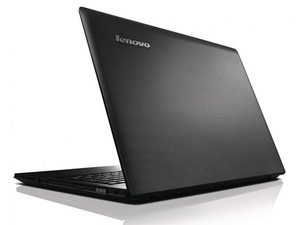

Bluetooth and USB cant connect
I don't know what happen but all of sudden my laptop can't connect to my phone via USB and also my laptop's Bluetooth isn't working correctly either! it doesn't work.
Is dit een goede vraag?
Score
0
Rep: 37
 2
2
 1
1
I don't know what happen but all of sudden my laptop can't connect to my phone via USB and also my laptop's Bluetooth isn't working correctly either! it doesn't work.
Is dit een goede vraag?
Rep: 550,1k
11
424
 1,6k
1,6k
Hi,
Here is a link to the drivers for your laptop.
Select Bluetooth and Modem in the Component box on the page and then download the BT drivers and install them in your laptop.
Only download the BT drivers at this stage. Once you have fixed the BT problem you can go on and see what else needs to be fixed.
Was dit antwoord nuttig?
Afgelopen 24 uren: 2
Afgelopen 7 dagen: 4
Afgelopen 30 dagen: 9
Altijd: 648


4 opmerkingen
Hi,
What is the exact model number of your laptop?
What OS is installed?
Have you checked in "Device Manager" that the BT is working properly?
Can you connect any other USB devices OK?
Have you checked the USB Controllers in Device Manager are OK?
Have you tried restarting the laptop at all?
What have you tried?
door jayeff
it say BT is not working properly my
My laptop only can connect via PTP not MTP
It is windows 8
door nazri12330
Hi @nazri12330,
What is the "exact" model number of your laptop? This will help in finding the correct BT drivers for your laptop.
door jayeff
it is lenovo g40
door nazri12330