Ga door naar hoofdinhoud
Word lid van de reparatiegemeenschap - Account aanmaken

Xbox One Stereo Headset Microphone Replacement

Wat je nodig hebt

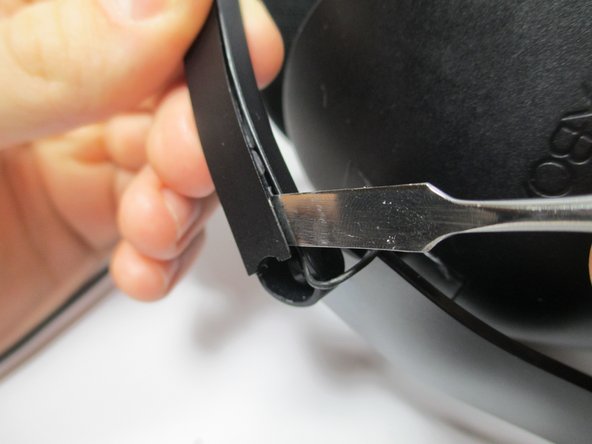
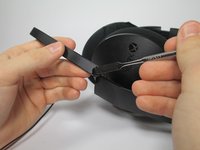
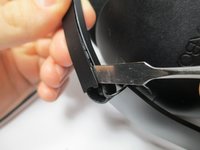
  1. Xbox One Stereo Headset Microphone Replacement, Microphone: stap 1, afbeelding 1 van 3 Xbox One Stereo Headset Microphone Replacement, Microphone: stap 1, afbeelding 2 van 3 Xbox One Stereo Headset Microphone Replacement, Microphone: stap 1, afbeelding 3 van 3
    • Use the flat end of a spudger to pry out the rubber stopper at the base of the boom.

    Vraag FixBot

    Voeg opmerking toe

  2. Xbox One Stereo Headset Microphone Replacement: stap 2, afbeelding 1 van 1
    • Remove the single 6 mm flathead #2.0 screw exposed after removing the rubber stopper.

    Vraag FixBot

    Voeg opmerking toe

  3. Xbox One Stereo Headset Microphone Replacement: stap 3, afbeelding 1 van 1
    • Lift the joint of the boom up and over its pivot point to separate the microphone from the headset.

    Vraag FixBot

    Voeg opmerking toe

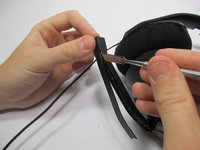
  4. Xbox One Stereo Headset Microphone Replacement: stap 4, afbeelding 1 van 3 Xbox One Stereo Headset Microphone Replacement: stap 4, afbeelding 2 van 3 Xbox One Stereo Headset Microphone Replacement: stap 4, afbeelding 3 van 3
    • Using the flat end of the metal spudger, pry the back plate off the boom.

    • The back plate is glued to the boom and must be removed gently.

    • When re-installing, apply a few drops of super glue to hold it in place.

    Vraag FixBot

    Voeg opmerking toe

  5. Xbox One Stereo Headset Microphone Replacement: stap 5, afbeelding 1 van 1
    • Pull the back plate off the boom.

    Vraag FixBot

    Voeg opmerking toe

  6. Xbox One Stereo Headset Microphone Replacement: stap 6, afbeelding 1 van 1
    • Using the flat end of the plastic spudger, gently pry the microphone out of its casing.

    • Desolder the two wires from the back of the microphone. For instructions on how to solder and desolder, please see the soldering technique guide.

    • The white wire connects to the positive node, which is indicated with a "+" on the microphone.

    Vraag FixBot

    Voeg opmerking toe

Conclusie

To reassemble your device, follow these instructions in reverse order.

Annuleren: ik heb deze handleiding niet afgemaakt.

4 andere personen hebben deze handleiding voltooid.

Trevor Steele

Lid sinds: 02/01/15

233 Reputatie

1 Handleiding geschreven

Team

Cal Poly, Team 17-37, Amido Winter 2015 Lid van Cal Poly, Team 17-37, Amido Winter 2015

CPSU-AMIDO-W15S17G37

4 Leden

5 handleidingen geschreven

9Gids Commentaar

Is a replacement microphone available from iFixit?

Scott Minton - Antwoord Deel

What do you replace the mic with?

Its Me - Antwoord Deel

They have the microphone for sale

daniel david guerrerogarcia - Antwoord Deel

Would it presumably be just as easy to replace the microphone speaker with one from another headset, granted it fits ?

harumscxarum - Antwoord Deel

Any mod to make the cable removable?

kikis.andcream - Antwoord Deel

Voeg opmerking toe

Weergavestatistieken:

Afgelopen 24 uren: 3

Afgelopen 7 dagen: 7

Afgelopen 30 dagen: 37

Altijd: 24,836