Ga door naar hoofdinhoud
Word lid van de reparatiegemeenschap - Account aanmaken

Lexmark Intuition S505 Scanner Unit Replacement

Wat je nodig hebt

  1. Lexmark Intuition S505 Scanner Unit Replacement, Duplex Unit: stap 1, afbeelding 1 van 1
    • Hold the button down with the flat end away from the printer. When you hear a click, the duplex unit can be removed from the printer.

    Vraag FixBot
  2. Lexmark Intuition S505 Scanner Unit Replacement: stap 2, afbeelding 1 van 2 Lexmark Intuition S505 Scanner Unit Replacement: stap 2, afbeelding 2 van 2
    • Remove the duplex unit from the back of the printer with the duplex unit facing up.

    Vraag FixBot
  3. Lexmark Intuition S505 Scanner Unit Replacement, Scanner Unit: stap 3, afbeelding 1 van 1
    • Locate the two screw holes that connect the two cylindrical extensions from the top portion of the scanner unit to the printer.

    Vraag FixBot
  4. Lexmark Intuition S505 Scanner Unit Replacement: stap 4, afbeelding 1 van 1
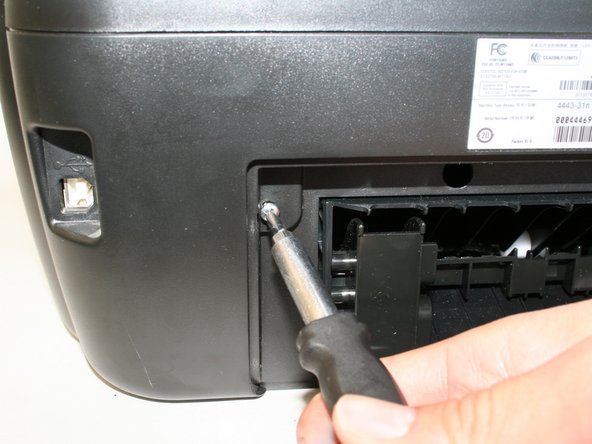
    • Unscrew the two size#6 (5-mm head) Phillips 1-mm screws connecting the scanner unit to the printer.

    Vraag FixBot
  5. Lexmark Intuition S505 Scanner Unit Replacement: stap 5, afbeelding 1 van 1
    • Raise and close the scanner unit to observe that the hinges lock in place when lifted.

    Vraag FixBot
  6. Lexmark Intuition S505 Scanner Unit Replacement: stap 6, afbeelding 1 van 2 Lexmark Intuition S505 Scanner Unit Replacement: stap 6, afbeelding 2 van 2
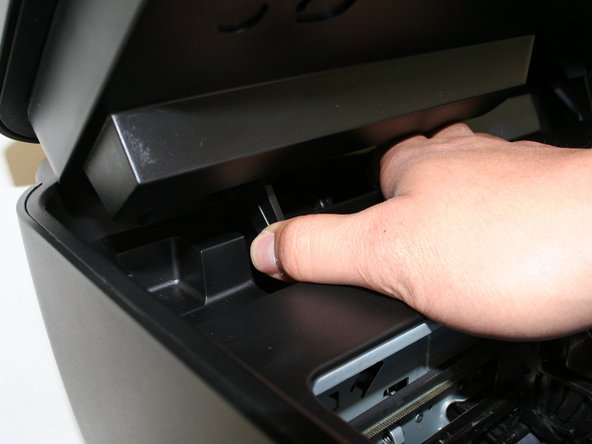
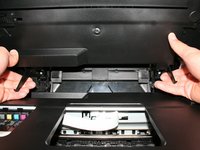
    • Firmly press the hinges inward toward the middle of the printer on both sides at the same time. The hinges should be easily lifted up and removed.

    Vraag FixBot
  7. Lexmark Intuition S505 Scanner Unit Replacement: stap 7, afbeelding 1 van 1
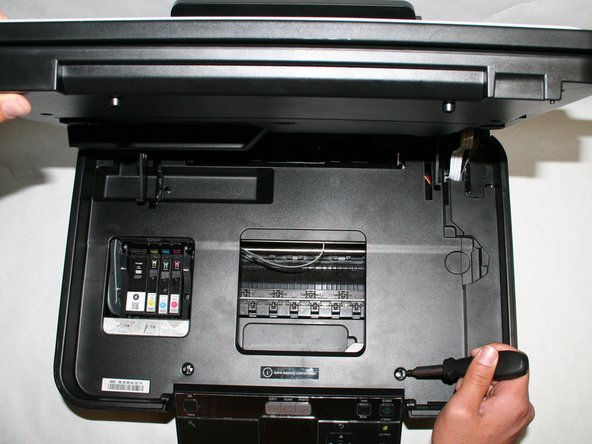
    • Locate the three screws connecting the plastic tray to the printer.

    Vraag FixBot
  8. Lexmark Intuition S505 Scanner Unit Replacement: stap 8, afbeelding 1 van 1
    • Remove the three size#6 (5-mm head) Phillips 1-mm screws connecting the scanner unit to the printer.

    Vraag FixBot
  9. Lexmark Intuition S505 Scanner Unit Replacement: stap 9, afbeelding 1 van 1
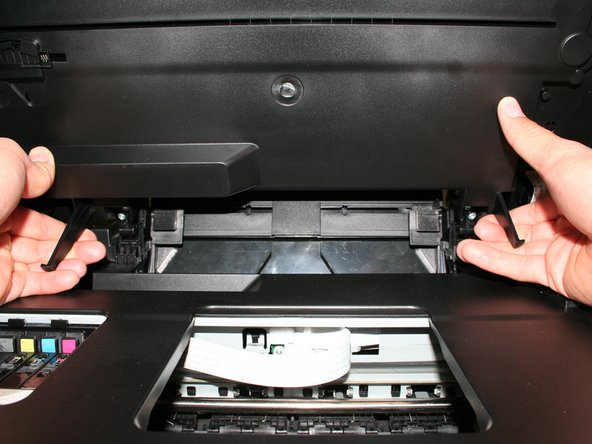
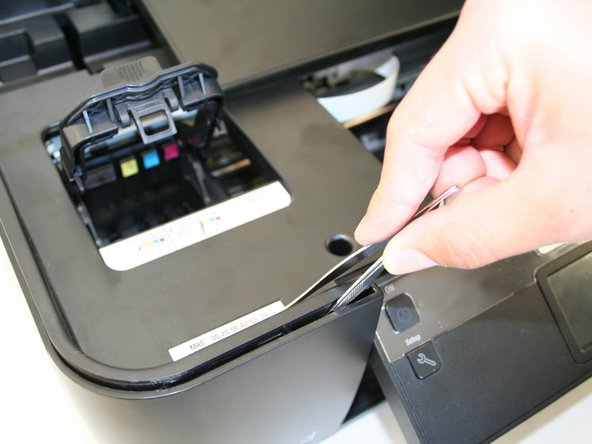
    • Remove the plastic cover by unlocking the plastic hinges at the inside edges of the printer. Use a plastic opening tool or a tweezer to slowly move in between the crease around the printer to unlock it.

    Vraag FixBot
  10. Lexmark Intuition S505 Scanner Unit Replacement: stap 10, afbeelding 1 van 2 Lexmark Intuition S505 Scanner Unit Replacement: stap 10, afbeelding 2 van 2
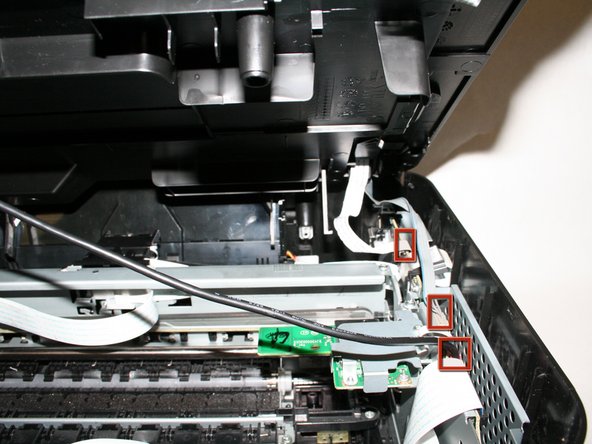
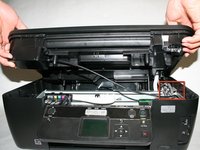
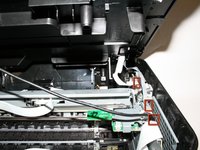
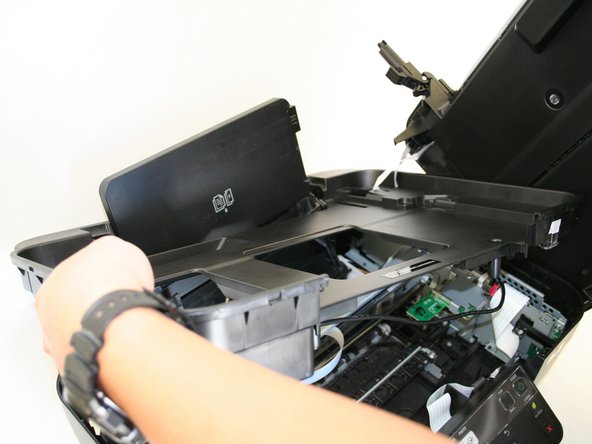
    • Slowly raise, but do not remove the plastic cover with the scanner unit so that it exposes the three cables connecting the scanner unit to the printer.

    Vraag FixBot
  11. Lexmark Intuition S505 Scanner Unit Replacement: stap 11, afbeelding 1 van 1
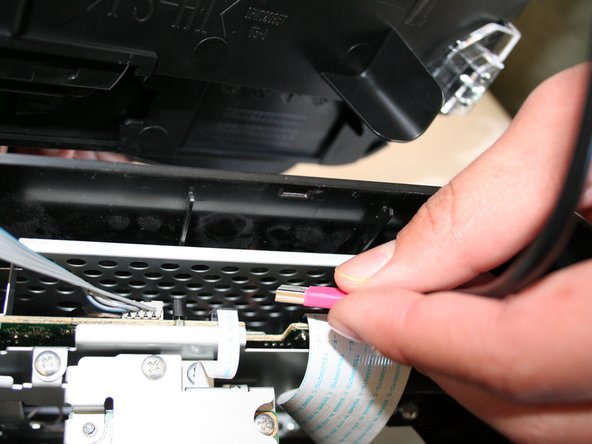
    • Carefully unplug the pink cable.

    Vraag FixBot
  12. Lexmark Intuition S505 Scanner Unit Replacement: stap 12, afbeelding 1 van 1
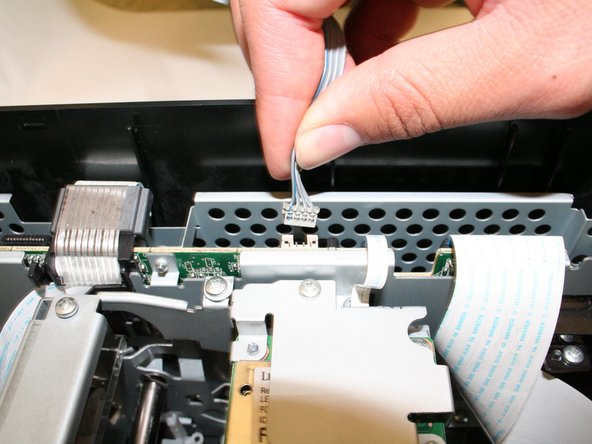
    • Carefully unplug the gray data cable.

    Vraag FixBot
  13. Lexmark Intuition S505 Scanner Unit Replacement: stap 13, afbeelding 1 van 1
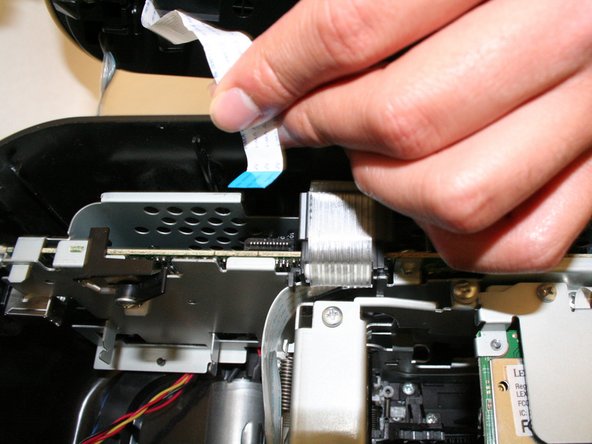
    • Carefully unplug the white ribbon data cable.

    Vraag FixBot
  14. Lexmark Intuition S505 Scanner Unit Replacement: stap 14, afbeelding 1 van 1
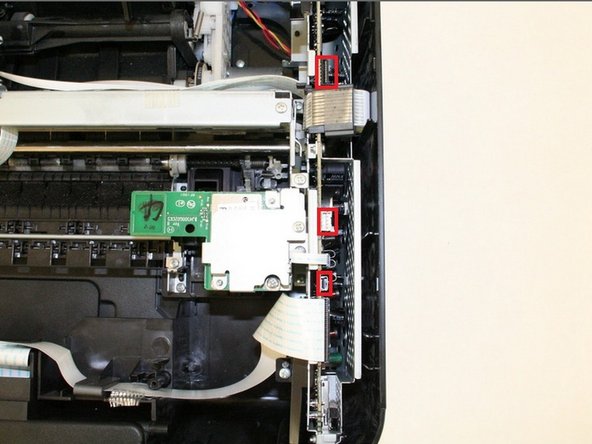
    • Locate the three ports for the cables from the scanner unit and make sure they are unplugged.

    Vraag FixBot
  15. Lexmark Intuition S505 Scanner Unit Replacement: stap 15, afbeelding 1 van 1
    • Remove the scanner unit with the plastic cover by lifting it up from the bottom portion of the printer.

    • Be careful with the paper tray and make sure it is evenly lifted through the rectangular hole in the plastic tray

    Vraag FixBot
Conclusie

To reassemble your device, follow these instructions in reverse order.

2 andere personen hebben deze handleiding voltooid.

Raymond

Lid sinds: 01/15/13

48 Reputatie

2 handleidingen geschreven

Team

Cal Poly, Team 18-38, Regan Winter 2013 Lid van Cal Poly, Team 18-38, Regan Winter 2013

CPSU-REGAN-W13S18G38

4 Leden

8 handleidingen geschreven

0Gids Commentaar

Voeg opmerking toe

Weergavestatistieken:

Afgelopen 24 uren: 1

Afgelopen 7 dagen: 13

Afgelopen 30 dagen: 83

Altijd: 1,657