Ga door naar hoofdinhoud
Word lid van de reparatiegemeenschap - Account aanmaken

Lexibook Junior Tablet Motherboard Replacement

Wat je nodig hebt

  1. Lexibook Junior Tablet Motherboard Replacement, Battery: stap 1, afbeelding 1 van 1
    • Make sure your device is powered off before replacement to prevent electric shock.

    • With the device screen face down, use the metal spudger to remove the small rubber circles on all four corners of the device. The screws should now be revealed.

    • Using the metal spudger, pry open the small, long rubber rectangle on the back of the device to reveal more screws.

    Vraag FixBot

    Voeg opmerking toe

  2. Lexibook Junior Tablet Motherboard Replacement: stap 2, afbeelding 1 van 1
    • Using a Phillips #00 screwdriver, remove the four 6.8mm screws from the four corners of the device.

    • Using the same screwdriver, remove the three screws that were behind the rubber rectangle. These screws do not come out of the device.

    • Use the plastic opening tool to gently pry open the back panel of the tablet.

    Vraag FixBot

    Voeg opmerking toe

  3. Lexibook Junior Tablet Motherboard Replacement: stap 3, afbeelding 1 van 1
    • Use the nylon spudger to gently pry under the battery to remove it.

    • Make sure you do not damage the battery or metal plate in this process and only use a nylon spudger. Be patient and work slowly for the best results.

    Vraag FixBot

    Voeg opmerking toe

  4. Lexibook Junior Tablet Motherboard Replacement: stap 4, afbeelding 1 van 1
    • Use a soldering iron to remove the battery from the motherboard safely.

    • For advice on how to solder, check out iFixit's Soldering Guide.

    Vraag FixBot

    Voeg opmerking toe

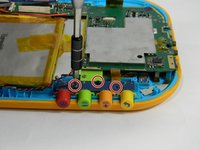
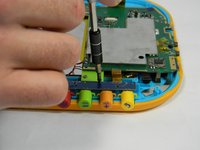
  5. Lexibook Junior Tablet Motherboard Replacement, Motherboard: stap 5, afbeelding 1 van 2 Lexibook Junior Tablet Motherboard Replacement, Motherboard: stap 5, afbeelding 2 van 2
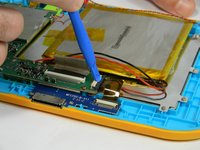
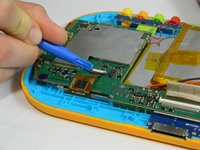
    • Using the plastic opening tool, gently push the two small, black and white switches out in the direction of the ribbon wires.

    • Slowly pull the ribbon wire out of the switch to free it.

    Vraag FixBot

    Voeg opmerking toe

  6. Lexibook Junior Tablet Motherboard Replacement: stap 6, afbeelding 1 van 1
    • Push the larger black and white strip leading to a ribbon wire upward using the plastic opening tool.

    • Carefully pull the ribbon wire out of the switch

    Vraag FixBot

    Voeg opmerking toe

  7. Lexibook Junior Tablet Motherboard Replacement: stap 7, afbeelding 1 van 3 Lexibook Junior Tablet Motherboard Replacement: stap 7, afbeelding 2 van 3 Lexibook Junior Tablet Motherboard Replacement: stap 7, afbeelding 3 van 3
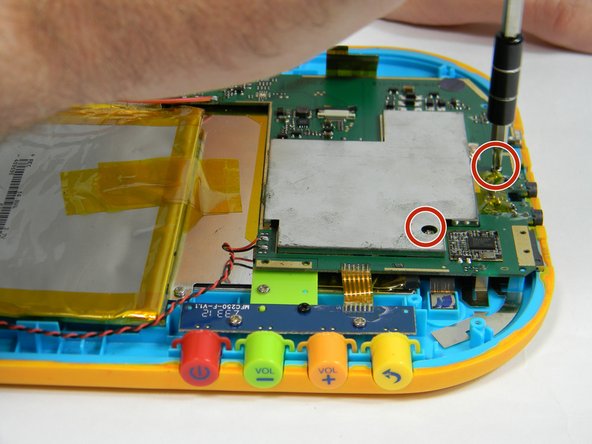
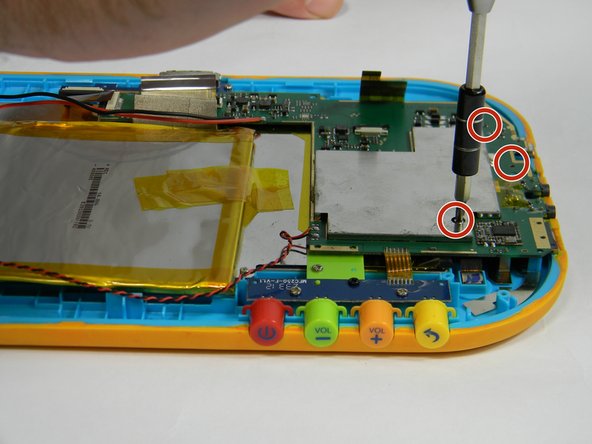
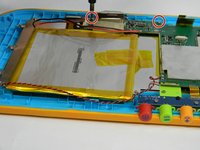
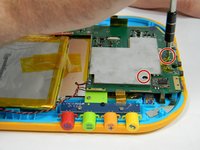
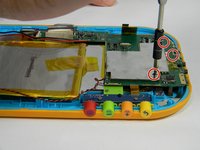
    • Unscrew the five 4 mm screws around the perimeter of the motherboard using the ph00 size phillips head screwdriver.

    Vraag FixBot

    Voeg opmerking toe

  8. Lexibook Junior Tablet Motherboard Replacement: stap 8, afbeelding 1 van 2 Lexibook Junior Tablet Motherboard Replacement: stap 8, afbeelding 2 van 2
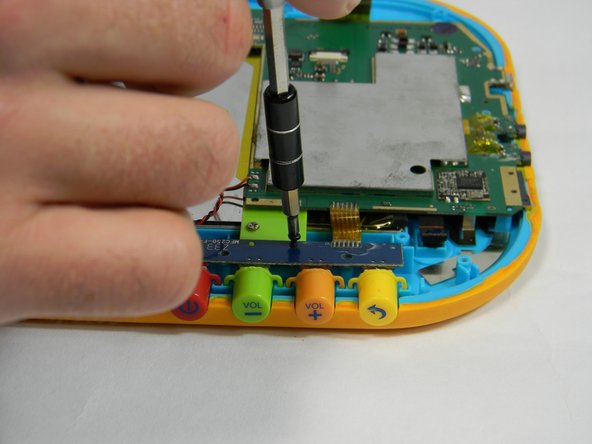
    • Remove the button board by unscrewing two more 4 mm screws and one 6.5 mm screw

    Vraag FixBot

    Voeg opmerking toe

  9. Lexibook Junior Tablet Motherboard Replacement: stap 9, afbeelding 1 van 1
    • Solder off connections from the wire connecting the motherboard to the speaker.

    • For how to solder, check out iFixit's Soldering Guide.

    Vraag FixBot

    Voeg opmerking toe

Conclusie

To reassemble your device, follow these instructions in reverse order.

Annuleren: ik heb deze handleiding niet afgemaakt.

Rachel Klesius

Lid sinds: 09/19/16

645 Reputatie

6 handleidingen geschreven

Team

USF Tampa, Team 17-3, Blackwell Fall 2016 Lid van USF Tampa, Team 17-3, Blackwell Fall 2016

USFT-BLACKWELL-F16S17G3

4 Leden

12 handleidingen geschreven

0Gids Commentaar

Voeg opmerking toe

Weergavestatistieken:

Afgelopen 24 uren: 0

Afgelopen 7 dagen: 6

Afgelopen 30 dagen: 22

Altijd: 599