Deze vertaling is door een computer gegenereerd en is nog niet door iemand nagekeken. Spreek je deze taal? Bekijk het hier.
Inleiding
Deze handleiding leidt je door het proces van het vervangen van de oplaadpoort in de Huawei M750.
Wat je nodig hebt
-
-
-
Druk op de bovenkant van de bovenste bedekking van de accu in het basisgedeelte en trek deze naar beneden richting de onderkant van de telefoon.
 Vraag FixBot
-
-
-
Verwijder de batterij door deze eruit te wippen met behulp van de uitsparing net onder de camera.
-
-
-
-
-
Gebruik het Openingsgereedschap om het camera- en speakerklepje los te wrikken, beginnend aan de kant van de accu.
-
Beweeg het Openingsgereedschap rond de rand van het camera- en speakerklepje totdat het loskomt.
-
-
-
-
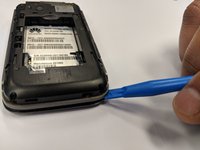
Gebruik het Openingsgereedschap om het achterpaneel van het voorpaneel los te wrikken.
-
Werk rondom de telefoon totdat de panelen gelijkmatig loskomen.
-
-
-
-
-
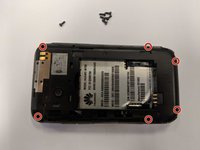
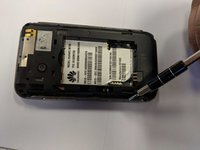
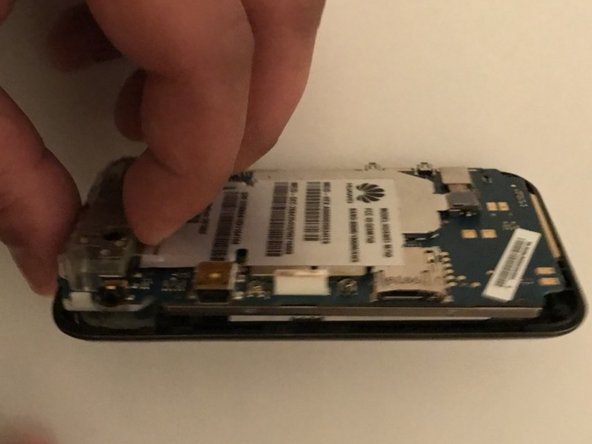
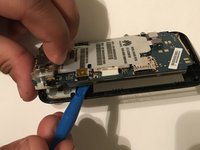
Gebruik het openingsgereedschap om het moederbord langs de rand uit het voorpaneel te wrikken.
-
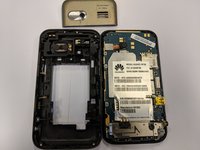
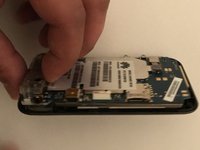
Wanneer het moederbord los lijkt te komen van het voorpaneel, trek je het naar buiten.
-
-
-
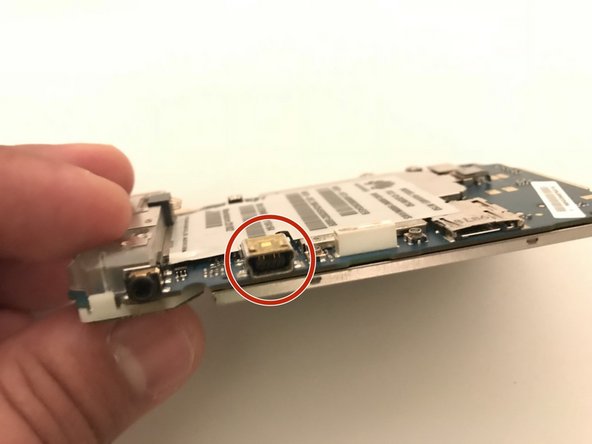
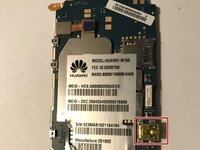
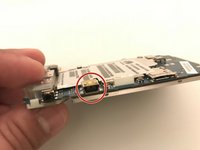
De oplaadpoort is op het moederbord gesoldeerd; gebruik deze handleiding om de vervanging uit te voeren.
-
-






Volg deze instructies in omgekeerde volgorde om je apparaat weer in elkaar te zetten.
Annuleren: ik heb deze handleiding niet afgemaakt.
Één andere persoon heeft deze handleiding voltooid.

Team

University of North Texas, Team S1-G6, Thompson Spring 2018 Lid van University of North Texas, Team S1-G6, Thompson Spring 2018
UNT-THOMPSON-S18S1G6
3 Leden
60 handleidingen geschreven
