Ga door naar hoofdinhoud
Word lid van de reparatiegemeenschap - Account aanmaken

Hamilton Beach 70740 Power Cord Replacement

Gearchiveerde handleiding
Deze handleiding wordt enkel nog bijgehouden voor historische doeleinden. Gebruik de laatste versie van deze gids om uw reparatie uit te voeren.

Wat je nodig hebt

    1. Hamilton Beach 70740 Power Cord Replacement, Base Removal: stap 1, afbeelding 1 van 3 Hamilton Beach 70740 Power Cord Replacement, Base Removal: stap 1, afbeelding 2 van 3 Hamilton Beach 70740 Power Cord Replacement, Base Removal: stap 1, afbeelding 3 van 3
      • Hold the food processor upside down and remove the two screws indicated with a screwdriver. Once unscrewed, remove the two rubber suction pads.

      Vraag FixBot

      Voeg opmerking toe

    2. Hamilton Beach 70740 Power Cord Replacement: stap 2, afbeelding 1 van 2 Hamilton Beach 70740 Power Cord Replacement: stap 2, afbeelding 2 van 2
      • Use a spudger to remove the 4 rubber base pads located at the corners of the device.

      Vraag FixBot

      Voeg opmerking toe

    3. Hamilton Beach 70740 Power Cord Replacement: stap 3, afbeelding 1 van 1
      • Unscrew all 4 screws that are located beneath the pads with a screwdriver and remove the plastic grey base.

      Vraag FixBot

      Voeg opmerking toe

    4. Hamilton Beach 70740 Power Cord Replacement: stap 4, afbeelding 1 van 1
      • Remove the screws indicated with a screw driver.

      Vraag FixBot

      Voeg opmerking toe

    5. Hamilton Beach 70740 Power Cord Replacement: stap 5, afbeelding 1 van 1
      • Remove the two screws behind the knob with a screwdriver.

      Vraag FixBot

      Voeg opmerking toe

    1. Hamilton Beach 70740 Power Cord Replacement, Motor/Cord: stap 6, afbeelding 1 van 1
      • Use a regular nylon spudger to remove the plastic caps at these locations with moderate pressure.

      • When working with electronics, it's important to choose a tool that's ESD-safe to avoid accidental damage to the device. The regular black nylon spudger or a plastic opening tool should be used whenever possible.

      • Apply pressure at the edge of the plastic cap circles. Apply stress elsewhere may damage the device.

      • Note that the plastic caps are glued

      Vraag FixBot

      Voeg opmerking toe

    2. Hamilton Beach 70740 Power Cord Replacement: stap 7, afbeelding 1 van 1
      • Remove the 4 screws located under the plastic caps with a screw driver.

      Vraag FixBot

      Voeg opmerking toe

    3. Hamilton Beach 70740 Power Cord Replacement: stap 8, afbeelding 1 van 2 Hamilton Beach 70740 Power Cord Replacement: stap 8, afbeelding 2 van 2
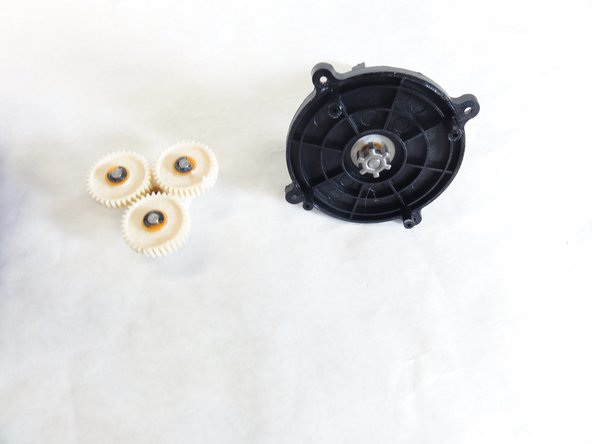
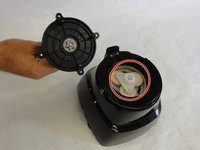
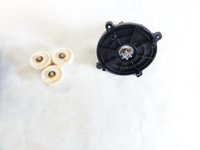
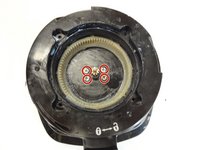
      • Lift and remove the plastic gears at the center of the device.

      • Remove any grease residue underneath the plastic gears.

      Vraag FixBot

      Voeg opmerking toe

    4. Hamilton Beach 70740 Power Cord Replacement: stap 9, afbeelding 1 van 2 Hamilton Beach 70740 Power Cord Replacement: stap 9, afbeelding 2 van 2
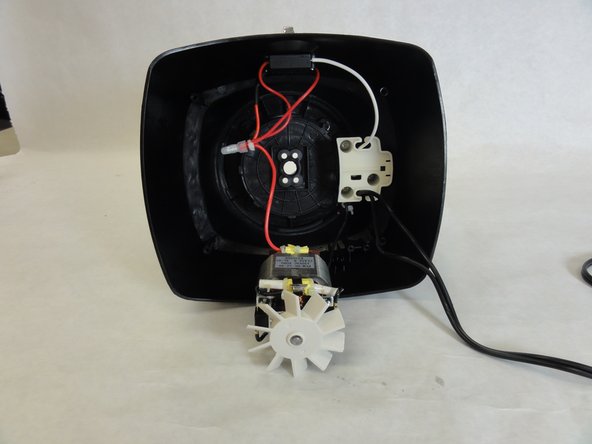
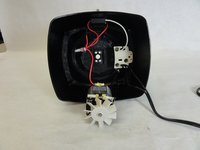
      • Remove the remaining screws to unhinge the motor located at the center of the device using a screw driver.

      Vraag FixBot

      Voeg opmerking toe

    1. Hamilton Beach 70740 Power Cord Replacement, Power Cord: stap 10, afbeelding 1 van 1
      • Solder the highlighted section of the power cord, and undo the wiring. Using soldering wire connect a new line with the soldering iron.

      • Learn more about soldering here.

      Vraag FixBot

      Voeg opmerking toe

    2. Hamilton Beach 70740 Power Cord Replacement: stap 11, afbeelding 1 van 1
      • Connect the other end of your power cord to the motor terminal.

      Vraag FixBot

      Voeg opmerking toe

Conclusie

To reassemble your device, follow these instructions in reverse order.

Annuleren: ik heb deze handleiding niet afgemaakt.

David Gedeon

Lid sinds: 09/17/15

806 Reputatie

6 handleidingen geschreven

Team

IUPUI, Team 1-1, Baechle Fall 2015 Lid van IUPUI, Team 1-1, Baechle Fall 2015

IUPUI-BAECHLE-F15S1G1

4 Leden

48 handleidingen geschreven

0Gids Commentaar

Voeg opmerking toe

Weergavestatistieken:

Afgelopen 24 uren: 0

Afgelopen 7 dagen: 2

Afgelopen 30 dagen: 20

Altijd: 574