Ga door naar hoofdinhoud
Word lid van de reparatiegemeenschap - Account aanmaken

HTC Vive Pro 2 All-In-One Cable Replacement

Wat je nodig hebt

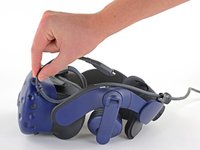
    1. HTC Vive Pro 2 All-In-One Cable Replacement, Reposition the head strap: stap 1, afbeelding 1 van 2 HTC Vive Pro 2 All-In-One Cable Replacement, Reposition the head strap: stap 1, afbeelding 2 van 2
      • Rotate the head strap forward as far as it will go.

      Vraag FixBot

      Voeg opmerking toe

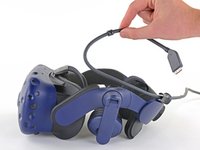
    2. HTC Vive Pro 2 All-In-One Cable Replacement, Unplug the All-In-One Cable: stap 2, afbeelding 1 van 2 HTC Vive Pro 2 All-In-One Cable Replacement, Unplug the All-In-One Cable: stap 2, afbeelding 2 van 2
      • Unplug the All-In-One Cable from your headset.

      Vraag FixBot

      Voeg opmerking toe

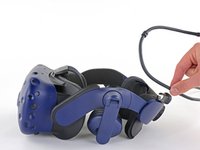
    3. HTC Vive Pro 2 All-In-One Cable Replacement, Remove the All-In-One Cable: stap 3, afbeelding 1 van 3 HTC Vive Pro 2 All-In-One Cable Replacement, Remove the All-In-One Cable: stap 3, afbeelding 2 van 3 HTC Vive Pro 2 All-In-One Cable Replacement, Remove the All-In-One Cable: stap 3, afbeelding 3 van 3
      • Remove the All-In-One Cable from the cable guides along the left side of the head strap.

      • During reassembly, connect the All-In-One Cable to the headset before routing it through the cable guides. This will ensure it has the right amount of slack.

      Vraag FixBot

      Voeg opmerking toe

Conclusie

To reassemble your device, follow the above steps in reverse order.

Repair didn’t go as planned? Try some basic troubleshooting, or ask our Answers community for help.


Annuleren: ik heb deze handleiding niet afgemaakt.

Alex Diaz-Kokaisl

Lid sinds: 01/16/22

247.069 Reputatie

1.203 handleidingen geschreven

Team

iFixit Lid van iFixit

Staff

123 Leden

61.267 handleidingen geschreven

0Gids Commentaar

Voeg opmerking toe

Weergavestatistieken:

Afgelopen 24 uren: 0

Afgelopen 7 dagen: 10

Afgelopen 30 dagen: 44

Altijd: 841