Ga door naar hoofdinhoud
Word lid van de reparatiegemeenschap - Account aanmaken

Framework Laptop 12 Fastener Guide

Wat je nodig hebt

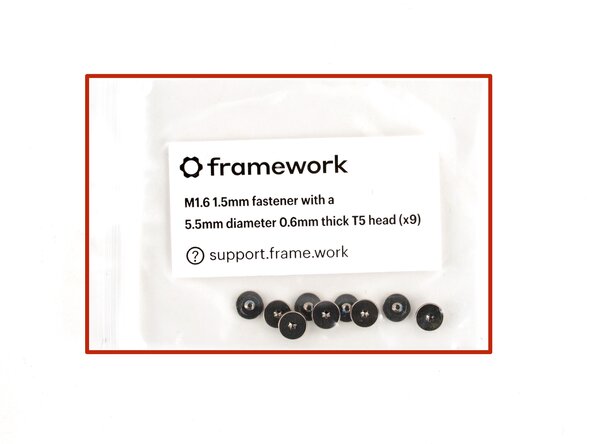
  1. Framework Laptop 12 Fastener Guide, Fasteners information: stap 1, afbeelding 1 van 2 Framework Laptop 12 Fastener Guide, Fasteners information: stap 1, afbeelding 2 van 2
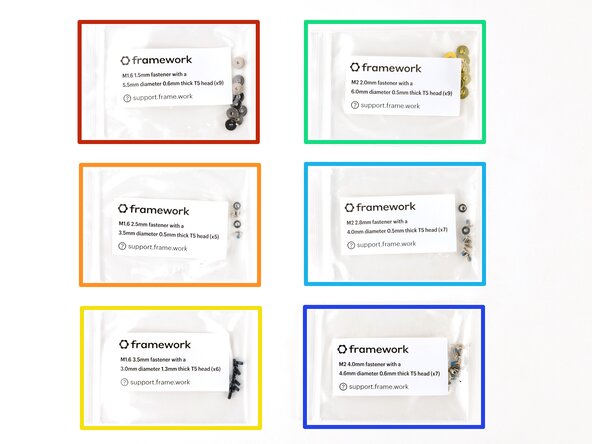
    • The Fastener Kit contains the following:

    • Grey screws labeled "M1.6 1.5mm fastener with a 5.5mm diameter 0.6mm thick T5 head"

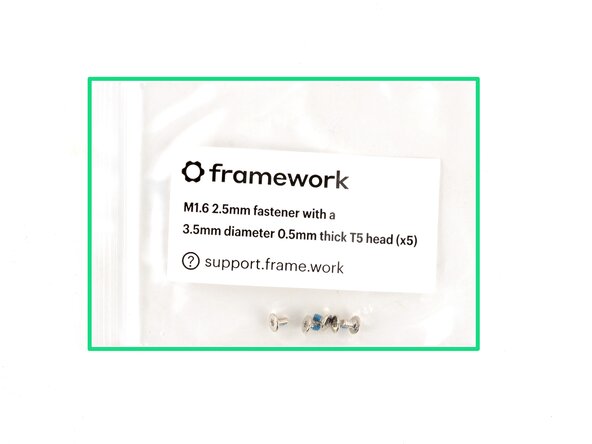
    • Silver screws labeled "M1.6 2.5mm fastener with a 3.5mm diameter 0.5mm thick T5 head"

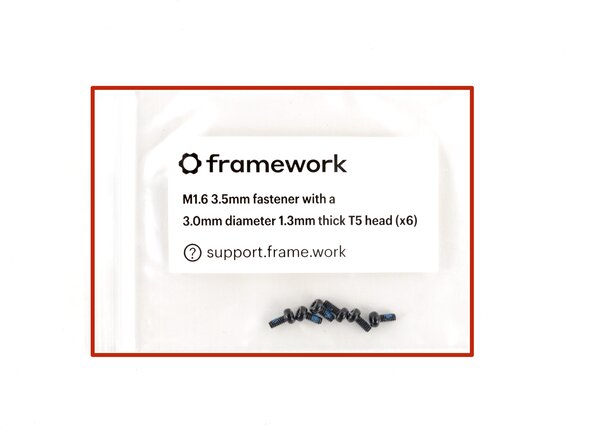
    • Black screws labeled "M1.6 3.5mm fastener with a 3.0mm diameter 1.3mm thick T5 head"

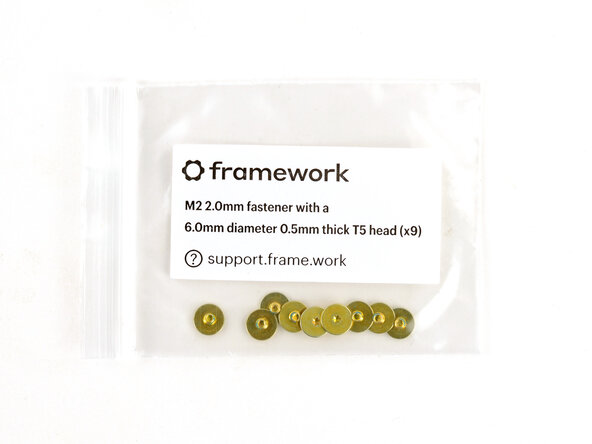
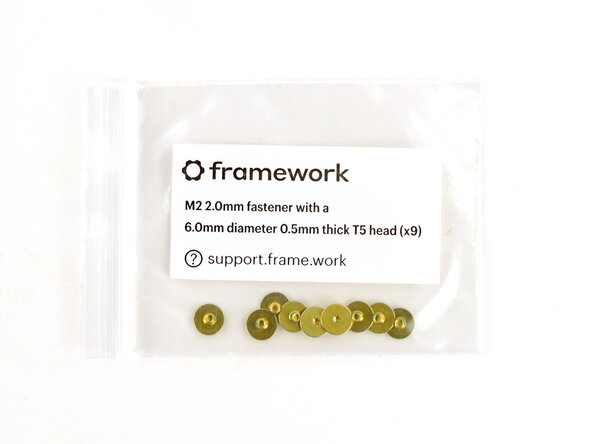
    • Gold screws labeled "M2 2.0mm fastener with a 6.0mm diameter 0.5mm thick T5 head"

    • Silver screws labeled "M2 2.8mm fastener with a 4.0mm diameter 0.5mm thick T5 head"

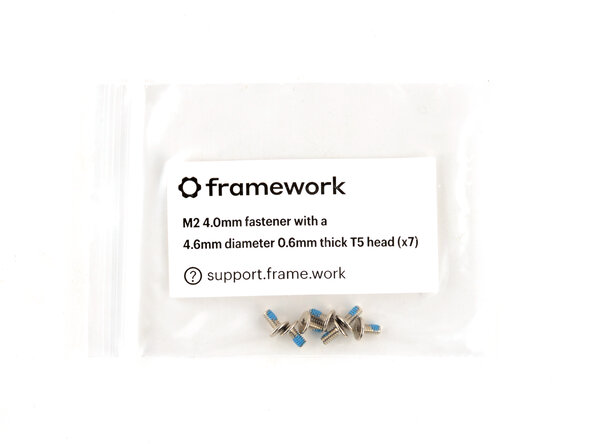
    • Silver screws labeled "M1.6 4.0mm fastener with a 4.6mm diameter 0.6mm thick T5 head"

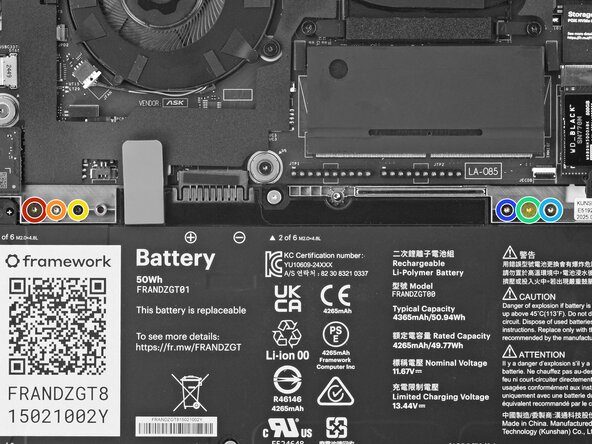
    • Your Framework Laptop comes with a spare screw of each size, attached to the chassis above the battery. You can use the Fastener Kit to replenish any screws you used there.

    Vraag FixBot

    Voeg opmerking toe

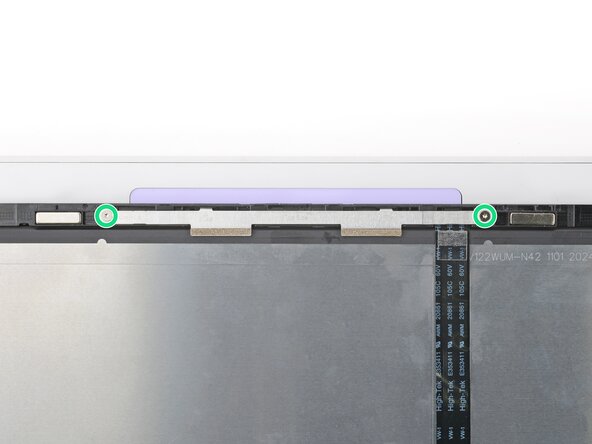
  2. Framework Laptop 12 Fastener Guide, Antenna screws: stap 2, afbeelding 1 van 3 Framework Laptop 12 Fastener Guide, Antenna screws: stap 2, afbeelding 2 van 3 Framework Laptop 12 Fastener Guide, Antenna screws: stap 2, afbeelding 3 van 3
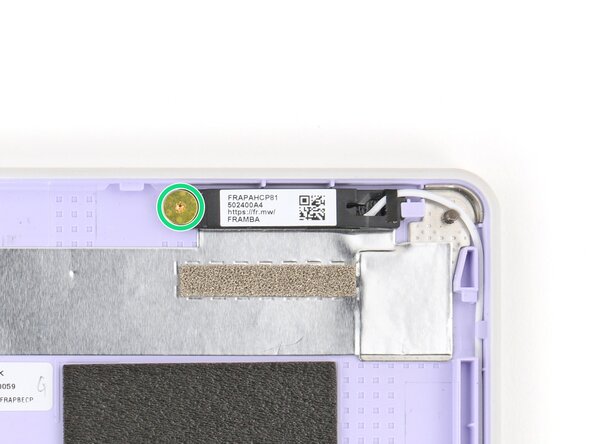
    • Use the gold screws labeled "M2 2.0mm fastener with a 6.0mm diameter 0.5mm thick T5 head" to secure the antennas.

    Vraag FixBot

    Voeg opmerking toe

  3. Framework Laptop 12 Fastener Guide, Display screws: stap 3, afbeelding 1 van 2 Framework Laptop 12 Fastener Guide, Display screws: stap 3, afbeelding 2 van 2
    • Use the silver screws labeled "M2 2.8mm fastener with a 4.0mm diameter 0.5mm thick T5 head" to secure the display.

    • Tighten the screws until they're snug. Don't over-tighten them, or you may break the screw tabs.

    Vraag FixBot

    Voeg opmerking toe

  4. Framework Laptop 12 Fastener Guide, Expansion Card lock screws: stap 4, afbeelding 1 van 3 Framework Laptop 12 Fastener Guide, Expansion Card lock screws: stap 4, afbeelding 2 van 3 Framework Laptop 12 Fastener Guide, Expansion Card lock screws: stap 4, afbeelding 3 van 3
    • Use the black screws labeled "M1.6 3.5mm fastener with a 3.0mm diameter 1.3mm thick T5 head" to secure the Expansion Card latches.

    • Use the silver screws labeled "M1.6 2.5mm fastener with a 3.5mm diameter 0.5mm thick T5 head" to replace the Expansion Card lock screws.

    Vraag FixBot

    Voeg opmerking toe

  5. Framework Laptop 12 Fastener Guide, Hinge screws (bottom): stap 5, afbeelding 1 van 3 Framework Laptop 12 Fastener Guide, Hinge screws (bottom): stap 5, afbeelding 2 van 3 Framework Laptop 12 Fastener Guide, Hinge screws (bottom): stap 5, afbeelding 3 van 3
    • Use the silver screws labeled "M2 4.0mm fastener with a 4.6mm diameter 0.6mm thick T5 head" to secure the hinges to the Bottom Cover.

    Vraag FixBot

    Voeg opmerking toe

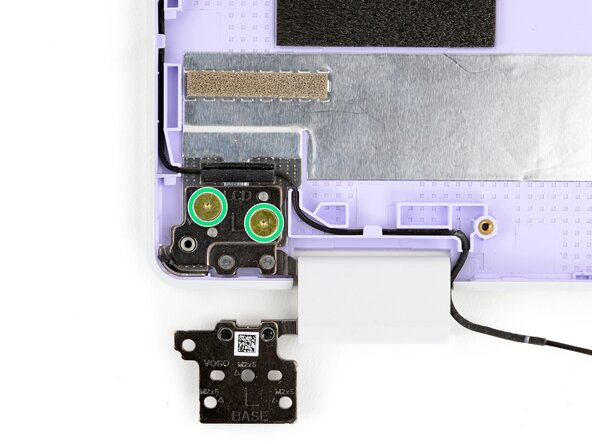
  6. Framework Laptop 12 Fastener Guide, Hinge screws (top): stap 6, afbeelding 1 van 3 Framework Laptop 12 Fastener Guide, Hinge screws (top): stap 6, afbeelding 2 van 3 Framework Laptop 12 Fastener Guide, Hinge screws (top): stap 6, afbeelding 3 van 3
    • Use the gold screws labeled "M2 2.0mm fastener with a 6.0mm diameter 0.5mm thick T5 head" to secure the hinges to the Top Cover.

    Vraag FixBot

    Voeg opmerking toe

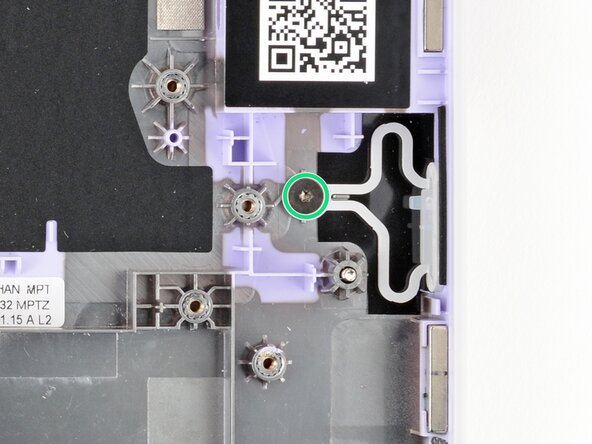
  7. Framework Laptop 12 Fastener Guide, Power Button screw: stap 7, afbeelding 1 van 2 Framework Laptop 12 Fastener Guide, Power Button screw: stap 7, afbeelding 2 van 2
    • Use the grey screw labeled "M1.6 1.5mm fastener with a 5.5mm diameter 0.6mm thick T5 head" to secure the Power Button.

    Vraag FixBot

    Voeg opmerking toe

  8. Framework Laptop 12 Fastener Guide, SSD clip screw: stap 8, afbeelding 1 van 2 Framework Laptop 12 Fastener Guide, SSD clip screw: stap 8, afbeelding 2 van 2
    • Use the black screw labeled "M1.6 3.5mm fastener with a 3.0mm diameter 1.3mm thick T5 head" to secure the SSD clip.

    Vraag FixBot

    Voeg opmerking toe

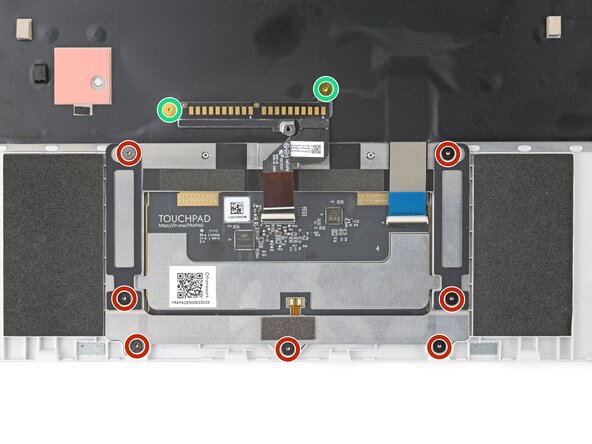
  9. Framework Laptop 12 Fastener Guide, Touchpad screws: stap 9, afbeelding 1 van 3 Framework Laptop 12 Fastener Guide, Touchpad screws: stap 9, afbeelding 2 van 3 Framework Laptop 12 Fastener Guide, Touchpad screws: stap 9, afbeelding 3 van 3
    • Use the grey screws labeled "M1.6 1.5mm fastener with a 5.5mm diameter 0.6mm thick T5 head" to secure the touchpad.

    • Use the gold screws labeled "M2 2.0mm fastener with a 6.0mm diameter 0.5mm thick T5 head" to secure the touchpad pogo connector.

    Vraag FixBot

    Voeg opmerking toe

  10. Framework Laptop 12 Fastener Guide, Webcam screws: stap 10, afbeelding 1 van 2 Framework Laptop 12 Fastener Guide, Webcam screws: stap 10, afbeelding 2 van 2
    • Use the silver screws labeled "M2 2.8mm fastener with a 4.0mm diameter 0.5mm thick T5 head" to secure the webcam.

    Vraag FixBot

    Voeg opmerking toe

Conclusie

If you need help, contact Framework support.

Annuleren: ik heb deze handleiding niet afgemaakt.

Arthur Shi

Lid sinds: 01/03/18

337.572 Reputatie

851 handleidingen geschreven

0Gids Commentaar

Voeg opmerking toe

Weergavestatistieken:

Afgelopen 24 uren: 2

Afgelopen 7 dagen: 12

Afgelopen 30 dagen: 37

Altijd: 242