Deze vertaling is door een computer gegenereerd en is nog niet door iemand nagekeken. Spreek je deze taal? Bekijk het hier.
Inleiding
Als je geprobeerd hebt de achterbehuizing van de Canon A35F meermaals open te wrikken en deze nog steeds niet opent, is het wellicht tijd om de achterbehuizing te vervangen. Er kunnen ook andere redenen zijn waarom de achterbehuizing vervangen moet worden, zoals wanneer de achterbehuizing beschadigd is en er barsten beginnen te verschijnen, er licht in de camera lekt waardoor de film wordt verpest, of misschien heeft de achterbehuizing gewoon een schoonmaakbeurt nodig. Deze handleiding bevat alle informatie die je nodig hebt om de achterbehuizing van een Canon A35F te verwijderen en weer in elkaar te zetten.
De prijs van een gebruikte achterbehuizing kan variëren van $15-$25 Amerikaanse dollar op eBay, maar ze zijn moeilijk te vinden.
Wat je nodig hebt
-
-
-
Verwijder de drie schroeven aan de onderkant van de camera met een Philips #00-schroevendraaier.
 Vraag FixBot
-
-
-
Open de achterbehuizing van de camera om de pin bloot te leggen die de achterbehuizing aan de body bevestigt.
-
-
-
Gereedschap gebruikt in deze stap:Tweezers$3.99
-
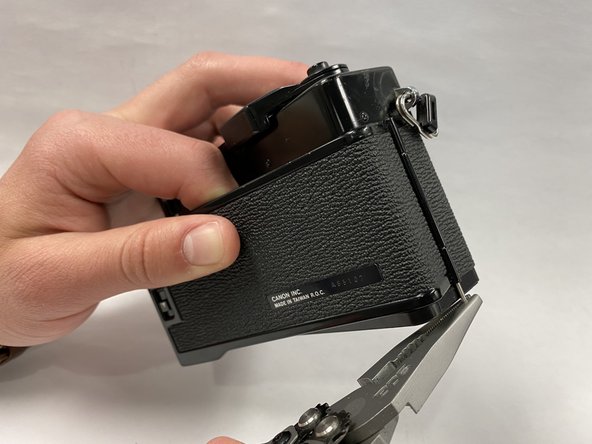
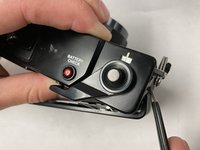
Duw de pin die de achterbehuizing op de camerabehuizing houdt naar buiten met een gebogen pincet.
-
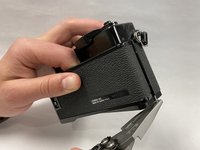
Zodra de pin uitsteekt, gebruikt u een tang of pincet om de pin er helemaal uit te trekken.
-
-




Volg deze instructies in omgekeerde volgorde om je apparaat weer in elkaar te zetten.

Team

Embry-Riddle Aeronautical University, Team S1-G9, Cromer Twal Spring 2020 Lid van Embry-Riddle Aeronautical University, Team S1-G9, Cromer Twal Spring 2020
ERAU-CROMER TWAL-S20S1G9
3 Leden
36 handleidingen geschreven
