Ga door naar hoofdinhoud
Word lid van de reparatiegemeenschap - Account aanmaken

Astro A50 2016 Headset Motherboard Replacement

Wat je nodig hebt

  1. Astro A50 2016 Headset Motherboard Replacement, Headset Speakers: stap 1, afbeelding 1 van 2 Astro A50 2016 Headset Motherboard Replacement, Headset Speakers: stap 1, afbeelding 2 van 2
    • Remove the magnetic ear pads by gently pulling them away from the headset. Be careful not to remove the left earpad, which houses the microphone, and ensure you're only removing the right earpad.

    Vraag FixBot
  2. Astro A50 2016 Headset Motherboard Replacement: stap 2, afbeelding 1 van 1
    • Squeeze the plastic opening tool between the black plastic and foam pad on non mic side and then pry upwards to remove the felt pads covering the speaker.

    Vraag FixBot
  3. Astro A50 2016 Headset Motherboard Replacement: stap 3, afbeelding 1 van 1
    • Remove the four 6mm Phillips 1 screws.

    Vraag FixBot
  4. Astro A50 2016 Headset Motherboard Replacement: stap 4, afbeelding 1 van 1
    • Lift the speaker module up off the device.

    Vraag FixBot
  5. Astro A50 2016 Headset Motherboard Replacement, Headset Motherboard: stap 5, afbeelding 1 van 1
    • Remove the four 6mm Phillips 1 screws.

    Vraag FixBot
  6. Astro A50 2016 Headset Motherboard Replacement: stap 6, afbeelding 1 van 2 Astro A50 2016 Headset Motherboard Replacement: stap 6, afbeelding 2 van 2
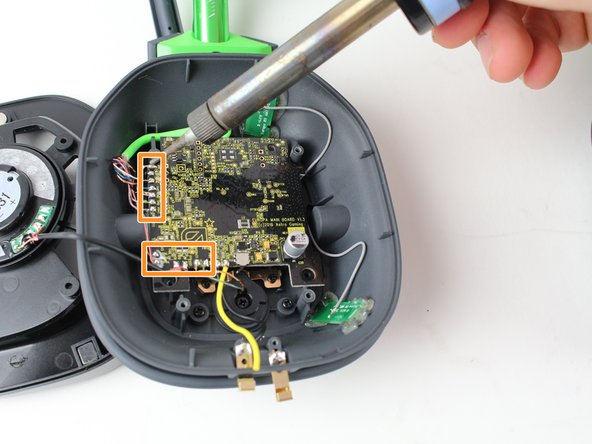
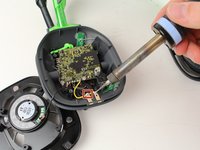
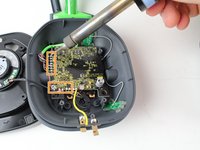
    • Use a soldering iron to desolder the black and yellow wires from the two metal plates near the bottom of the device.

    • Use a soldering iron to desolder the 13 wires in rows along the left and bottom sides of the headset motherboard.

    • Hoe moet je (de-)solderen?

    Vraag FixBot
  7. Astro A50 2016 Headset Motherboard Replacement: stap 7, afbeelding 1 van 1
    • Use the plastic opening tool to pry off the black tape covering the gray wires

    Vraag FixBot
  8. Astro A50 2016 Headset Motherboard Replacement: stap 8, afbeelding 1 van 1
    • Lift the motherboard out of the headset and gently disconnect the gray wires from the motherboard.

    Vraag FixBot
Conclusie

To reassemble your device, follow these instructions in reverse order.

3 andere personen hebben deze handleiding voltooid.

Brian Menard

Lid sinds: 10/01/17

306 Reputatie

1 Handleiding geschreven

Team

Cal Poly, Team S15-G1, Livingston Fall 2017 Lid van Cal Poly, Team S15-G1, Livingston Fall 2017

CPSU-LIVINGSTON-F17S15G1

3 Leden

13 handleidingen geschreven

2Gids Commentaar

Any chance I could get the E250336. USB board part from you guys? I need one.

Theron Miller - Antwoord Deel

I am having a very tough time finding this Part online. Thanks!

Theron Miller - Antwoord Deel

Voeg opmerking toe

Weergavestatistieken:

Afgelopen 24 uren: 2

Afgelopen 7 dagen: 10

Afgelopen 30 dagen: 55

Altijd: 4,818