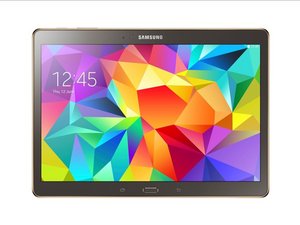

How to replace the screen?
Reason why I am asking is because my aunts dog jumped on her tablet and cracked the screen
Is dit een goede vraag?
Score
0
Rep: 87
 4
4
Reason why I am asking is because my aunts dog jumped on her tablet and cracked the screen
Is dit een goede vraag?
Rep: 759
3
The Tab S10 FE 5G is definitely repairable, but the screen replacement is a fairly involved job. Samsung’s service manual says the screen is heavily adhered and specifically calls for a large suction cup and heat to separate it, with extra care around the battery and internal components.
I’d first confirm whether only the glass is cracked or whether the display and touch are also affected. If the LCD and touch still work normally, you still generally replace the complete screen assembly rather than trying to separate the glass yourself. The basic process is to heat the adhesive, carefully lift the screen, disconnect its flex cable, clean the old adhesive, connect and test the replacement, then install new adhesive and press the screen back into place. Samsung specifically recommends testing the assembly before fully sealing it.
The big warning is the battery. Don’t push a pry tool deeply into the tablet while separating the screen, and don’t use excessive heat. With a cracked screen, Samsung also recommends taping over the broken glass and wearing eye and cut protection before starting.
Was dit antwoord nuttig?
Afgelopen 24 uren: 9
Afgelopen 7 dagen: 53
Afgelopen 30 dagen: 156
Altijd: 156

