
Ga door naar hoofdinhoud
Word lid van de reparatiegemeenschap - Account aanmaken

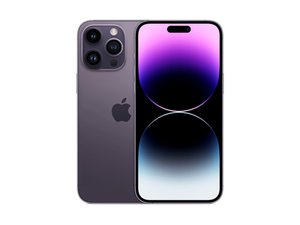
Apple's ''top of the line'' model van 2022. De iPhone 14 Pro Max, gelanceerd op 16 september, bevat een 67" Pro Motion OLED-scherm, de nieuwe Bionic A16 chip, een driedubbel achterste camerasysteem en 5G-connectiviteit. Opvolger van de iPhone 13 Pro Max.

Why is my screen flickering after recent update?

Screen Flickers every time while closing apps

Beantwoord deze vraag Dit probleem heb ik ook

Is dit een goede vraag?

Score 0
Voeg een opmerking toe

1 Antwoord

If your iPhone 14 Pro screen is flickering after a recent update, ******it’s most likely due to a software glitch related to the update, but there are a few other possible causes too. Here’s a clear breakdown of why this happens and what you can do about it:

  1. Software bugs from the update;
  2. Display features interacting strangely with the new software;
  3. Incompatible or unoptimized apps;
  4. System background processes;
  5. Rare hardware triggers

Things that usually fix it:

  1. Restart the phone (sounds basic, but it helps more than you’d think).
  2. Check for another iOS update — Apple often releases quick bug-fix updates.
  3. Go to Settings → Display & Brightness and try turning True Tone off.
  4. Go to Settings → Accessibility → Display & Text Size and turn Auto-Brightness off.
  5. If it happens only in certain apps, update or delete those apps.

When to worry:

  • The flicker is constant, even on the lock screen
  • You see lines, green flashes, or blackouts
  • It started after a drop, water exposure, or screen replacement

In those cases, it could be a hardware issue and worth having Apple check it.

Was dit antwoord nuttig?

Score 0
Voeg een opmerking toe

Voeg je antwoord toe

Araf zal eeuwig dankbaar zijn.
Weergavestatistieken:

Afgelopen 24 uren: 7

Afgelopen 7 dagen: 34

Afgelopen 30 dagen: 180

Altijd: 1,054
