
Ga door naar hoofdinhoud

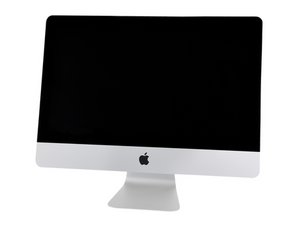
A2115 / 2019 / Processors from 3.0 GHz 6-core i5, up to 3.6 GHz 8-core i9. Released March 19, 2019.

27" Display not working after HDD replacement

I have a 2019 iMac 27" Retina display. It stoped working because of hard drive issues. I use it for video editing and coding, I had considered replacing it, but I didn't want to get a smaller screen or shell out for the studio display and a 1TB Mac mini.

I figured I would replace the drive with a 6TB WD Blue, as the 1TB drive was almost full and I already had an external drive filling up. I ordered the tempeture sensor and followed all instructions carefully. This far from my first repair though it is the first time opening up an iMac.

The replacement went smoothly but I wanted to verify everything worked before I sealed it back up. So I booted from the internet and tried to find the new drive with no success. Stumped, I decided to re-install the old drive to see if I could figure it out.

At this point the display stopped turning on. I would hear the startup sound but the screen never turns on. I tried multiple times, and have switched back to the 6TB. I have tried connecting the external monitor I have been using with this iMac. Nothing appears to work. I have decided to give a rest for the evening but I really would like to be able to use it next week.

Can I trouble shoot and fix this or is this just broken beyond reasonable repair.

Beantwoord deze vraag Dit probleem heb ik ook

Is dit een goede vraag?

Score 0

1 Opmerking:

It was the display cable.

door

Voeg een opmerking toe

1 Antwoord

It can be frustrating when you’ve done a repair or in this case upgrade your system not to get it going.

Sadly the display is a bit tricky to get off without using the special pizza cutter tool. As described here iMac Intel 27" Retina 5K-scherm 2019 Vervanging van het scherm often we see people damaging the display using the wrong tools. And even after you’ve separated the display the cable length is quite short so if you are not careful you can over stress the logicboard connections or even the cables.

Apple did not design their systems to be easy to service that’s for sure! Can you tell us if you used the special cutter as described in the guide I linked above?

Was dit antwoord nuttig?

Score 0

4 opmerkingen:

Thank you, and yes I did purchase and use the special pizza cutting tool. I am worried that I might have overstressed the cables; it took a few tries before I figured out the technique to remove them. Though I examined both closely and I do not see evidence of damage to either connectors on the cable or on the logic board itself.

door

@lotus34961 - Can you post some pics of the cable ends so we can see them from both sides on the end that connects to the logic board as well as some pics of the logic board connectors straight on, down and from the side the more detail is important so make sure to have enough light and sharp.

door

I decided to order a new cable from amazon proactively. When I replaced the display cable things worked. So I know the cable was the problem. Thank you.

door

@lotus34961 - That's great! Can you score and accept the answer - Thanks!

door

Voeg een opmerking toe

Voeg je antwoord toe

Lotus zal eeuwig dankbaar zijn.
Weergavestatistieken:

Afgelopen 24 uren: 0

Afgelopen 7 dagen: 4

Afgelopen 30 dagen: 17

Altijd: 98
