
Ga door naar hoofdinhoud
Word lid van de reparatiegemeenschap - Account aanmaken

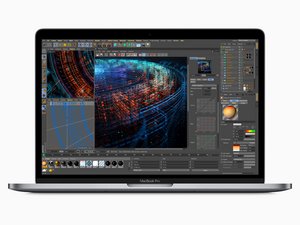
Released in July 2018, the 15" MacBook Pro, model A1990, features a 15.4 inch LED-Backlight display with True Tone technology, TouchID, and up to 6 Core i9 Processor.

Need help diagnosing display issues

My 2018 MacBook Pro display is shpwing flickering green and red lines, and occaionally blacks out or has a block pattern. I cannot locate any cracks in the screen, and the laptop has not been dropped since I have owned it. Graphics display perfectly when using Airplay to cast to my TV. Does this seem to indicate a display cable issue, or should I be looking at replacing the screen? Thanks in advance for the help.

Beantwoord! Bekijk het antwoord Dit probleem heb ik ook

Is dit een goede vraag?

Score 0
Voeg een opmerking toe

2 Antwoorden

Gekozen oplossing

This is most likely due to a failing display flex cable, which unfortunately is integrated into the display assembly. This is a common design problem with these models (2016-2018ish Pros). Unfortunately you'll need to replace the display assembly to repair the device. Sorry!

Was dit antwoord nuttig?

Score 1

1 Opmerking:

That’s what I thought originally, I just needed some confirmation before I under the process. I already bought a replacement display as simply, I just had not installed it. If there was any other options, I wanted to explore that first. Thanks a bunch!

door

Voeg een opmerking toe
Block Image

Saludos que me recomienda MacBook Pro 2018 15 pulgadas modelo a1990

Was dit antwoord nuttig?

Score 0
Voeg een opmerking toe

Voeg je antwoord toe

Tanya Robinson zal eeuwig dankbaar zijn.
Weergavestatistieken:

Afgelopen 24 uren: 0

Afgelopen 7 dagen: 3

Afgelopen 30 dagen: 30

Altijd: 170