
Ga door naar hoofdinhoud
Word lid van de reparatiegemeenschap - Account aanmaken

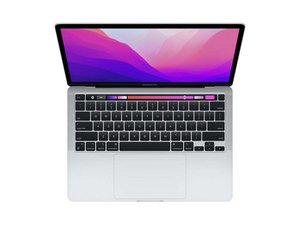
Reparatiehandleidingen en instructies voor de MacBook Pro 13" met 2e generatie Apple Silicon (M2-chip) en 13,3" Retina-display. Model A2338. Voor het eerst uitgebracht op 15 juli 2022 tijdens WWDC 2022 naast de MacBook Air M2.

MacBook Keyboard Spill Not Working

Macbook was on when around half a cup of saline solution was spilled on it. Tried to wipe it off right away and the laptop stayed on. Keyboard wasn’t working so the laptop was still on when I flipped the laptop upside down. The keyboard eventually started working so I turned the laptop off but still kept the laptop upside down. Used a blowdrier to dry it for around ten minutes. Now the display works perfectly fine but the keyboard is non functional. Touch bar doesn’t turn on, keys can’t type, and trackpad doesn’t work. Apple store said repair would be $1000 but I feel like I could fix it myself for less. How should I go about fixing this? Thanks!

Beantwoord deze vraag Dit probleem heb ik ook

Is dit een goede vraag?

Score 0
Voeg een opmerking toe

1 Antwoord

Salt water corrodes electrical circuits! Hopefully it stopped at the keyboard/touchpad.

You'll need to either replace the full uppercase assembly (which I strongly recommend) or locate the raw keyboard and fight through the ton of plastic rivets! Most people end up distorting the Uppercase shell in the process and so far I haven't seen any M2 keyboards offered, I'm not sure if the M1 is a direct fit or not.

Then you have the Touchpad to deal with as well if it was damaged too.

Here's the Apple Repair manual 2022 13" M2 system Review Page 158 as well as Page 8 which offers the P/N info.

Was dit antwoord nuttig?

Score 0
Voeg een opmerking toe

Voeg je antwoord toe

Lexie zal eeuwig dankbaar zijn.
Weergavestatistieken:

Afgelopen 24 uren: 0

Afgelopen 7 dagen: 1

Afgelopen 30 dagen: 13

Altijd: 300
