Ga door naar hoofdinhoud
Word lid van de reparatiegemeenschap - Account aanmaken

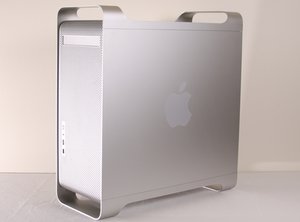
De PowerMac G5 is een desktopcomputer die in 2003 voor het eerst werd geproduceerd door de Apple Corporation. Deze handleiding bespreekt het reparatieproces van een Apple PowerMac G5, modelnummer A1047 EMC 2061 uit 2004. De productie werd in 2006 stopgezet als onderdeel van de overstap naar Intel, eerst voor ontwikkelaars en daarna voor consumenten.

Possible G5 graphics card replacement?

Hello! I'm was trying to pull all the data off of an old Power Mac G5, and while the computer powered up just fine (fan running, audible responses to key strokes, etc.), I discovered the monitor (an old Mag InnoVision LT976s from 2003) no longer displays anything. To be clear: the monitor powers on, and displays options, etc. But it indicates it can't detect a signal from the computer.

Undaunted, I bought some new cables (VGA to DVI, DVI to DVI, etc.), and even (thanks to this site) tried my hand at removing the (very dusty) video card, wiping it off a little, and putting it back in. No dice.

As such: is the only option here to hunt down a new video compatible with an old G5? If so, does anyone have recommendations on what to buy? Note: I only need it to help me get the data off the computer, not to work particularly well or for the long haul — so it doesn't need to be particularly nice.

Any recommendations are welcome!

Beantwoord! Bekijk het antwoord Dit probleem heb ik ook

Is dit een goede vraag?

Score 1
Voeg een opmerking toe

1 Antwoord

Gekozen oplossing

You're going about it the hard way if all you want is the data. It's a serial ATA drive. Just pull the drive and put it in an external enclosure.

Here are enclosure options (make sure you get one for a 3.5" drive):

https://www.amazon.com/s?k=sata+external...

Here's how to pull the drive:

Power Mac G5 harde schijf vervangen

Was dit antwoord nuttig?

Score 5

5 opmerkingen:

Oh! This is super helpful.

Out of curiosity, I assume it'd be a bit more work on the back end to organize the data coming off the hard drive like that, yes? (I'm not really concerned about that, just curious — I've never worked with a hard drive pulled straight out of a computer before.)

door

what computer are you transferring to or reading the drive froM?

door

@mayer 14 inch 2021 MacBook Pro

door

You will need a way to get from the external enclosure to your MBP. This cable will do that:

https://www.amazon.com/AmazonBasics-Type...

door

Awesome. Thanks!

door

Voeg een opmerking toe

Voeg je antwoord toe

Shalam zal eeuwig dankbaar zijn.
Weergavestatistieken:

Afgelopen 24 uren: 0

Afgelopen 7 dagen: 4

Afgelopen 30 dagen: 19

Altijd: 527