
Ga door naar hoofdinhoud
Word lid van de reparatiegemeenschap - Account aanmaken

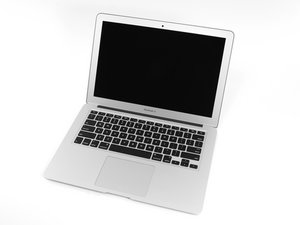
The April 2014 update of Apple's 13" MacBook Air features refreshed dual-core i5 and i7 processors, plus slightly increased battery performance.

Hall effect sensor - screen closed

Hi,

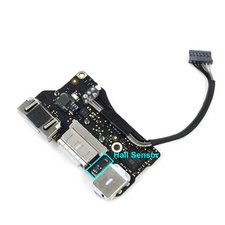
I have just been replacing my screen but the hall effect (sensor that detects the close of the screen to put in sleep mode) is not working anymore. I have found that this sensor is on the I/O board but I do not know where and how I can fix it. Thanks,

Beantwoord! Bekijk het antwoord Dit probleem heb ik ook

Is dit een goede vraag?

Score 0
Voeg een opmerking toe

2 Antwoorden

Gekozen oplossing

What part did you replace exactly, the screen assembly ? The hall sensor connects to the I/O board and it’s on the topcase, but it needs the magnet on the lid to be working properly. Unless the sensor was damaged somehow the only reasonable alternative explanation is that your replacement screen is missing the magnet. If you have a magnet around it will be quite easy to verify which of the two fits your case.

Was dit antwoord nuttig?

Score 1
Voeg een opmerking toe

If you replaced the display you might have dislodged the magnet held in the lid frame, or the hall sensor is bad

Block Image

Using a rare earth magnet slide it across the uppercase where the sensor is located you should see the display turn on and off as you pass it across the sensor. Use a piece of tape to mark the location and now using a steel paperclip locate the magnet in the lid and marking its location the two marked locations should meet up. If not you either got the wrong lid assembly or the magnet is missing or got placed in the wrong hollow when you replaced the LCD panel.

Was dit antwoord nuttig?

Score 1
Voeg een opmerking toe

Voeg je antwoord toe

Pierre-Luc Vérité zal eeuwig dankbaar zijn.
Weergavestatistieken:

Afgelopen 24 uren: 0

Afgelopen 7 dagen: 1

Afgelopen 30 dagen: 26

Altijd: 541