
Ga door naar hoofdinhoud

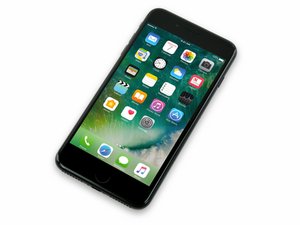
Released September 16, 2016. Models A1661, A1784, and A1785. Available in 32, 128, or 256 GB configurations in Rose gold, gold, silver, black, jet black, and (Product)Red.

Home Button Only Partly Functional

Hello all. I recently replaced my screen with the one that I bought from this site. Everything seemed to go well enough, no nicked ribbon cables or anything.

However, after replacing the screen and booting the phone up, my home button only has some of its functions. The phone has even automatically given me the artificial home button on the screen, because the phone knows there’s something wrong. It still recognizes my touch ID and I can even sometimes wake the phone up with the home button, although there’s no “click” from the tap engine. Also, when I am actually using the phone, I’m unable to get to the home screen by pressing it. I have to use the artificial home button on the screen.

Wondering what this could be caused by. I thought I was careful enough. Again, no nicked cables, quadruple checked all connections to make sure they’re snug, loosened / removed the screw from the back of the home button. I’m not sure if I might have used too much heat, because I’m not sure what would be typical in this case. I used a hot, wet wash cloth and pressed my saran-wrapped phone into it for about a minute to loosen up the glue. Had to do it multiple times because that glue was really tough.

Any suggestions appreciated.

Beantwoord! Bekijk het antwoord Dit probleem heb ik ook

Is dit een goede vraag?

Score 1
2 opmerkingen

Status update, found out that the ear piece speaker doesn't work while making phone calls.

It WILL work when listening to voicemails, just not when making phone calls.

door

Ok. A little more of an update.

I am not able to receive texts or do FaceTime, despite the fact that the front camera works.

The only way I can contact people at this moment is through Facebook messenger.

door

Voeg een opmerking toe

3 Antwoorden

Gekozen oplossing

The home button on the iPhone 7 and up are non repairable as they are software locked to the main board CPU. The reason why you are getting the Touch ID and not the click is you damaged the U10 chip located in the middle of the home button ribbon cable from most likely heat and prying it up. You have to be very careful when removing as it’s easily damaged during transfer to a new screen. As for your voicemail working on earpiece but not calling, it sounds like a software issue . Try restoring the iPhone to new via DFU mode and trying again… if not, I’d try replacing the front cam flex as that may have also been damaged during the screen replacement

Was dit antwoord nuttig?

Score 0

1 Opmerking:

Excellent. Thanks so much sir. I will give those a shot replacing them.

door

Voeg een opmerking toe

Home Button is probably damaged. I suggest replace button yourself if you don’t want Touch ID. But if you want Touch ID, go Apple Service, where this will replaced.

Was dit antwoord nuttig?

Score 0

1 Opmerking:

So the Touch ID works, so I’m not too worried about that. However, I’m now finding that the earpiece speaker doesn’t work when making phone calls. I’m beginning to think this might be a board issue?

door

Voeg een opmerking toe

Is sound like the person that replaced it rely messed up.

Was dit antwoord nuttig?

Score 0
Voeg een opmerking toe

Voeg je antwoord toe

Robert Howard zal eeuwig dankbaar zijn.
Weergavestatistieken:

Afgelopen 24 uren: 0

Afgelopen 7 dagen: 0

Afgelopen 30 dagen: 2

Altijd: 135

