
Ga door naar hoofdinhoud
Word lid van de reparatiegemeenschap - Account aanmaken

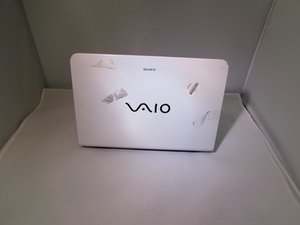
De Sony Vaio SVE111B11L werd uitgebracht in 2010 en staat ook bekend als onderdeel van de Sony Vaio E-serie. Hij is geproduceerd door Sony en is verwant aan andere modellen, zoals: SVE11125CXB, SVE11125CXW, SVE11135CXB en SVE11135CXW.

Not didating the hard drive

i removed the cmos battery from the mother board after fixing it back, when i tried to on it, i discovered that the system is no longer dictating the hard drive, so in this case, what do i do?

Beantwoord deze vraag Dit probleem heb ik ook

Is dit een goede vraag?

Score 0
2 opmerkingen

tanx so much, but i have done that sir, but the issue here is that, the system is not entering BIOS setup, i have been using my F2 command but it has refused to enter setup, is still showing operating system not found, so what do i do next

door

Remove the computer battery and the CMOS battery for 30 minutes, then replace both and try again to enter Setup.

door

Voeg een opmerking toe

1 Antwoord

Het nuttigste antwoord

Boot to the BIOS, by Tapping the F2 key when you Power On. When the BIOS screen come up, scroll to the "Disk #1" setting and press Enter. It should find your hard drive. Save and Exit, and your drive should now be the default.

Good luck,

Russ

Was dit antwoord nuttig?

Score 1
Voeg een opmerking toe

Voeg je antwoord toe

onyebuchiadieze zal eeuwig dankbaar zijn.
Weergavestatistieken:

Afgelopen 24 uren: 1

Afgelopen 7 dagen: 2

Afgelopen 30 dagen: 13

Altijd: 343
