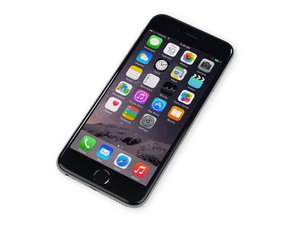
Two white dots on screen
Why does my iPhone 6 have two white dots in top left hand corner
Is dit een goede vraag?
Score
6

Rep: 73
 2
2
 2
2
Why does my iPhone 6 have two white dots in top left hand corner
Is dit een goede vraag?

Rep: 57,7k
18
81
 212
212
Probably dead pixels. If it really bothers you, you could replace the display assembly
Was dit antwoord nuttig?
It's actually not they are like perfectly defined not damaged liek it's like it's part of the home screen
Are you the same person as the original poster?
If you could provide a picture we could better help you fix the problem.
Does it look like this: https://postimg.cc/image/5xhiimsrx/ I've just had it come up on mine (under the EE sign top left)
Panic over - I turned phone off then back on again - hey presto, it's gone :)
I have the same problem

Rep: 205
1
2
No, it's a software glitch. They appeared on my iPhone after I was wiping clean my screen. I just powered off the phone and restarted it and they went away.
Was dit antwoord nuttig?
Thank you so much ,That did work
Awesome I had those did what you said and viola gone!! Thanks saved me heaps of money
Perfect! Thank you so much!
Omg ! Thanks it worked, it was really bothering me like some thing I could not tell weather it was one word or the other thanks to you it's all fixed !
Phew.. also was cleaning screen when it first appeared. Magic..it's gone

Rep: 1,8k
3
White spots are usually from water damage or where there is something under the screen pushing pressure onto the LCD like a swollen battery. Replacing the screen will sort it if it's water damage.
Was dit antwoord nuttig?
Hey Chris! You were right. My new screen I bought recently for an iphone XR has this problem. The screen is fine when the phone is not closed, but when it is closed(the screen and the housing), these white dots would show up, because of something pressing on the shield inside. I'm not sure what's causing these pressure, I definitely followed the ifixit guide to replace the digitizer and LCD and I don't know what's pressing on the screen. It's in lower right bottom near the corner. Can you please help me with this? Thanks!

Hello everyone. I actually got my phone fixed not too long ago and dropped it in water. I have 2 white dots appearing in the middle of my phone. I know it could've came from the water or the way my screen was fixed. If I get my screen fix again will this go away?
Was dit antwoord nuttig?
Try reseting your phone I should fix this problem but if not I would take it to apple to make sure it is not a bad LCD if it goes black IMMEDIATELY GO TO APPLE
I now had two white dots on my screen (iPhone 7) as well, after I installed the new iOS 12.1 program. I re-set my phone but the two dots did not go away. Then I just switched off the phone and on again, and it did work: the two dots have disappeared.

Rep: 1,6k
15
20
It is dead pixels on the screen, you can see this article to solve your issues. Tips on How to Fix Dead Pixels on Your Screen May this can help you solve your issue, if it is useful, please click Yes to help others people, thank you.
Was dit antwoord nuttig?

Just restart your phone that's what I done !
Was dit antwoord nuttig?

I turned phone off and back on again - problem solved.
Thanks everyone :)
Was dit antwoord nuttig?
I turned phone on and off and they disappeared from screen!
Was dit antwoord nuttig?

Turn off the phone then on again the white dots will disappear
Was dit antwoord nuttig?

To everyone who insists that they are dead pixels, take a good look:

There is no way those are dead pixels. :D
Was dit antwoord nuttig?

I think it's someone snooping on me…I’ve got apps from sling? That I can't get get rid off and apps that say they draw over other apps? But I'm Android…My two dots are almost irridecent (spell check ) one lower right…One alttle lower right from center
Was dit antwoord nuttig?
Afgelopen 24 uren: 0
Afgelopen 7 dagen: 6
Afgelopen 30 dagen: 24
Altijd: 190,298


5 opmerkingen
How to fix iPhone 6 white dots???
door Jebin Joseph
Had the identical problem! A cold restart appears to have solved it!
door Tony G
The restart works! Simple and no more dots.
door Rd Kimber
Worked instantly, thank you. Mani
door adamsmani
@Jebin Joseph I can’t do mine
door Olayinkaayomide51@gmail.com