
Ga door naar hoofdinhoud
Word lid van de reparatiegemeenschap - Account aanmaken

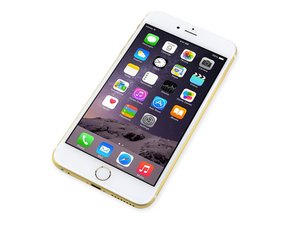
Repair information and guides for the iPhone 6 Plus that was released on September 19, 2014. Model: A1522, A1524

Touch and power button issues

Having some weird problems after replacing the screen on this iPhone. To start the screen did not work at all when I received the phone. During the repair I tore the cable that the home button connects to. I replaced that cable and now after replacing the screen the touch almost never works. I can try to swipe over to the unlock screen but it will only swipe over once or twice every 30 attempts. Also the power button sometimes just doesn't work at all and sometimes it works fine. Currently I'm going over the mother board looking for any damages but so far I have nothing. Anyone have issues like this before or know of a solution? I tried a completely different screen and the same problems are happening.

Beantwoord! Bekijk het antwoord Dit probleem heb ik ook

Is dit een goede vraag?

Score 0
Voeg een opmerking toe

2 Antwoorden

Gekozen oplossing

The touch problem sounds a lot like a common problem in the iPhone 6 (plus), where the touch IC no longer makes proper contact.

Unfortunately the only permanent fix is to resolder the entire thing, which requires quite some expert skills.

It's kind of hard to find decent info on this problem, since Apple won't acknowledge it.

For more information on what exactly causes it and how to fix it: http://mendonipadrehab.com/entries/gener...

Was dit antwoord nuttig?

Score 3

2 opmerkingen:

Definitely a good read. Thanks for posting that link

door

Thank you so much for your help time to test my soldering skills

door

Voeg een opmerking toe
Het nuttigste antwoord

Clean the digitizer and lcd sockets with 90% isopropyl alcohol. Make sure you've secured your connections and make sure you're using quality parts

iPhone 6 Plus Screen Replacement

iPhone 6 Plus Screen

I would also check and see if the phones been water damaged. That would also be a 90% isopropyl alcohol clean. As for the power button. Try to clean it, you may need to get another flex cable

iPhone 6 Plus Home Button Link Cable

iPhone 6 Plus Power Button Replacement

Replace a screen compatible with iPhone 6 Plus. Includes all of the small parts preinstalled in the assembly. Features a 5.5 inch 1080 x 1920 pixel IPS LCD Display, Front Glass Digitizer Panel, Front Camera Assembly, Earpiece Speaker, Home Button Link Cable, and LCD Shield Plate. Afbeelding

Product

iPhone 6 Plus Screen

$49.99

Replace the cable that connects the home button assembly to the logic board compatible with the iPhone 6 Plus. This cable follows a channel in the LCD shield plate. Part #821-2658. Afbeelding

Product

iPhone 6 Plus Home Button Link Cable

$14.99

iPhone 6 Plus Screen Afbeelding

Handleiding

iPhone 6 Plus Screen Replacement

Moeilijkheid:

Gemiddeld

1 - 2 hours

iPhone 6 Plus Power Button Afbeelding

Handleiding

iPhone 6 Plus Power Button Replacement

Moeilijkheid:

Moeilijk

45 minutes - 2 hours

Was dit antwoord nuttig?

Score 3

2 opmerkingen:

Power button is working fine after giving the it a good cleaning

door

Oh, good! Glad you got it sorted

door

Voeg een opmerking toe

Voeg je antwoord toe

Jeremy Byers zal eeuwig dankbaar zijn.
Weergavestatistieken:

Afgelopen 24 uren: 0

Afgelopen 7 dagen: 4

Afgelopen 30 dagen: 14

Altijd: 2,395
