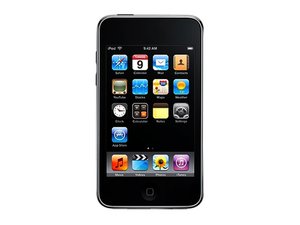
blinking apple logo nonstop
my daughters itouch has been down for sometime now and now it just blinks the apple logo, how can we get out of this?and restore.
Is dit een goede vraag?
Score
1

Rep: 23
 1
1
 1
1
my daughters itouch has been down for sometime now and now it just blinks the apple logo, how can we get out of this?and restore.
Is dit een goede vraag?

Rep: 9,2k
28
16
 16
16
Hold power button and the home button for ~10 seconds to hard-reset. Specifically, what led up to her iPod dying?
Was dit antwoord nuttig?

Rep: 35,2k
145
71
53
fluid damages are pretty bad - and they are getting worse.
when the fluid is gone - it leaves a conductive residue - this residue will act like cancer, it simply "eats" his way through the small parts and circuits.
you can try to fix it with cleaning.
get some isopropyl alcohol and a paintbrusch, disassemble the ipod and clean the odd looking parts (white greenish residue) - clean it carefully - but it must be removed, check the connectors and don't forget the bottom side of the logic board.
let it dry - don't use a hair dryer for that and when it's dry, reassemble it and try to power it on/connect it with the computer
good luck
Was dit antwoord nuttig?
+
how do i open the itouch
oh i have my daughter itouch on the itunes and usb cord mode and nothing else happens
on the right side of this page is menu - click in step-by-step guides and use the one for the logicboard. and please - stop trying to charge it - it won't help and could finally kill the device!

If it has been water damaged and the Apple logo is just blinking, those are signs of possible hard drive or logic board damage.
Was dit antwoord nuttig?
There is no hard drive in the iPod Touch, but a bad logic board is likely.
Afgelopen 24 uren: 0
Afgelopen 7 dagen: 6
Afgelopen 30 dagen: 12
Altijd: 4,303
