Inleiding
Replace a damaged rubber control button cover.
Wat je nodig hebt
-
-
-
Use a heat gun, hairdryer, iOpener, etc. to heat the back of the Shuffle until it's slightly too hot to the touch.
-
-
-
Use a combination of iPod opening tools and metal spudgers to pry the rear panel away from the Shuffle by the seam nearest the ON/OFF switch.
-
-
-
Remove the rear panel from the Shuffle.
-
There may be a piece of black rubber covering the logic board, or it may come out with the rear panel. This piece is part of a rubber seal that goes around the edges of the rear panel and covers the controls from the inside.
-
-
-
-
Remove the single 2.1 mm Phillips screw securing the logic board to the front case.
-
-
-
Gereedschap gebruikt in deze stap:Tweezers$4.99
-
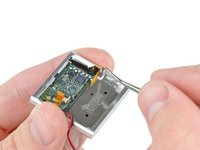
Use the edge of an iPod opening tool to flip up the retaining flap on the control button cable ZIF socket.
-
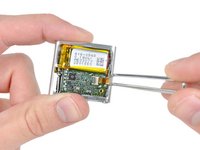
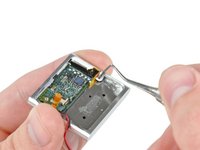
Use a pair of tweezers to gently pull the control button ribbon cable out of its socket.
-
-
-
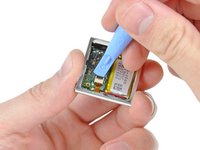
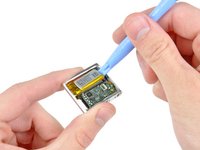
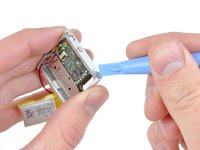
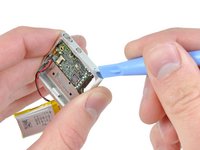
Use an iPod opening tool to gently pry the battery off the adhesive securing it to the front case.
-
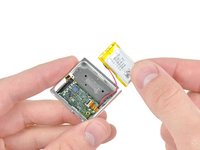
Lift the battery out of the front case, being sure not to strain its delicate leads.
-
-
-
Insert the tip of a metal probe into the hole molded into the logic board retainer nearest the logic board.
-
Pry the retainer first away from the front of the front case, then pull it away from the side of the front case.
-
Remove the logic board retainer from the Shuffle.
-
-
-
Use the edge of an iPod opening tool to push the headphone jack down toward the center of the Shuffle.
-
-
-
Continue pushing the logic board down away from the top edge of the Shuffle.
-
Pull the logic board out of the front case by the side nearest the ON/OFF button and gently maneuver the headphone jack out of its recess in the front case.
-
Remove the logic board assembly from the Shuffle.
-
-
-
-
-
Remove the following four screws:
-
Two 1.2 mm Phillips screws with large heads.
-
Two 1.6 mm Phillips screws with small heads.
-
-
-
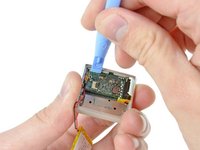
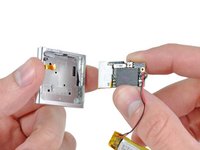
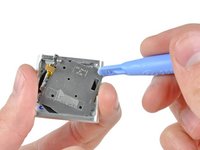
Use an iPod opening tool to pull the control button plate out of the front case.
-
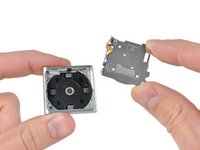
Remove the control buttons from the Shuffle.
-
-
-
-
-
Push the rubber control button cover out of the front case.
-
-

 Vraag FixBot













To reassemble your device, follow these instructions in reverse order.
Annuleren: ik heb deze handleiding niet afgemaakt.
2 andere personen hebben deze handleiding voltooid.

