Ga door naar hoofdinhoud

iNNEXT N64 Classic Controller D-Pad Replacement

Wat je nodig hebt

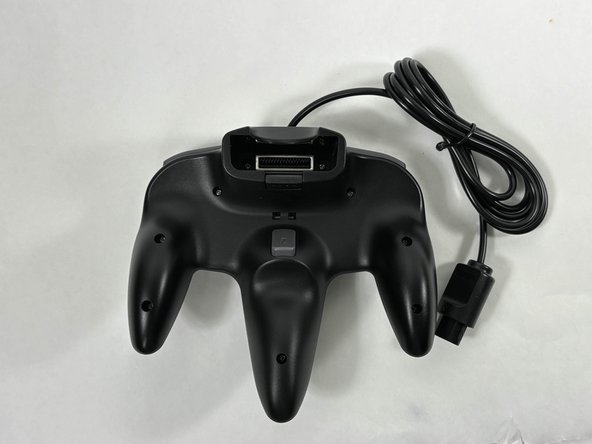
  1. iNNEXT N64 Classic Controller D-Pad Replacement, Bottom Case: stap 1, afbeelding 1 van 2 iNNEXT N64 Classic Controller D-Pad Replacement, Bottom Case: stap 1, afbeelding 2 van 2
    • Turn the controller face down.

    • Use a Phillips #00 screwdriver to remove the eight screws on the back of the controller.

  2. iNNEXT N64 Classic Controller D-Pad Replacement: stap 2, afbeelding 1 van 1
    • Insert an opening tool into the seam between the top and bottom case.

    • Work your way around edge of the controller to release the tabs connecting the top and bottom of the controller.

    • Remove the bottom case from the controller.

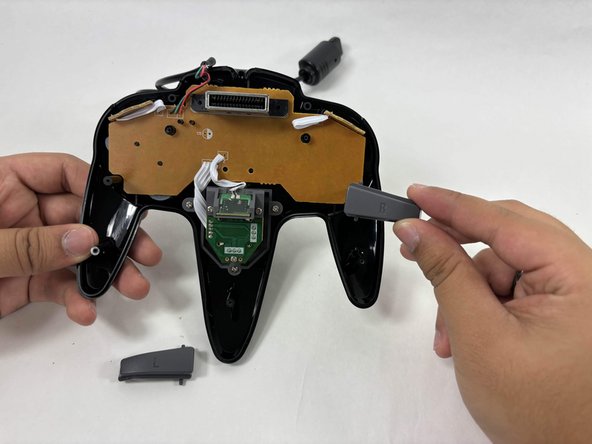
  3. iNNEXT N64 Classic Controller D-Pad Replacement, Shoulder Buttons: stap 3, afbeelding 1 van 2 iNNEXT N64 Classic Controller D-Pad Replacement, Shoulder Buttons: stap 3, afbeelding 2 van 2
    • To remove the shoulder buttons, lift the buttons labelled with "L" and "R" upwards and out of the controller. There should not be any resistance coming out.

    • To add the new buttons, put the top notch of the shoulder buttons into the hole right above the control circuit. There should not be any resistance going in. Once done, you can put the back of the controller back on

  4. iNNEXT N64 Classic Controller D-Pad Replacement, D-Pad: stap 4, afbeelding 1 van 2 iNNEXT N64 Classic Controller D-Pad Replacement, D-Pad: stap 4, afbeelding 2 van 2
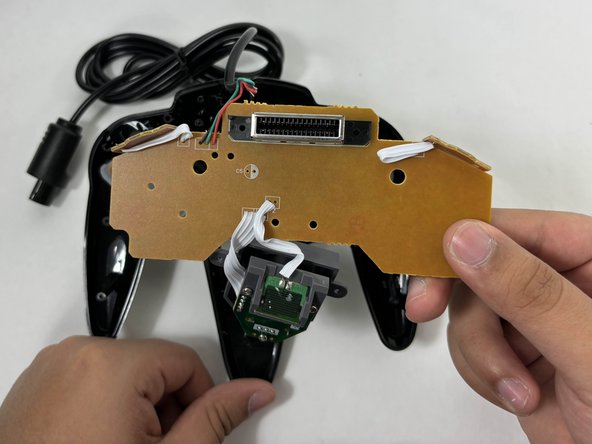
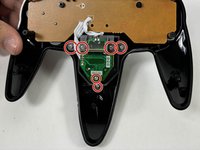
    • Use a Phillips screwdriver to remove the six screws securing the joystick assembly to the top of the controller.

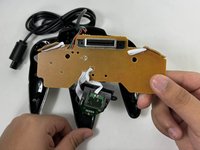
    • Gently lift the control panel and joystick assembly from the top cover of the controller.

  5. iNNEXT N64 Classic Controller D-Pad Replacement: stap 5, afbeelding 1 van 1
    • Remove the silicone gasket from the D-pad.

  6. iNNEXT N64 Classic Controller D-Pad Replacement: stap 6, afbeelding 1 van 1
    • Remove the old D-Pad by either pulling it out from the back of the front case or pushing it out from the front of the controller.

Conclusie

To reassemble your device, follow these instructions in reverse order. Take your e-waste to an R2 or e-Stewards certified recycler.

Khaymare commock

Lid sinds: 10/24/24

265 Reputatie

3 handleidingen geschreven

Team

UMass Dartmouth, Team 3-4, Santin Fall 2024 Lid van UMass Dartmouth, Team 3-4, Santin Fall 2024

UMASSD-SANTIN-F24S3G4

4 Leden

5 handleidingen geschreven

0Gids Commentaar

Voeg opmerking toe

Weergavestatistieken:

Afgelopen 24 uren: 0

Afgelopen 7 dagen: 0

Afgelopen 30 dagen: 5

Altijd: 94