Ga door naar hoofdinhoud
Word lid van de reparatiegemeenschap - Account aanmaken

iMac G3 Model M4984 Hard Drive Replacement

Wat je nodig hebt

    1. iMac G3 Model M4984 Hard Drive Replacement, Logic Board: stap 1, afbeelding 1 van 1
      • The iMac G3. This was a great computer for the time, and had plenty of features.

      Vraag FixBot

      Voeg opmerking toe

    2. iMac G3 Model M4984 Hard Drive Replacement: stap 2, afbeelding 1 van 1
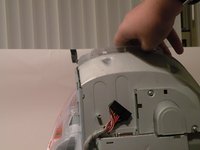
      • Start by flipping the iMac upside-down. It may help to lay it on a towel, so you don't damage the screen, or scratch the face.

      Vraag FixBot

      Voeg opmerking toe

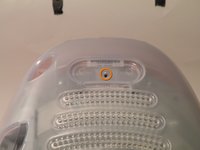
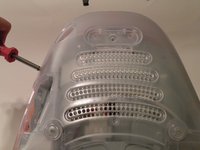
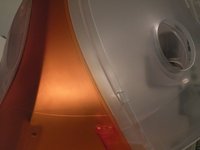
    3. iMac G3 Model M4984 Hard Drive Replacement: stap 3, afbeelding 1 van 3 iMac G3 Model M4984 Hard Drive Replacement: stap 3, afbeelding 2 van 3 iMac G3 Model M4984 Hard Drive Replacement: stap 3, afbeelding 3 van 3
      • Remove this Phillips screw.

      • Using a flathead screwdriver, work your way around the bottom cover, until it comes off.

      • Then, lift the bottom cover up and out, and set it aside.

      Vraag FixBot

      Voeg opmerking toe

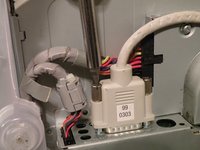
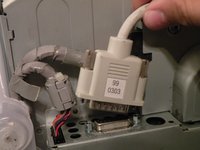
    4. iMac G3 Model M4984 Hard Drive Replacement: stap 4, afbeelding 1 van 3 iMac G3 Model M4984 Hard Drive Replacement: stap 4, afbeelding 2 van 3 iMac G3 Model M4984 Hard Drive Replacement: stap 4, afbeelding 3 van 3
      • Now, remove the DB-15 Video connector from the logic board.

      • It may be helpful to use a Phillips screwdriver to remove the thumbscrews.

      Vraag FixBot

      Voeg opmerking toe

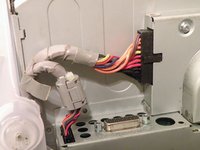
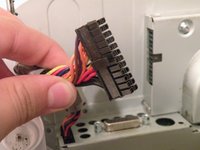
    5. iMac G3 Model M4984 Hard Drive Replacement: stap 5, afbeelding 1 van 3 iMac G3 Model M4984 Hard Drive Replacement: stap 5, afbeelding 2 van 3 iMac G3 Model M4984 Hard Drive Replacement: stap 5, afbeelding 3 van 3
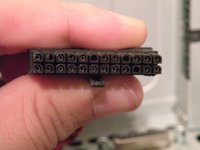
      • Remove the power cable from the logic board assembly.

      Vraag FixBot

      Voeg opmerking toe

    6. iMac G3 Model M4984 Hard Drive Replacement: stap 6, afbeelding 1 van 2 iMac G3 Model M4984 Hard Drive Replacement: stap 6, afbeelding 2 van 2
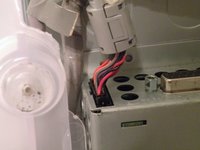
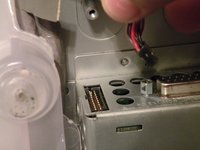
      • Remove the front panel connector. (You may also need to remove an additional screw that connects the front panel connector to the logic board assembly).

      Vraag FixBot

      Voeg opmerking toe

    7. iMac G3 Model M4984 Hard Drive Replacement: stap 7, afbeelding 1 van 3 iMac G3 Model M4984 Hard Drive Replacement: stap 7, afbeelding 2 van 3 iMac G3 Model M4984 Hard Drive Replacement: stap 7, afbeelding 3 van 3
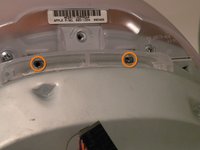
      • Now, remove these Phillips screws.

      • Now, grab the logic board assembly by the piece of plastic, and lift it out.

      Vraag FixBot

      Voeg opmerking toe

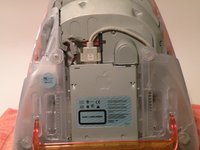
    8. iMac G3 Model M4984 Hard Drive Replacement: stap 8, afbeelding 1 van 1
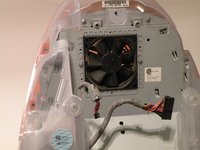
      • The logic board assembly. This is the heart of the computer, it contains the motherboard, CPU, RAM, V-RAM, PRAM battery, the hard drive, and the optical drive.

      Vraag FixBot

      Voeg opmerking toe

    1. iMac G3 Model M4984 Hard Drive Replacement, Optical Drive: stap 9, afbeelding 1 van 1
      • Now to remove the optical drive!

      Vraag FixBot

      Voeg opmerking toe

    2. iMac G3 Model M4984 Hard Drive Replacement: stap 10, afbeelding 1 van 1
      • The optical drive is located near the front of the assembly.

      Vraag FixBot

      Voeg opmerking toe

    3. iMac G3 Model M4984 Hard Drive Replacement: stap 11, afbeelding 1 van 3 iMac G3 Model M4984 Hard Drive Replacement: stap 11, afbeelding 2 van 3 iMac G3 Model M4984 Hard Drive Replacement: stap 11, afbeelding 3 van 3
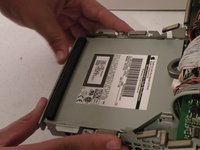
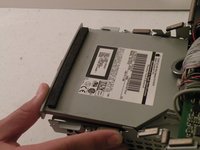
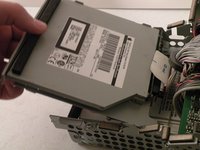
      • To remove the drive, push it in, lift up, and then pull forward.

      • As you pull the drive forward, disconnect the ribbon cable and set it aside.

      Vraag FixBot

      Voeg opmerking toe

    4. iMac G3 Model M4984 Hard Drive Replacement: stap 12, afbeelding 1 van 3 iMac G3 Model M4984 Hard Drive Replacement: stap 12, afbeelding 2 van 3 iMac G3 Model M4984 Hard Drive Replacement: stap 12, afbeelding 3 van 3
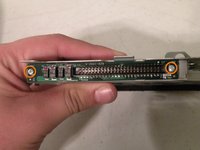
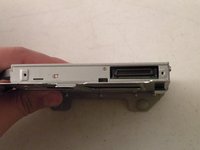
      • Remove the two phillips #00 screws.

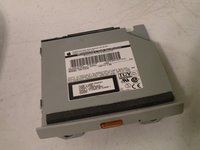
      • Then remove the board. This will reveal that it is a standard PATA drive.

      • Congrats, the drive is free! You can use any PATA-tray loading drive in the iMac G3 which means you can install a CDRW to burn CDs in OS9 or X(if using OSX,install that DVD writer) but, of course only original drives will match the great look of the iMac).

      Vraag FixBot

      Voeg opmerking toe

    1. iMac G3 Model M4984 Hard Drive Replacement, Hard Drive: stap 13, afbeelding 1 van 1
      • Hard Drive Removal:

      Vraag FixBot

      Voeg opmerking toe

    2. iMac G3 Model M4984 Hard Drive Replacement: stap 14, afbeelding 1 van 2 iMac G3 Model M4984 Hard Drive Replacement: stap 14, afbeelding 2 van 2
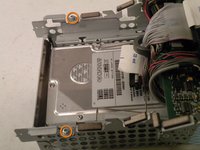
      • Start by removing these Phillips screws:

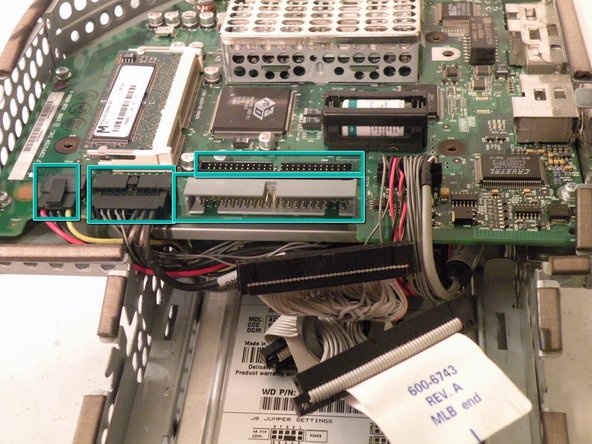
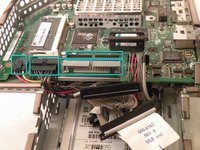
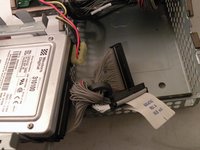
      • Now, remove all of these cables:

      Vraag FixBot

      Voeg opmerking toe

    3. iMac G3 Model M4984 Hard Drive Replacement: stap 15, afbeelding 1 van 2 iMac G3 Model M4984 Hard Drive Replacement: stap 15, afbeelding 2 van 2
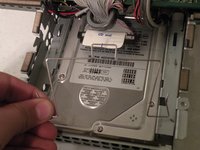
      • Now, remove the optical drive retention spring.

      • Push in on both sides, and pull towards you releasing the retention spring.

      • It may help to do it one side at a time.

      Vraag FixBot

      Voeg opmerking toe

    4. iMac G3 Model M4984 Hard Drive Replacement: stap 16, afbeelding 1 van 3 iMac G3 Model M4984 Hard Drive Replacement: stap 16, afbeelding 2 van 3 iMac G3 Model M4984 Hard Drive Replacement: stap 16, afbeelding 3 van 3
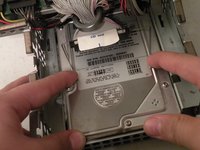
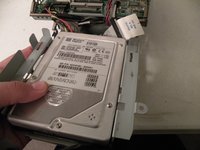
      • Now lift the drive up, and pull it out.

      • Make sure that no cables are snagged before completed pulling out the drive!

      Vraag FixBot

      Voeg opmerking toe

    5. iMac G3 Model M4984 Hard Drive Replacement: stap 17, afbeelding 1 van 1
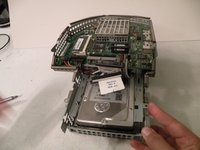
      • When installing a new drive, make sure that the drive jumper block is set to "Single drive". In most drives, this means removing the jumper, or positioning the jumper horizontally instead of vertically, so you don't lose it.

      • To remove the drive from the metal caddy, remove these four screws from the side of the drive.

      Vraag FixBot

      Voeg opmerking toe

Conclusie

To reassemble your device, follow these instructions in reverse order.

Annuleren: ik heb deze handleiding niet afgemaakt.

41 andere personen hebben deze handleiding voltooid.

Chris Green

Lid sinds: 10/11/09

38.396 Reputatie

49 handleidingen geschreven

Team

Master Techs Lid van Master Techs

Community

334 Leden

6.025 handleidingen geschreven

9Gids Commentaar

great description, great photos

antiquarian1 - Antwoord Deel
Many thanks. Worked perfectly.

Bob Schowalter - Antwoord Deel
is the hard disk on a mac interchangeable to iMac 4984 from iMac M5521? Power supply failed on M5521. thx

alexa pritchard - Antwoord Deel

Çok güzel. Makul bir para ödemesi yapabilirim.

Erdog ̆an Tas ̧cı - Antwoord Deel

Thank you so much! My grandmother finally decided to throw hers away but she wanted the hard drive and I got it for her with your help!!!

Heather Hall - Antwoord Deel

Voeg opmerking toe

Weergavestatistieken:

Afgelopen 24 uren: 9

Afgelopen 7 dagen: 71

Afgelopen 30 dagen: 294

Altijd: 56,415