Ga door naar hoofdinhoud
Word lid van de reparatiegemeenschap - Account aanmaken

iHome iD95 iPod Adapter Replacement

Wat je nodig hebt

  1. iHome iD95 iPod Adapter Replacement, Backup Battery: stap 1, afbeelding 1 van 1
    • Before taking apart the iD95, disconnect the AC cord from the wall socket and AC adapter from the DC jack. Remove any iPods, iPhones, and iPads attached to the device.

    • Flip over the iD95 so the bottom cover is visible and the LCD screen is facing you.

    Vraag FixBot

    Voeg opmerking toe

  2. iHome iD95 iPod Adapter Replacement: stap 2, afbeelding 1 van 1
    • Remove the 10 mm-length, 5 mm-head screw using a Phillips #1 screwdriver.

    Vraag FixBot

    Voeg opmerking toe

  3. iHome iD95 iPod Adapter Replacement: stap 3, afbeelding 1 van 1
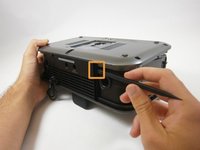
    • Use a plastic opening tool to take out the backup battery.

    Vraag FixBot

    Voeg opmerking toe

  4. iHome iD95 iPod Adapter Replacement, Bottom Cover: stap 4, afbeelding 1 van 1
    • Unscrew five 17 mm-length, 6 mm-head screws using a Phillips #1 screwdriver.

    Vraag FixBot

    Voeg opmerking toe

  5. iHome iD95 iPod Adapter Replacement: stap 5, afbeelding 1 van 2 iHome iD95 iPod Adapter Replacement: stap 5, afbeelding 2 van 2
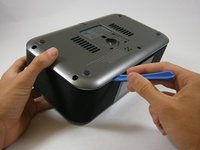
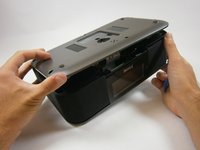
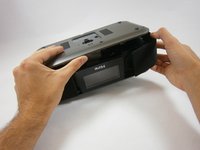
    • The bottom cover is attached to the back cover by two plastic clips. Don't use excessive force.

    • Insert a plastic opening tool between the edge of the bottom cover and the main body.

    • Gently pry the bottom cover from the body. Start anywhere along the front side of the iD95 and work your way around.

    • Grip the bottom portion of the device and gently lift the front part of the bottom cover a couple centimeters up.

    Vraag FixBot

    Voeg opmerking toe

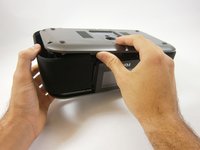
  6. iHome iD95 iPod Adapter Replacement: stap 6, afbeelding 1 van 2 iHome iD95 iPod Adapter Replacement: stap 6, afbeelding 2 van 2
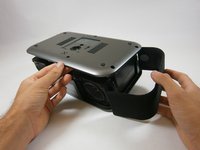
    • Potential for device damage: Be careful not to use too much force or you might break the plastic rings holding the side panels in place.

    • Lift up the bottom cover. Pull the side panel up first, out, and away from the device.

    • The side panels have plastic rings that will need to be lifted up and off the cylinders they are placed around.

    Vraag FixBot

    Voeg opmerking toe

  7. iHome iD95 iPod Adapter Replacement: stap 7, afbeelding 1 van 2 iHome iD95 iPod Adapter Replacement: stap 7, afbeelding 2 van 2
    • Apply the same techniques from the previous step to remove the remaining side panel.

    Vraag FixBot

    Voeg opmerking toe

  8. iHome iD95 iPod Adapter Replacement: stap 8, afbeelding 1 van 3 iHome iD95 iPod Adapter Replacement: stap 8, afbeelding 2 van 3 iHome iD95 iPod Adapter Replacement: stap 8, afbeelding 3 van 3
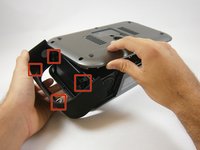
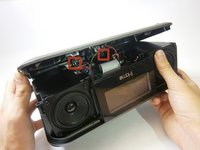
    • Locate the two plastic clips holding the bottom and back cover together.

    • Which clip you remove first is up to you. Rotate the device 90 degrees either left or right. Insert the flat end of a spudger horizontally between the back speaker and the back cover.

    • Place the flat end of the spudger behind one clip and pry it open. This may take repeated attempts.

    • This is the hardest step because the angle is awkward and the visibility is poor. If possible, have someone hold the device or provide lighting.

    • Once a clip has been removed, hold the bottom cover open so the clip will not fall back into place. One clip remains to be removed; you are almost there!

    Vraag FixBot

    Voeg opmerking toe

  9. iHome iD95 iPod Adapter Replacement: stap 9, afbeelding 1 van 2 iHome iD95 iPod Adapter Replacement: stap 9, afbeelding 2 van 2
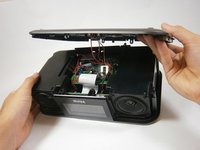
    • Use the same steps to remove the remaining clip.

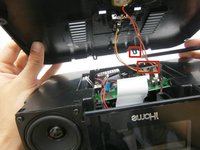
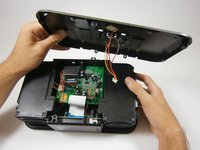
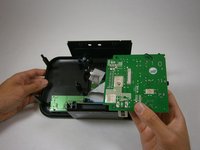
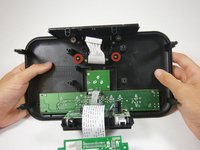
    • The bottom cover is still connected to the motherboard by wiring.

    Vraag FixBot

    Voeg opmerking toe

  10. iHome iD95 iPod Adapter Replacement: stap 10, afbeelding 1 van 2 iHome iD95 iPod Adapter Replacement: stap 10, afbeelding 2 van 2
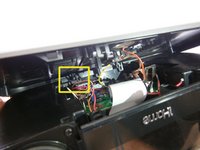
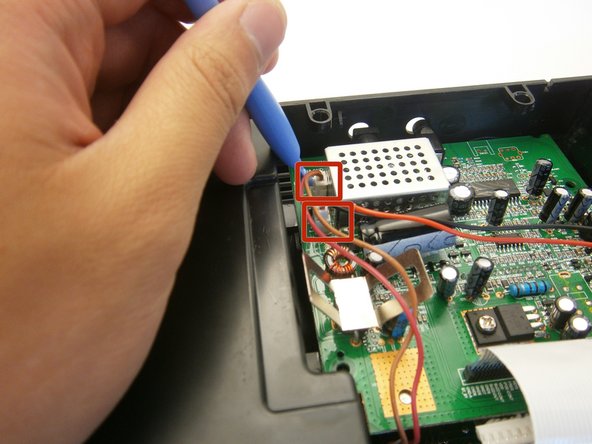
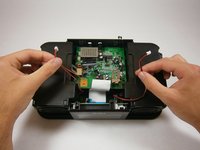
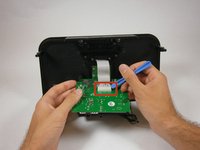
    • Use a plastic opening tool to pry off the white ZIF connector joining the wires to the motherboard.

    • Don't pull the wires. Take your time using a plastic opening tool.

    Vraag FixBot

    Voeg opmerking toe

  11. iHome iD95 iPod Adapter Replacement, Speakers: stap 11, afbeelding 1 van 1
    • Take out four 14 mm screws using a Phillips #1 screwdriver.

    Vraag FixBot

    Voeg opmerking toe

  12. iHome iD95 iPod Adapter Replacement: stap 12, afbeelding 1 van 3 iHome iD95 iPod Adapter Replacement: stap 12, afbeelding 2 van 3 iHome iD95 iPod Adapter Replacement: stap 12, afbeelding 3 van 3
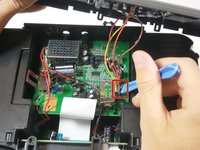
    • Use a plastic opening tool to lift the two speaker zip connectors from the logic board.

    • Do not pull on the speaker wires directly. Continue to use a plastic opening tool.

    Vraag FixBot

    Voeg opmerking toe

  13. iHome iD95 iPod Adapter Replacement: stap 13, afbeelding 1 van 1
    • Lift and remove both speakers.

    Vraag FixBot

    Voeg opmerking toe

  14. iHome iD95 iPod Adapter Replacement, iPod Adapter: stap 14, afbeelding 1 van 2 iHome iD95 iPod Adapter Replacement, iPod Adapter: stap 14, afbeelding 2 van 2
    • Flip the logic board over.

    • Use a plastic opening tool to pry and lift the iPod adapter zip connector from the logic board.

    Vraag FixBot

    Voeg opmerking toe

  15. iHome iD95 iPod Adapter Replacement: stap 15, afbeelding 1 van 2 iHome iD95 iPod Adapter Replacement: stap 15, afbeelding 2 van 2
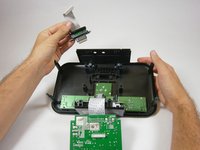
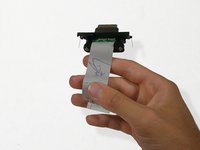
    • Remove two 4 mm-head 12 mm-length screws using a Phillips #1 screwdriver.

    • Pull the iPod adapter from the top cover.

    Vraag FixBot

    Voeg opmerking toe

  16. iHome iD95 iPod Adapter Replacement: stap 16, afbeelding 1 van 2 iHome iD95 iPod Adapter Replacement: stap 16, afbeelding 2 van 2
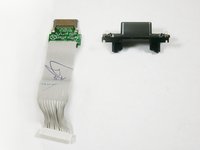
    • Use a Phillips #1 screwdriver to take out the two, 12 mm-length 4 mm-head, screws holding the iPod adapter to its casing.

    Vraag FixBot

    Voeg opmerking toe

Conclusie

To reassemble your device, follow these instructions in reverse order.

Annuleren: ik heb deze handleiding niet afgemaakt.

Één andere persoon heeft deze handleiding voltooid.

Vincent Chan

Lid sinds: 04/18/13

19 Reputatie

6 handleidingen geschreven

Team

Cal Poly, Team 12-37, Amido Spring 2013 Lid van Cal Poly, Team 12-37, Amido Spring 2013

CPSU-AMIDO-S13S12G37

4 Leden

7 handleidingen geschreven

1Gids Commentaar

Great article. I have an iHome iDL95 and would like to swap the Lightening adapter with a 30-pin adapter so that I can utilize my iPod 5.5 Classic. Is this possible? If so, where do I obtain the required 30-pin replacement adapter? Thanks.

P. Matt - Antwoord Deel

Voeg opmerking toe

Weergavestatistieken:

Afgelopen 24 uren: 2

Afgelopen 7 dagen: 10

Afgelopen 30 dagen: 35

Altijd: 2,250