Ga door naar hoofdinhoud
Word lid van de reparatiegemeenschap - Account aanmaken

ZTE Lever Motherboard Replacement

Wat je nodig hebt

    1. ZTE Lever Motherboard Replacement, Battery: stap 1, afbeelding 1 van 1
      • Remove the SD card and the Sim card from the device.

      • The Sim and SD cards are not shown here as our device did not come with them.

      Vraag FixBot
      Voeg opmerking toe

    2. ZTE Lever Motherboard Replacement: stap 2, afbeelding 1 van 2 ZTE Lever Motherboard Replacement: stap 2, afbeelding 2 van 2
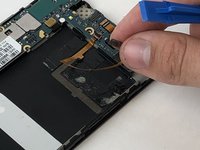
      • Use an iFixit opening tool to separate the back from the device.

      Vraag FixBot
      Voeg opmerking toe

    3. ZTE Lever Motherboard Replacement: stap 3, afbeelding 1 van 2 ZTE Lever Motherboard Replacement: stap 3, afbeelding 2 van 2
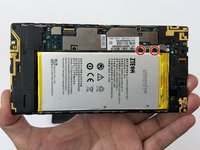
      • Remove the two 1.6mm Phillips #0 screws from the battery plug cover.

      • Remove the cover.

      Vraag FixBot

      Voeg opmerking toe

    4. ZTE Lever Motherboard Replacement: stap 4, afbeelding 1 van 2 ZTE Lever Motherboard Replacement: stap 4, afbeelding 2 van 2
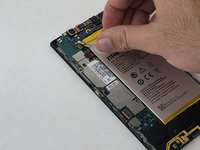
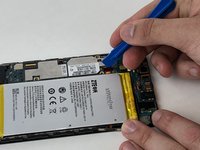
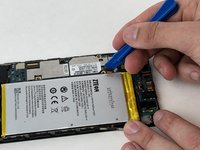
      • Disconnect the battery cable from the motherboard with a plastic opening tool.

      Vraag FixBot

      Voeg opmerking toe

    5. ZTE Lever Motherboard Replacement: stap 5, afbeelding 1 van 1
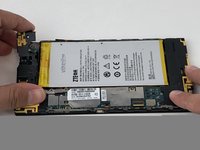
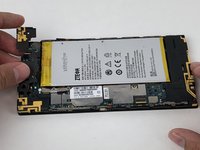
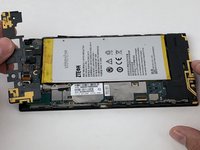
      • Use your hands, or a plastic opening tool, to pry the battery from the phone.

      Vraag FixBot

      Voeg opmerking toe

    1. ZTE Lever Motherboard Replacement, Volume Buttons: stap 6, afbeelding 1 van 1
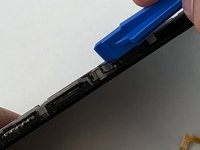
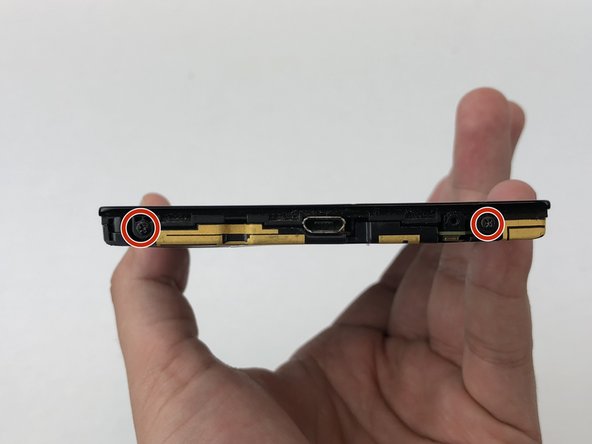
      • Remove the three 1.6mm Phillips #0 screws from the plastic cover on the motherboard.

      Vraag FixBot
      Voeg opmerking toe

    2. ZTE Lever Motherboard Replacement: stap 7, afbeelding 1 van 3 ZTE Lever Motherboard Replacement: stap 7, afbeelding 2 van 3 ZTE Lever Motherboard Replacement: stap 7, afbeelding 3 van 3
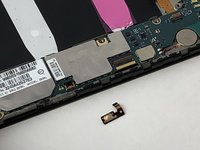
      • Remove the top plastic motherboard cover using a plastic opening tool.

      Vraag FixBot
      Voeg opmerking toe

    3. ZTE Lever Motherboard Replacement: stap 8, afbeelding 1 van 2 ZTE Lever Motherboard Replacement: stap 8, afbeelding 2 van 2
      • Use a plastic opening tool to flip up the retaining flap on the volume ribbon cable ZIF socket.

      Vraag FixBot

      Voeg opmerking toe

    4. ZTE Lever Motherboard Replacement: stap 9, afbeelding 1 van 2 ZTE Lever Motherboard Replacement: stap 9, afbeelding 2 van 2
      • Peel up the volume button cable from the phone with hands, or plastic opening tool.

      Vraag FixBot
      Voeg opmerking toe

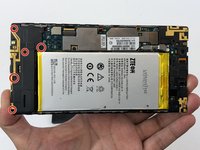
    1. ZTE Lever Motherboard Replacement, Power Button: stap 10, afbeelding 1 van 1
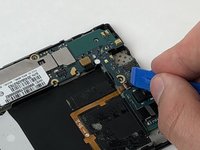
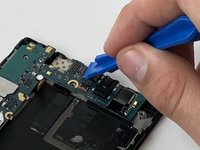
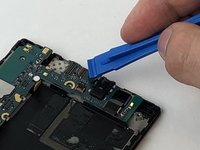
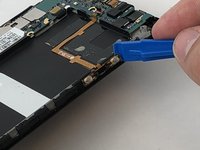
      • Disconnect the power button from the motherboard with a plastic opening tool.

      Vraag FixBot
      Voeg opmerking toe

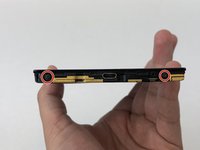
    2. ZTE Lever Motherboard Replacement: stap 11, afbeelding 1 van 2 ZTE Lever Motherboard Replacement: stap 11, afbeelding 2 van 2
      • Peel the power button cable up from the phone with you hands, or a plastic opening tool.

      Vraag FixBot
      Voeg opmerking toe

    1. ZTE Lever Motherboard Replacement, Motherboard: stap 12, afbeelding 1 van 2 ZTE Lever Motherboard Replacement, Motherboard: stap 12, afbeelding 2 van 2
      • Remove the seven 1.6mm Phillips #0 screws from the plastic cover on the bottom of the motherboard.

      Vraag FixBot

      Voeg opmerking toe

    2. ZTE Lever Motherboard Replacement: stap 13, afbeelding 1 van 1
      • Remove the bottom plastic motherboard cover with your fingers

      Vraag FixBot

      Voeg opmerking toe

    3. ZTE Lever Motherboard Replacement: stap 14, afbeelding 1 van 2 ZTE Lever Motherboard Replacement: stap 14, afbeelding 2 van 2
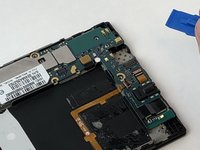
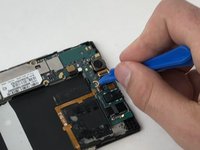
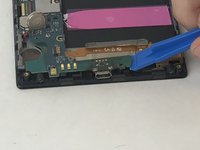
      • Disconnect the camera from the motherboard with a plastic opening tool.

      Vraag FixBot

      Voeg opmerking toe

    4. ZTE Lever Motherboard Replacement: stap 15, afbeelding 1 van 1
      • Disconnect the display cable from the motherboard with a plastic opening tool.

      Vraag FixBot

      Voeg opmerking toe

    5. ZTE Lever Motherboard Replacement: stap 16, afbeelding 1 van 3 ZTE Lever Motherboard Replacement: stap 16, afbeelding 2 van 3 ZTE Lever Motherboard Replacement: stap 16, afbeelding 3 van 3
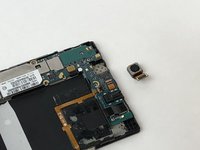
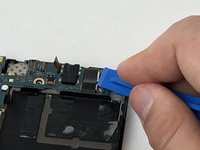
      • Disconnect the camera from the motherboard with a plastic opening tool.

      Vraag FixBot

      Voeg opmerking toe

    6. ZTE Lever Motherboard Replacement: stap 17, afbeelding 1 van 1
      • Disconnect the rear speaker cable from the motherboard with a plastic opening tool.

      Vraag FixBot

      Voeg opmerking toe

    7. ZTE Lever Motherboard Replacement: stap 18, afbeelding 1 van 1
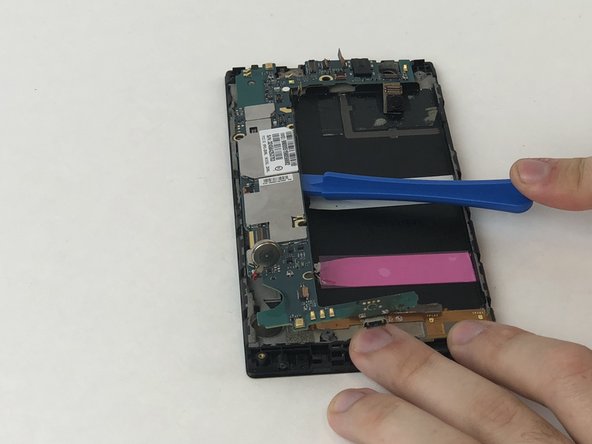
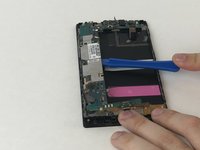
      • Pry the motherboard cell battery from its position on the case of the phone

      Vraag FixBot

      Voeg opmerking toe

    8. ZTE Lever Motherboard Replacement: stap 19, afbeelding 1 van 3 ZTE Lever Motherboard Replacement: stap 19, afbeelding 2 van 3 ZTE Lever Motherboard Replacement: stap 19, afbeelding 3 van 3
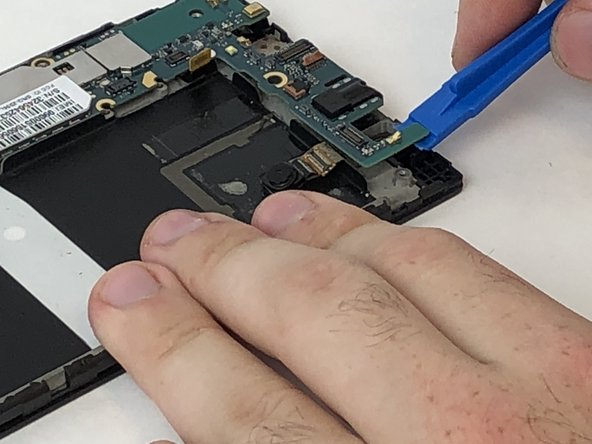
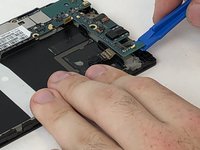
      • Using the plastic opening tool, pry the motherboard up, sliding along the edge to separate the pieces.

      Vraag FixBot

      Voeg opmerking toe

    9. ZTE Lever Motherboard Replacement: stap 20, afbeelding 1 van 1
      • Remove the motherboard with your fingers.

      Vraag FixBot

      Voeg opmerking toe

Conclusie

To reassemble your device, follow these instructions in reverse order.

Annuleren: ik heb deze handleiding niet afgemaakt.

Luke Kilbourne

Lid sinds: 01/29/18

294 Reputatie

2 handleidingen geschreven

Team

USF Tampa, Team S5-G2, Passmore Spring 2018 Lid van USF Tampa, Team S5-G2, Passmore Spring 2018

USFT-PASSMORE-S18S5G2

3 Leden

42 handleidingen geschreven

1Gids Commentaar

Those are excellent instructions but I need to know where at on the motherboard is the internal memory storage cuz my phone is so screwed up that it won't charge or turn on or anything lol,so I got a different phone n got my SD card out of the ZTE n put in my new phone and there are some pics that I really need,but I was wondering if there was any way possible that I could put the SD card back in the ZTE motherboard and some how move the pics onto my SD card so I can have them on my new phone.This is killing my brain on trying to think of ways to succeed n can't please get back to me,,,thanks.

-ROGER-

Roger Knight - Antwoord Deel

Voeg opmerking toe

Weergavestatistieken:

Afgelopen 24 uren: 0

Afgelopen 7 dagen: 9

Afgelopen 30 dagen: 36

Altijd: 726