Inleiding
Use this guide to replace the disk drive in a Microsoft Xbox.
Wat je nodig hebt
-
-
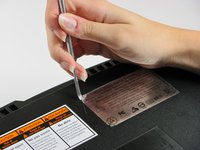
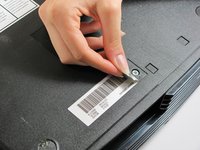
You can either remove the labels or simply feel for the screw holes through the labels and then cut or punch a hole through them.
-
-
-
Remove the six T20 Torx screws securing the top cover to the bottom cover.
-
-
-
-
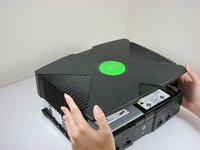
Once the bottom and top shells are no longer attached, carefully turn the Xbox right-side-up, lift and remove the top cover.
-
-
-
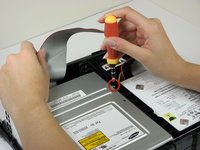
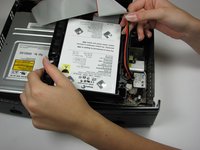
Free the hard drive power cable from the carrier for sufficient slack to lift the hard drive out.
-
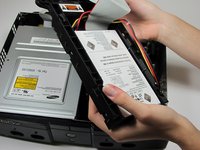
Lift the plastic hard drive carrier out of the Xbox case.
-
-
-
Remove the four 3.4 mm T15 Torx screws from the plastic hard drive carrier (two screws per side).
-
Carefully remove the hard drive from the plastic carrier. Gentle rocking will see the hard drive come out quite easily.
-
-
-
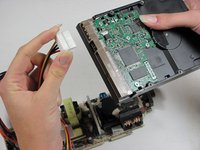
Pull both the hard drive data ribbon cable and the power cable straight up from the hard drive.
-
-
-
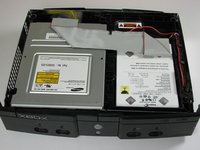
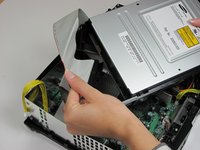
Remove the disk drive. It should come right out.
-
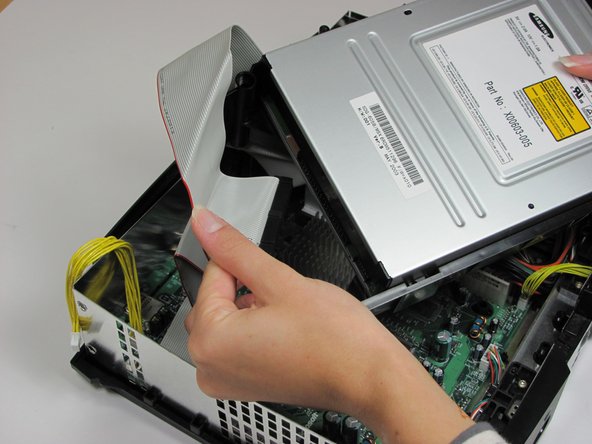
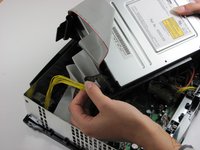
Unplug the ribbon cable and yellow cables from back of disk drive.
-
-
-
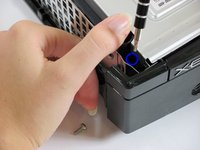
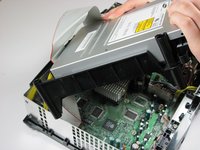
Pry back the black plastic tabs around the disk drive in order to remove it from its housing. Once removed, set the drive aside.
-

 Vraag FixBot










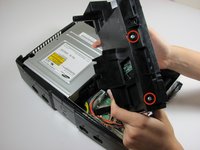
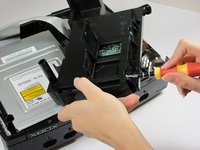
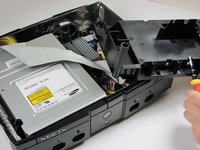


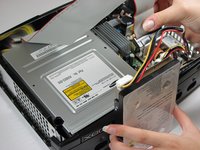



To reassemble your device, follow these instructions in reverse order.
Annuleren: ik heb deze handleiding niet afgemaakt.
70 andere personen hebben deze handleiding voltooid.

Team

Cal Poly, Team 18-2, Maness Fall 2009 Lid van Cal Poly, Team 18-2, Maness Fall 2009
CPSU-MANESS-F09S18G2
3 Leden
26 handleidingen geschreven
8Gids Commentaar
http://www.ebay.com/gds/How-To-Determine...
Utilize the information on this website to determine what Xbox version you have so you know what replacement parts to look for.
The final comment mentions “only remove if dead.” What about a disc drive that closes and opens immediately….in other words, won’t stay closed. Is this a sign of a defective disc drive too?
Can anyone help..My Xbox can't read games..I took it apart and cleaned it, still can't read games
