Ga door naar hoofdinhoud
Word lid van de reparatiegemeenschap - Account aanmaken

UTStarcom CDM8945vw Speaker Replacement

Wat je nodig hebt

    1. UTStarcom CDM8945vw Speaker Replacement, Battery: stap 1, afbeelding 1 van 1
      • Push the highlighted button in the direction in which the antenna is pointing. The battery will release and pop up.

      Vraag FixBot

      Voeg opmerking toe

    2. UTStarcom CDM8945vw Speaker Replacement: stap 2, afbeelding 1 van 1
      • Remove the battery.

      Vraag FixBot

      Voeg opmerking toe

    1. UTStarcom CDM8945vw Speaker Replacement, Antenna: stap 3, afbeelding 1 van 1
      • Identify the antenna. It is the extendable plastic component pictured here.

      Vraag FixBot

      Voeg opmerking toe

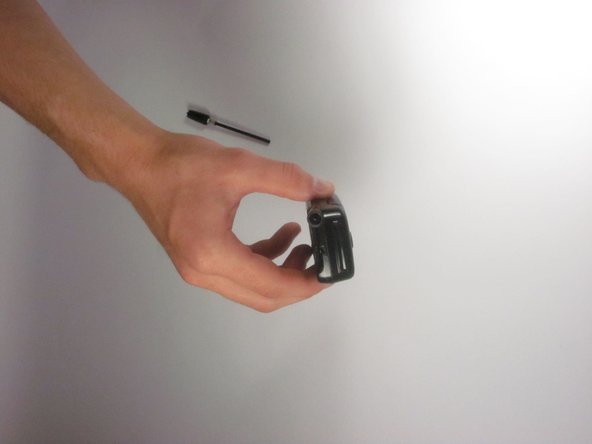
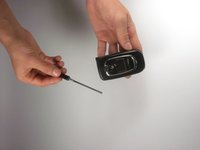
    2. UTStarcom CDM8945vw Speaker Replacement: stap 4, afbeelding 1 van 1
      • Twist the base in a counter-clockwise motion to unscrew the antenna.

      Vraag FixBot

      Voeg opmerking toe

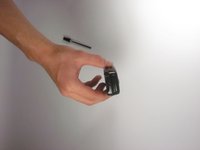
    3. UTStarcom CDM8945vw Speaker Replacement: stap 5, afbeelding 1 van 2 UTStarcom CDM8945vw Speaker Replacement: stap 5, afbeelding 2 van 2
      • The antenna should slide right out of the phone when finished.

      Vraag FixBot

      Voeg opmerking toe

    1. UTStarcom CDM8945vw Speaker Replacement, Speaker: stap 6, afbeelding 1 van 1
      • Remove the small rubber grommet using the plastic opening tool.

      Vraag FixBot

      Voeg opmerking toe

    2. UTStarcom CDM8945vw Speaker Replacement: stap 7, afbeelding 1 van 1
      • Remove five screws using a Phillips #00 screwdriver.

      Vraag FixBot

      Voeg opmerking toe

    3. UTStarcom CDM8945vw Speaker Replacement: stap 8, afbeelding 1 van 1
      • Use the plastic opening tool to separate the two pieces that form the outer case of the phone.

      • Prying the two pieces apart may be difficult. Carefully apply a moderate amount of pressure when attempting to separate the two pieces or else you will risk breaking them.

      Vraag FixBot

      Voeg opmerking toe

    4. UTStarcom CDM8945vw Speaker Replacement: stap 9, afbeelding 1 van 1
      • Remove the back piece of the outer case.

      Vraag FixBot

      Voeg opmerking toe

    5. UTStarcom CDM8945vw Speaker Replacement: stap 10, afbeelding 1 van 1
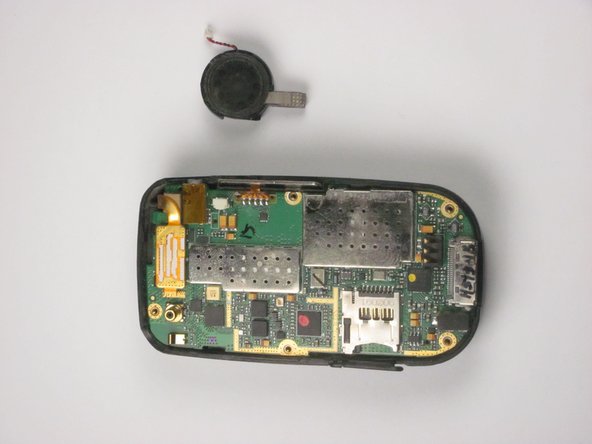
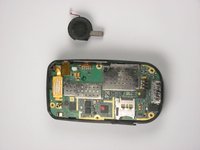
      • Remove the speaker using a plastic opening tool.

      • Apply a small amount of force when removing the broken speaker from the motherboard. If you apply a large amount of force, you may rip out the wires and damage the motherboard.

      Vraag FixBot

      Voeg opmerking toe

    6. UTStarcom CDM8945vw Speaker Replacement: stap 11, afbeelding 1 van 2 UTStarcom CDM8945vw Speaker Replacement: stap 11, afbeelding 2 van 2
      Gereedschap gebruikt in deze stap:
      Tweezers
      $4.99
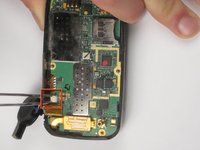
      • Remove the wire attached to the speaker from the motherboard using tweezers.

      • Apply a small amount of force when removing the wire from the motherboard. If you apply a large amount of force, you may rip out the wires and damage the motherboard.

      Vraag FixBot

      Voeg opmerking toe

Conclusie

To reassemble your device, follow these instructions in reverse order.

Annuleren: ik heb deze handleiding niet afgemaakt.

Eli

Lid sinds: 09/27/12

1 Reputatie

2 handleidingen geschreven

Team

Cal Poly, Team 24-26, Regan Fall 2012 Lid van Cal Poly, Team 24-26, Regan Fall 2012

CPSU-REGAN-F12S24G26

4 Leden

35 handleidingen geschreven

0Gids Commentaar

Voeg opmerking toe

Weergavestatistieken:

Afgelopen 24 uren: 1

Afgelopen 7 dagen: 3

Afgelopen 30 dagen: 19

Altijd: 609