Deze vertaling is door een computer gegenereerd en is nog niet door iemand nagekeken. Spreek je deze taal? Bekijk het hier.

UP! Plus 2 Nozzle Replacement

valerie boyer en 3 andere bijdragers
Voor het laatst geüpdatet op 19 aug 2026
Bekeken: 3,4K
Statistieken weergeven:
- Afgelopen 24 uur:
- 3
- Afgelopen 7 dagen:
- 22
- Afgelopen 30 dagen:
- 84
- Altijd:
- 3.409
Commentaar: 1
1 opmerking op de handleiding.
Bekijk de opmerkingen bij de handleidingVoltooid: 2 3
2 mensen hebben deze handleiding als "voltooid" gemarkeerd. Ben jij de volgende?
3 personen hebben deze handleiding als "voltooid" gemarkeerd. Een daarvan ben jij—lekker bezig!
Favorieten: 2 3
2 mensen hebben deze handleiding als favoriet gemarkeerd en volgen deze. Ben jij de volgende?
3 personen hebben deze handleiding als favoriet gemarkeerd (en blijven daarmee op de hoogte van meldingen)—een daarvan ben jij!
Inleiding
Ga naar stap 1 ↓Vaak raakt de nozzle van de 3D-printer verstopt of defect en moet deze worden vervangen. U zult uw nozzle moeten repareren wanneer uw prints herhaaldelijk mislukken. U heeft een schone nozzle nodig om gladde en gelijkmatige oppervlakken te kunnen printen. U heeft hittebestendige handschoenen nodig om deze reparatie uit te voeren, omdat de nozzle warmer zal zijn dan 250 graden Celsius. Een 6mm inbussleutel is vereist om deze reparatie uit te voeren, maar deze zou bij de aankoop van uw printer inbegrepen moeten zijn.
Wat je nodig hebt

-
-
-
Sluit de netadapter en de USB-kabel aan op de achterkant van de printer.
-
Zet de printer aan en initialiseer hem.
 Vraag FixBot
-
-
-
Open de UP!-software op je computer en open het "maintenance window" (onderhoudsvenster).
-
Klik onder "maintenance" op "extrude".
-
Controleer vervolgens of de temperatuur van de nozzle stijgt door naar het statusvak in hetzelfde onderhoudsvenster te kijken.
-
-
-
-
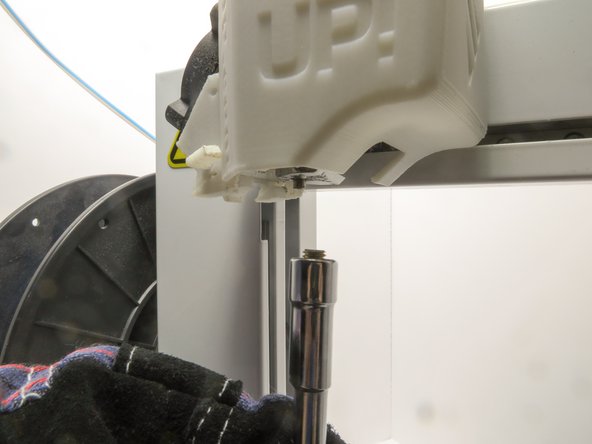
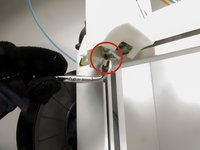
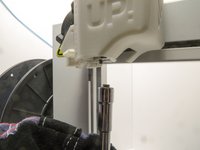
Gebruik de 6 mm inbussleutel, oefen kracht uit door omhoog te duwen om het mondstuk in de sleutel te vergrendelen en draai tegen de klok in om het mondstuk los te maken.
-
-
-
Bevestig het nieuwe mondstuk met de inbussleutel door het met de klok mee vast te schroeven.
-
-



Volg deze instructies in omgekeerde volgorde om uw apparaat weer in elkaar te zetten.
Annuleren: ik heb deze handleiding niet afgemaakt.
2 andere personen hebben deze handleiding voltooid.

Team

Cal Poly, Team 14-31, Maness Fall 2014 Lid van Cal Poly, Team 14-31, Maness Fall 2014
CPSU-MANESS-F14S14G31
4 Leden
60 handleidingen geschreven
1Gids Commentaar
I have a problem with my UP PLUS 3D printer and I really need your help. First printer started to stop in the middle of the printing, then got to the point where I wasn’t even able to connect it to my laptop (it didn’t recognize it) and now, when I press Print, before even slicing completes, the software crashes and I have to reopen (basically I can’t print anything as every time I try, same thing happens). The weird part is that sometimes I can adjust the bed, heat up extruder, extract or retract filament from software but the moment I press print, it dies. PLEASE HELP!!!
