Ga door naar hoofdinhoud
Word lid van de reparatiegemeenschap - Account aanmaken

TomTom Runner LCD Screen Replacement Guide

Wat je nodig hebt

  1. TomTom Runner LCD Screen Replacement Guide, Wristband: stap 1, afbeelding 1 van 1
    • First, lift the bottom part of the band to start removing the wristband from the button area of the watch.

    Vraag FixBot

    Voeg opmerking toe

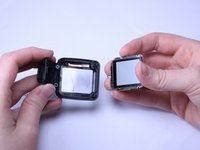
  2. TomTom Runner LCD Screen Replacement Guide: stap 2, afbeelding 1 van 2 TomTom Runner LCD Screen Replacement Guide: stap 2, afbeelding 2 van 2
    • Continue to lift up on the band until the screen of the watch becomes loose from the band.

    • You may need to apply a small amount of force downward on the face of the screen.

    • Continue to pull up on the wristband until it is completely off the watch.

    Vraag FixBot

    Voeg opmerking toe

  3. TomTom Runner LCD Screen Replacement Guide, Back Panel: stap 3, afbeelding 1 van 1
    • Grab the watch once it is separated from the wristband.

    Vraag FixBot

    Voeg opmerking toe

  4. TomTom Runner LCD Screen Replacement Guide: stap 4, afbeelding 1 van 1
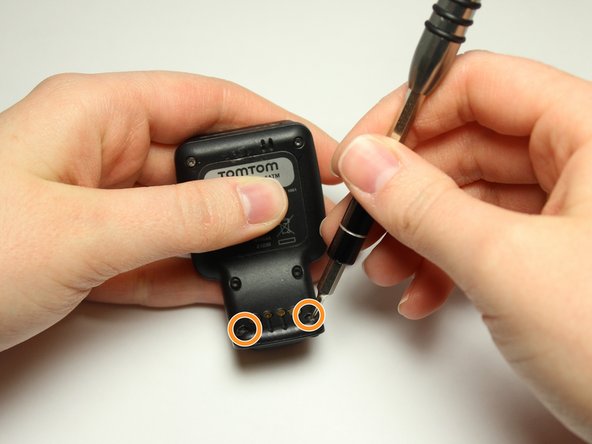
    • Flip over the watch and remove the four 3.0 mm Torx head screws with a T4 Torx head screwdriver.

    Vraag FixBot

    Voeg opmerking toe

  5. TomTom Runner LCD Screen Replacement Guide: stap 5, afbeelding 1 van 2 TomTom Runner LCD Screen Replacement Guide: stap 5, afbeelding 2 van 2
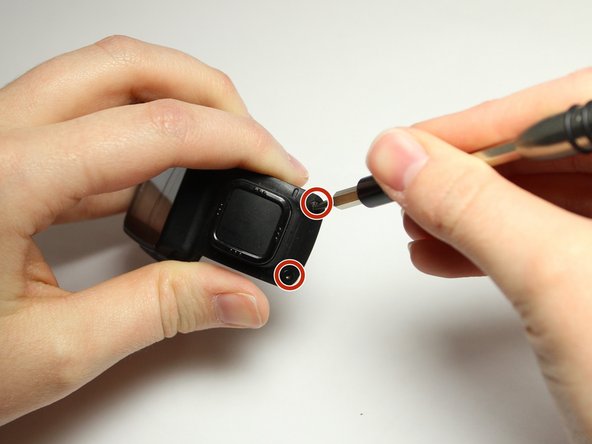
    • Remove the two 3.0 mm Torx screws from the front. Use a T4 Torx screwdriver to remove the screws.

    • The two 3.0 mm Torx screws are painted blue at the end. These screws have screw holders around them that will also need to be removed.

    • Unscrew the screws from the front of the watch casing and the screw holders fall out from the back of the watch casing.

    Vraag FixBot

    Voeg opmerking toe

  6. TomTom Runner LCD Screen Replacement Guide: stap 6, afbeelding 1 van 2 TomTom Runner LCD Screen Replacement Guide: stap 6, afbeelding 2 van 2
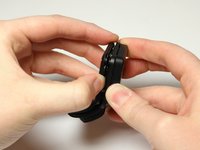
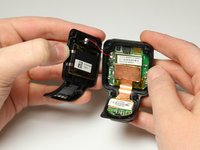
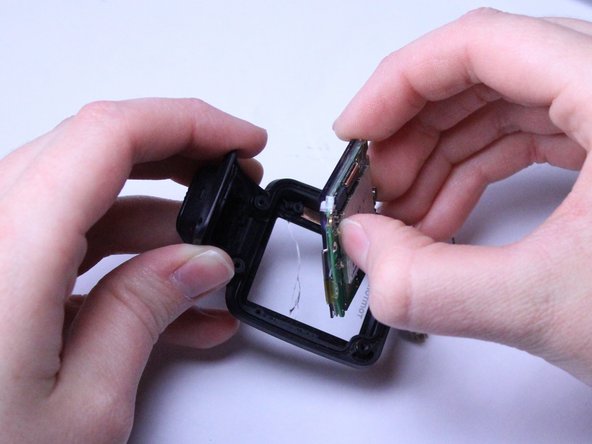
    • Gently pull the back panel away from the front panel.

    • Do not to pull too fast or too hard. There are red and black wires connected to the vibrator component that should not be ripped.

    Vraag FixBot

    Voeg opmerking toe

  7. TomTom Runner LCD Screen Replacement Guide: stap 7, afbeelding 1 van 2 TomTom Runner LCD Screen Replacement Guide: stap 7, afbeelding 2 van 2
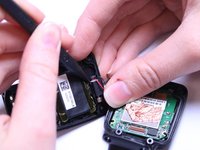
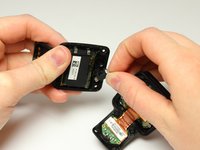
    • Gently wiggle the black box vibrator component away from the back panel with your fingers or a Spudger tool.

    • Be gentle with the red and black wires. You do not want them to rip or pop out.

    • The vibrator component is the small black box with the silver metal part at end. The black box is glued down, so it will take a little force to free it and it will be sticky.

    Vraag FixBot

    Voeg opmerking toe

  8. TomTom Runner LCD Screen Replacement Guide, Front Cover: stap 8, afbeelding 1 van 2 TomTom Runner LCD Screen Replacement Guide, Front Cover: stap 8, afbeelding 2 van 2
    Gereedschap gebruikt in deze stap:
    Tweezers
    $4.99
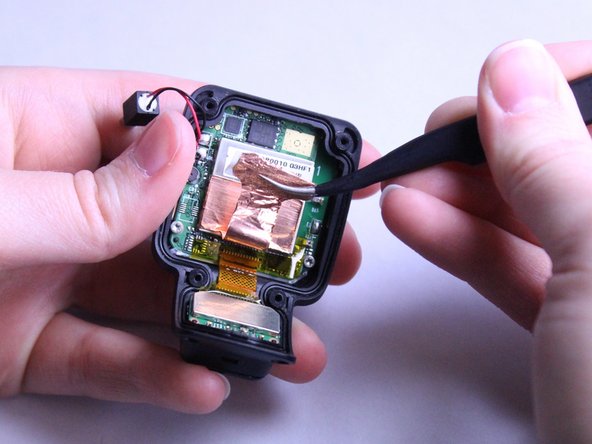
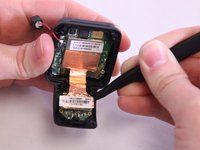
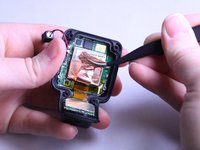
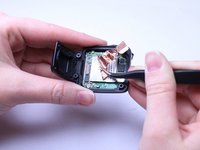
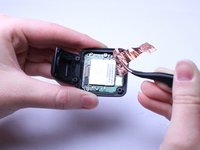
    • Now lift the smaller square of copper off the Front Panel. Use the bent, metal precision tweezers and slide it under the smaller square of copper lining then gently lift it up.

    • You will need to be gentle and pull the copper slowly so that it does not rip.

    Vraag FixBot

    Voeg opmerking toe

  9. TomTom Runner LCD Screen Replacement Guide: stap 9, afbeelding 1 van 2 TomTom Runner LCD Screen Replacement Guide: stap 9, afbeelding 2 van 2
    • Use the bent, metal precision tweezers to remove the thin copper piece from large square silver piece in the Front Casing.

    • You will need to be gentle and pull the copper slowly so that it does not rip.

    Vraag FixBot

    Voeg opmerking toe

  10. TomTom Runner LCD Screen Replacement Guide: stap 10, afbeelding 1 van 1
    • Remove the two 2.0 mm Torx Head screws with the T5 Torx screwdriver.

    Vraag FixBot

    Voeg opmerking toe

  11. TomTom Runner LCD Screen Replacement Guide: stap 11, afbeelding 1 van 3 TomTom Runner LCD Screen Replacement Guide: stap 11, afbeelding 2 van 3 TomTom Runner LCD Screen Replacement Guide: stap 11, afbeelding 3 van 3
    • Use your fingers to gently pull the whole green motherboard out of the Front Casing.

    • If you have trouble using your fingers, then use the black Spudger tool.

    Vraag FixBot

    Voeg opmerking toe

  12. TomTom Runner LCD Screen Replacement Guide, LCD Screen: stap 12, afbeelding 1 van 1
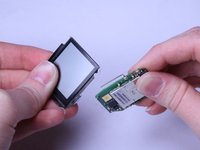
    • Grab the screen attached to the green motherboard.

    Vraag FixBot

    Voeg opmerking toe

  13. TomTom Runner LCD Screen Replacement Guide: stap 13, afbeelding 1 van 3 TomTom Runner LCD Screen Replacement Guide: stap 13, afbeelding 2 van 3 TomTom Runner LCD Screen Replacement Guide: stap 13, afbeelding 3 van 3
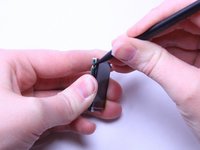
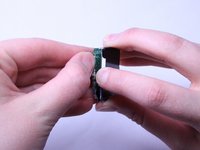
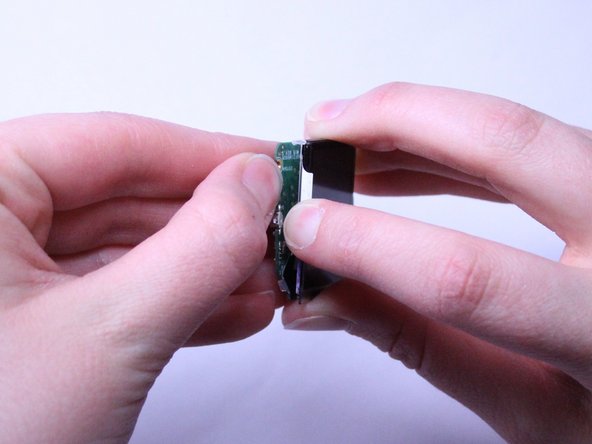
    • Using the pointed end of the black Spudger tool, gently pry the motherboard away from the screen.

    • The motherboard and screen are very fragile, but the motherboard should pop right off.

    • Once you have the motherboard partially pried off, use your fingers to gently pop it out of the clear, plastic clips holding it in place.

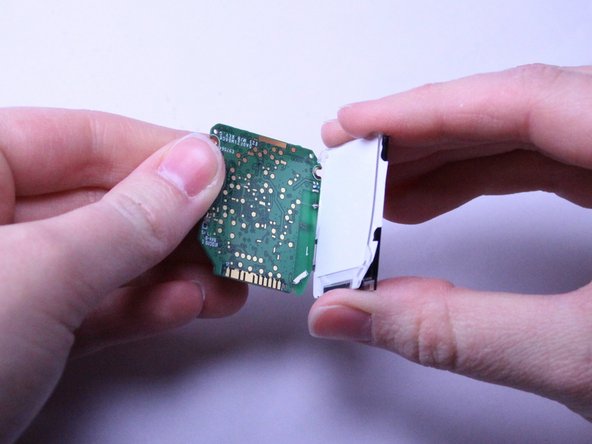
    • Continue to pull the motherboard away from the screen to fully expose the white backing of the screen.

    Vraag FixBot

    Voeg opmerking toe

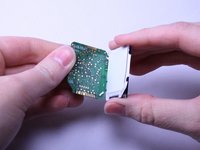
  14. TomTom Runner LCD Screen Replacement Guide: stap 14, afbeelding 1 van 3 TomTom Runner LCD Screen Replacement Guide: stap 14, afbeelding 2 van 3 TomTom Runner LCD Screen Replacement Guide: stap 14, afbeelding 3 van 3
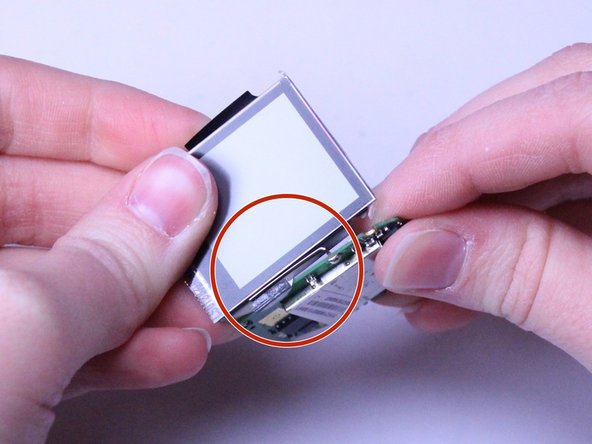
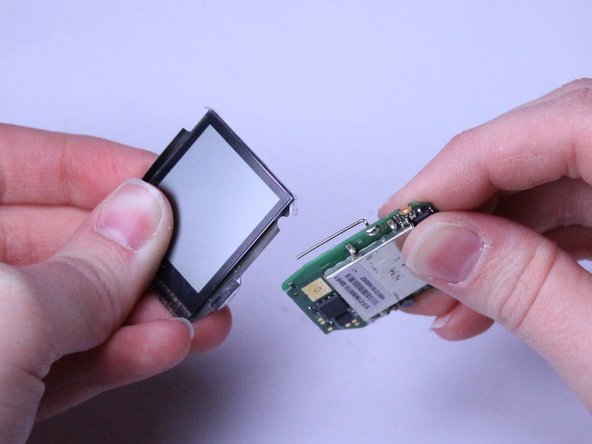
    • Once the white backing of the screen is exposed, carefully flip the two pieces, the motherboard and the screen, over while they are still connected.

    • Look for the small metal piece attached to the motherboard that is wrapped around the front of the screen.

    • Gently slide the screen under and back to free it from the metal piece.

    Vraag FixBot

    Voeg opmerking toe

  15. TomTom Runner LCD Screen Replacement Guide: stap 15, afbeelding 1 van 1
    • Once free from the Front Casing and the motherboard, you are ready to replace the screen.

    Vraag FixBot

    Voeg opmerking toe

Conclusie

To reassemble your device, follow these instructions in reverse order.

Annuleren: ik heb deze handleiding niet afgemaakt.

2 andere personen hebben deze handleiding voltooid.

Amber Scarborough

Lid sinds: 03/20/17

1.157 Reputatie

5 handleidingen geschreven

Team

Texas Tech, Team S8-G6, Bennett Spring 2017 Lid van Texas Tech, Team S8-G6, Bennett Spring 2017

TTU-BENNETT-S17S8G6

4 Leden

15 handleidingen geschreven

8Gids Commentaar

Who sells the replacement screens? I can’t find them anywhere online. Do I need to contact TomTom directly?

Erin Espinoza - Antwoord Deel
Who sells the replacement screens? I can’t find them anywhere online.

Erin Espinoza - Antwoord Deel
Please help where can i buy the lcd

hjcouto - Antwoord Deel

This article is useless unless you know where to buy the replacement screen!!!!

Kel Needham - Antwoord Deel

this tutorial is without function because there is no sale of replacement screens. unfortunately

fielbicolor - Antwoord Deel

Voeg opmerking toe

Weergavestatistieken:

Afgelopen 24 uren: 1

Afgelopen 7 dagen: 12

Afgelopen 30 dagen: 57

Altijd: 10,770